What is Candidate Outcomes?
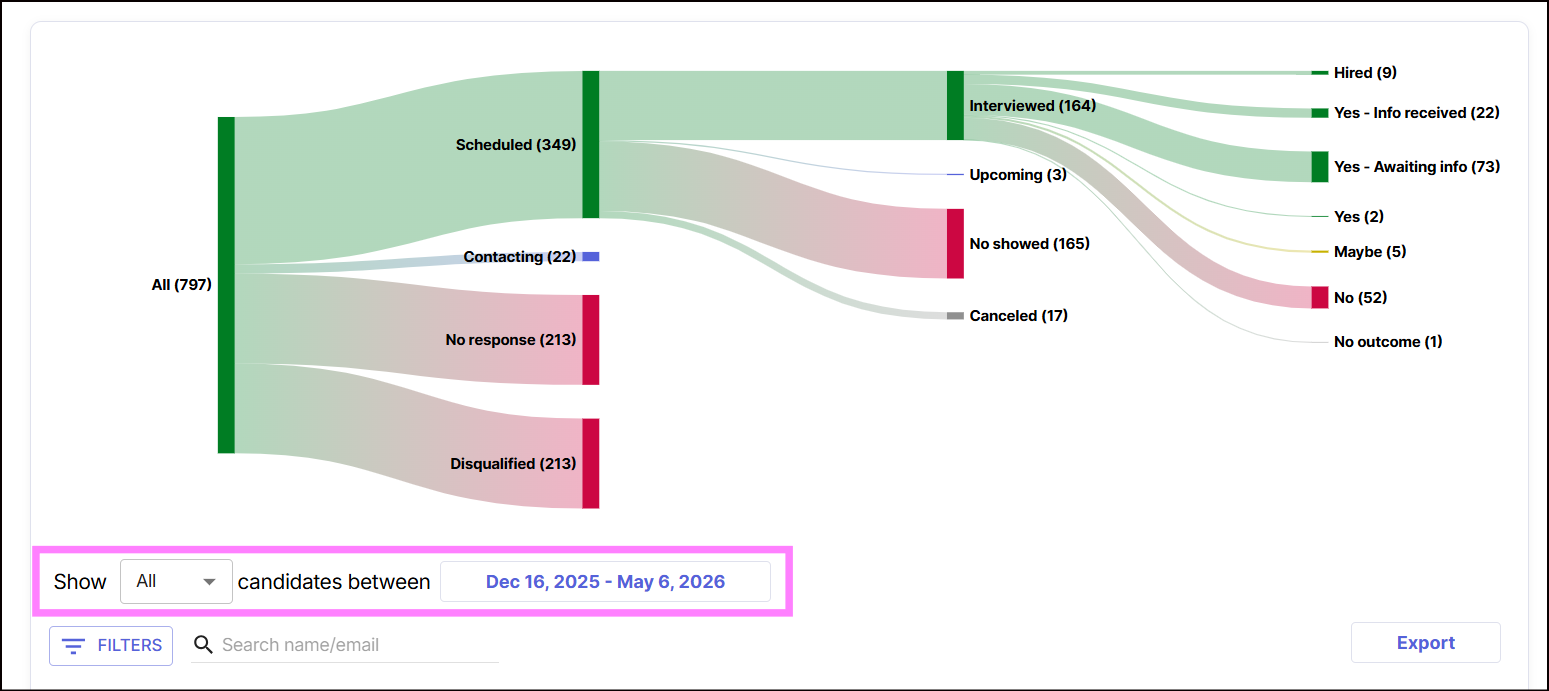
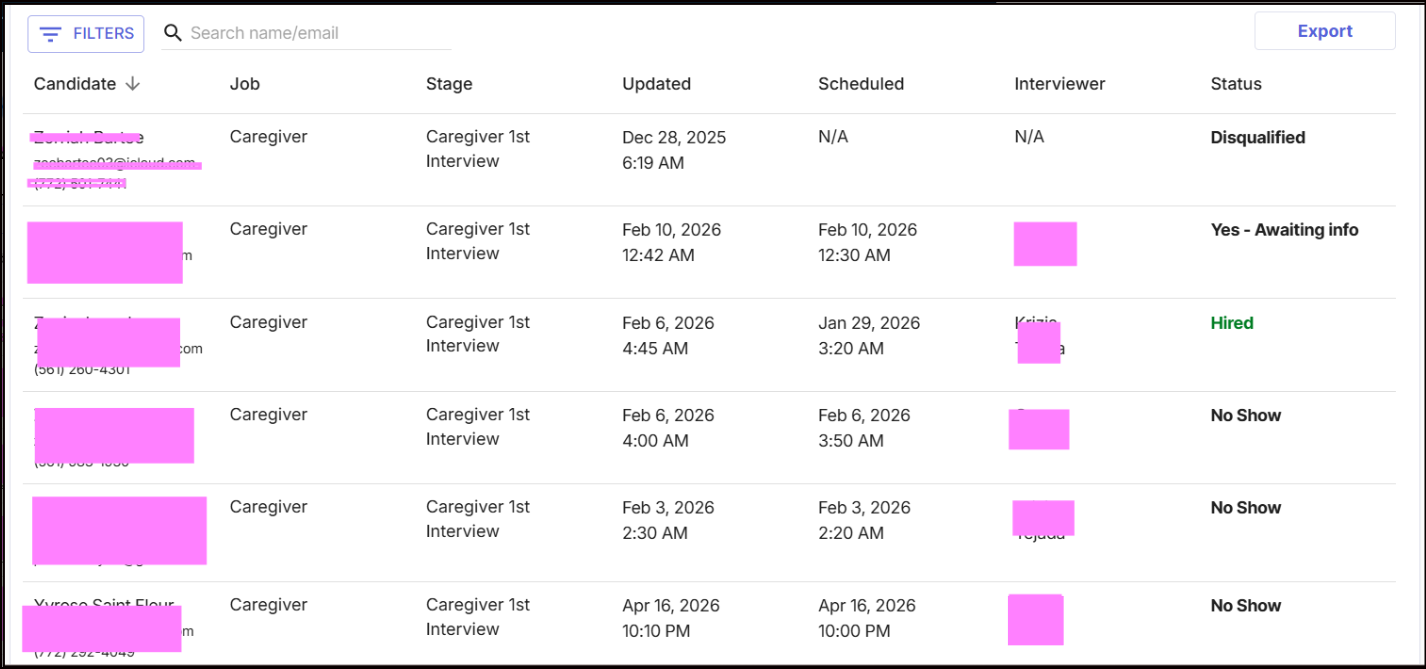
Candidate Outcomes is a feature that shows what happens to a candidate after they apply or complete an interview process. It helps recruiters and administrators track the final result of each candidate’s journey in the hiring workflow.
This can include statuses such as:
- Interviewed
- Not Interviewed
- Hired
- Disqualified
- No Response
It provides visibility into hiring results and helps teams understand candidate progress, follow-up actions, and overall recruitment performance in one place.
How Do I Access the Candidate Outcomes Report?
To view your Engagement Report:
1. Log in to your Hellohire account: https://www.tryhellohire.com
2. Click on “Report” at the top of your screen

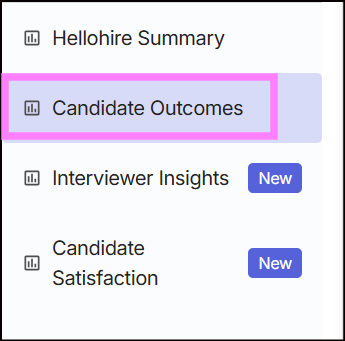
3. From the left-hand menu, select “Candidate Outcomes”
How Do I Filter the Report?
To narrow the data to a specific time frame:
1. Click the date filter in the middle part of the report
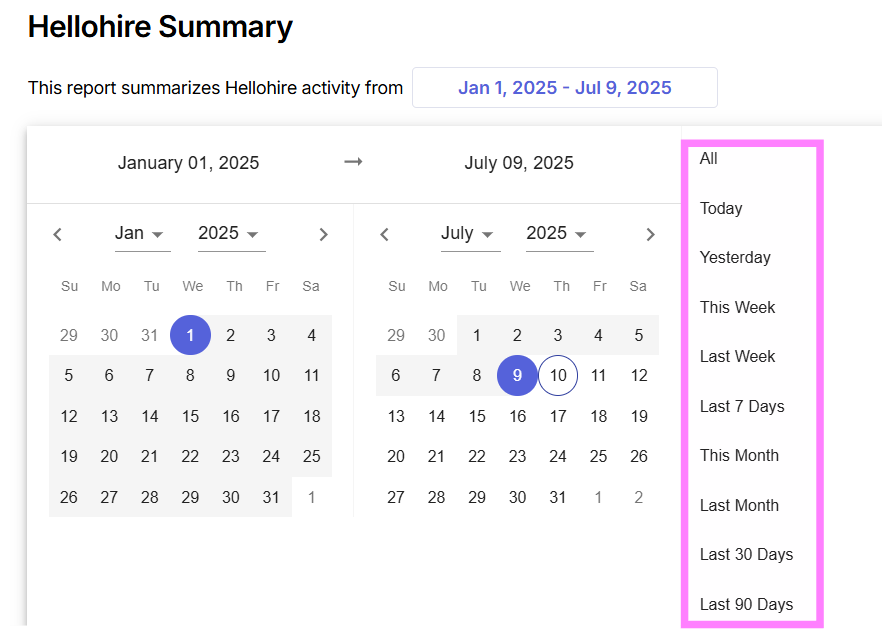
2. Update both the month and year fields for both the "From" and "To" dates.
3. Then, first select your "To" date, followed by your "From" date. This will autopopulate your preferred date range.
Note: You can also click the period on the side. The report will automatically update to reflect activity from the selected time frame.
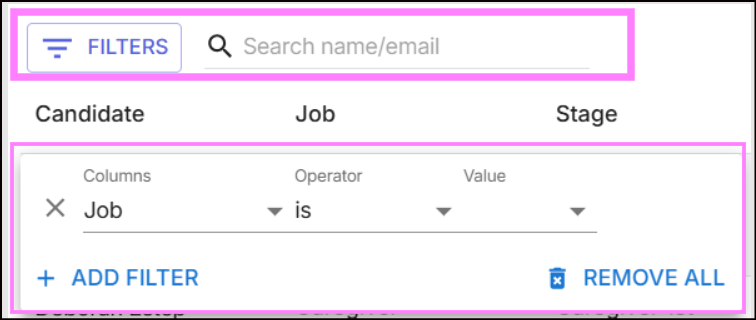
4. Use filters to retrieve the required data.
- You can search for a candidate by name or email address, or use the filter option to refine your results.
Hellohire Support
Have questions or need assistance? We’re here to help! Feel free to contact us at support@tryhellohire.com.
Was this article helpful?
That’s Great!
Thank you for your feedback
Sorry! We couldn't be helpful
Thank you for your feedback
Feedback sent
We appreciate your effort and will try to fix the article