Maintaining accurate candidate records is essential for a well-organized and efficient recruitment process. The system is designed with flexibility and convenience in mind, allowing you to update a candidate’s status, interview outcome, notes, and scorecard at any stage—whether during the interview, immediately afterward, or later when you have time to review.
You can also make updates before the interview takes place or even if the interview did not occur. For example, if the candidate has received an interview invite but has not yet scheduled, has not spoken with the interviewer, is on the waitlist, did not show up for the interview, or was not interviewed during their scheduled session, you can still update their record.
This flexibility ensures your candidate records remain current and accurate throughout every step of the hiring process.
Here's the Step-by-Step Guide:
Step 1: Access the Candidate Report
You can view and edit candidate details through:
Navigate to Candidates.
Find and select the candidate whose status you want to update.
Open their Candidate Profile.

Step 2: Open and Edit the Candidate Profile
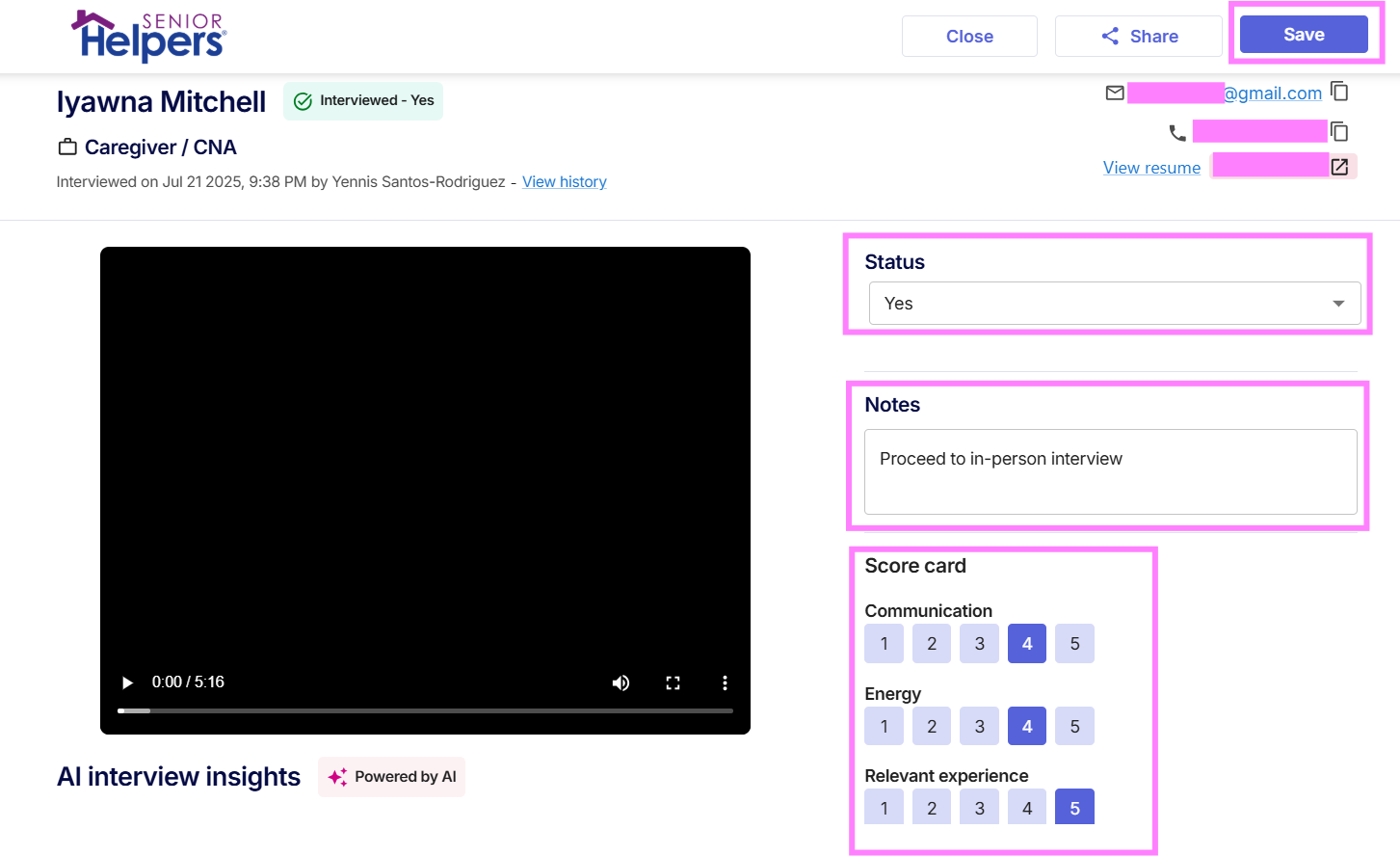
Once you're in the Candidate Profile, you can:
Select or update the candidate’s status from the dropdown menu.
Choose or update the interview outcome if applicable.
Leave or edit notes to provide additional context.
Update the scorecard, as needed.
Click Save to apply your changes.
Want to know more about candidate statuses and outcomes? See the "Guide to Candidate Statuses and Outcomes" article.
Hellohire Support
Have questions or need assistance? We’re here to help! Feel free to contact us at support@tryhellohire.com.
Was this article helpful?
That’s Great!
Thank you for your feedback
Sorry! We couldn't be helpful
Thank you for your feedback
Feedback sent
We appreciate your effort and will try to fix the article