Tracking candidate outcomes helps you quickly review progress and manage your hiring pipeline. With Hellohire, you can easily locate candidates and filter them based on their status.
Locating Candidate Outcomes
Step 1: Log in to Your Hellohire Account
Go to https://www.tryhellohire.com and log in using your credentials.
Step 2: Navigate to the Jobs Section
Click “Jobs” in the upper-left corner of your dashboard.
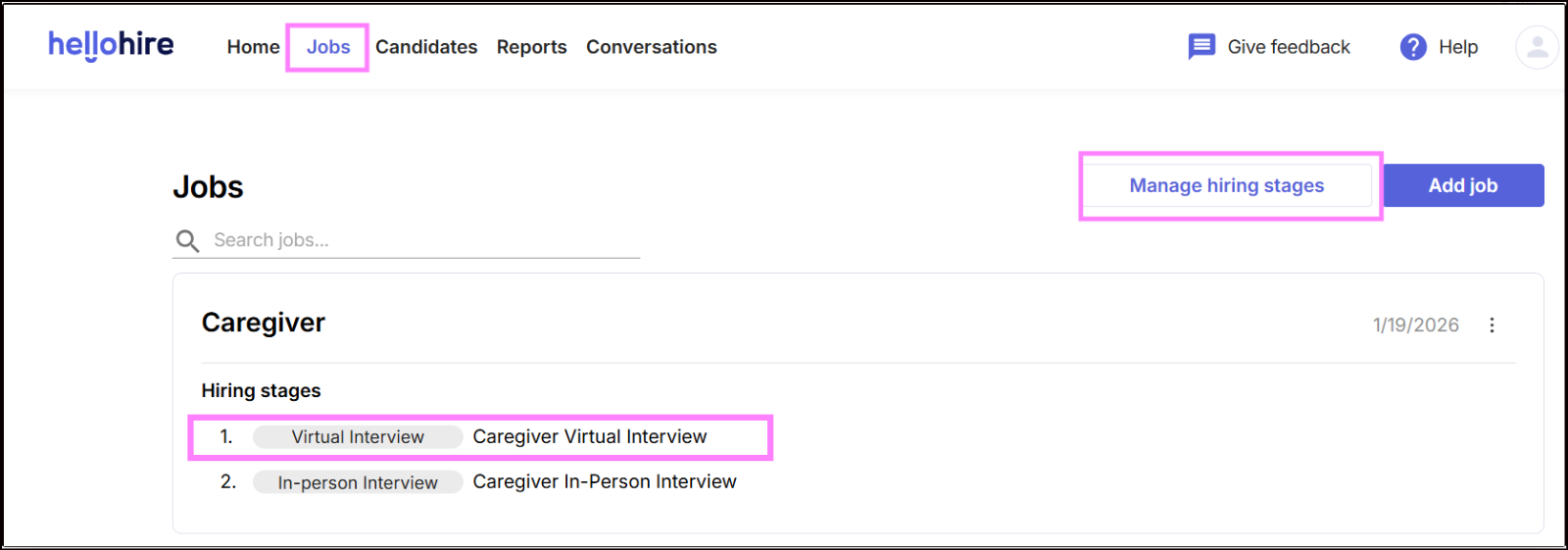
Note: One way to access is by clicking directly on Virtual Interview (Caregiver Virtual Interview).
Step 3: Manage Hiring Stages
Select the job title you want to review.
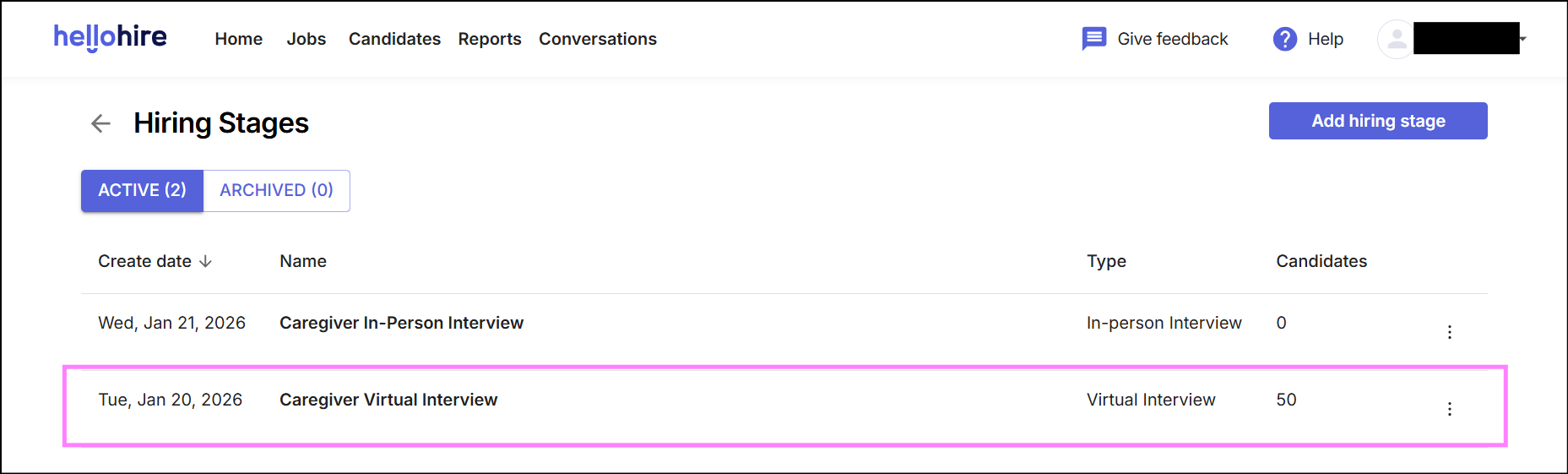
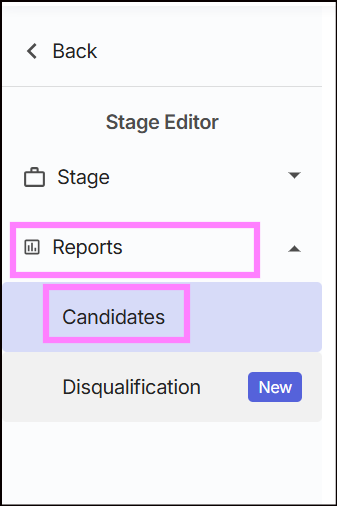
Step 4: Go to Reports
Under the job details, click “Report”.
Step 5: Look for Candidate
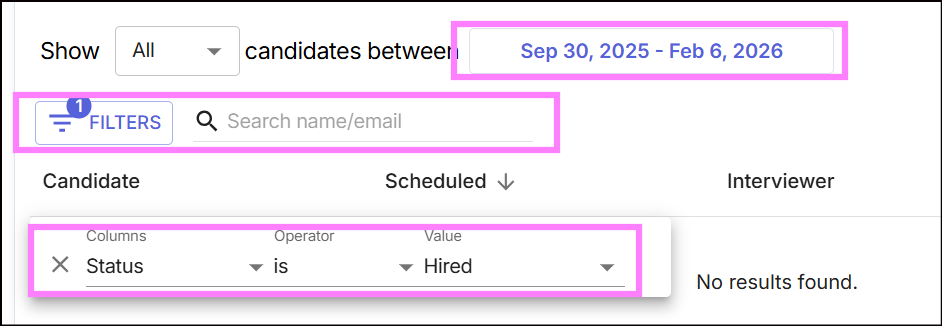
In the Candidate section, you can search for specific candidates by pasting their name or email into the search bar.
Filtering Candidate Outcomes
- Use the status filter to view candidates based on their current stage (e.g., Upcoming Interviews, Hired, Yes, No, Maybe).
- This allows you to quickly identify where each candidate stands in the hiring process.
Hellohire Support
Have questions or need assistance? We’re here to help! Feel free to contact us at support@tryhellohire.com.
Was this article helpful?
That’s Great!
Thank you for your feedback
Sorry! We couldn't be helpful
Thank you for your feedback
Feedback sent
We appreciate your effort and will try to fix the article