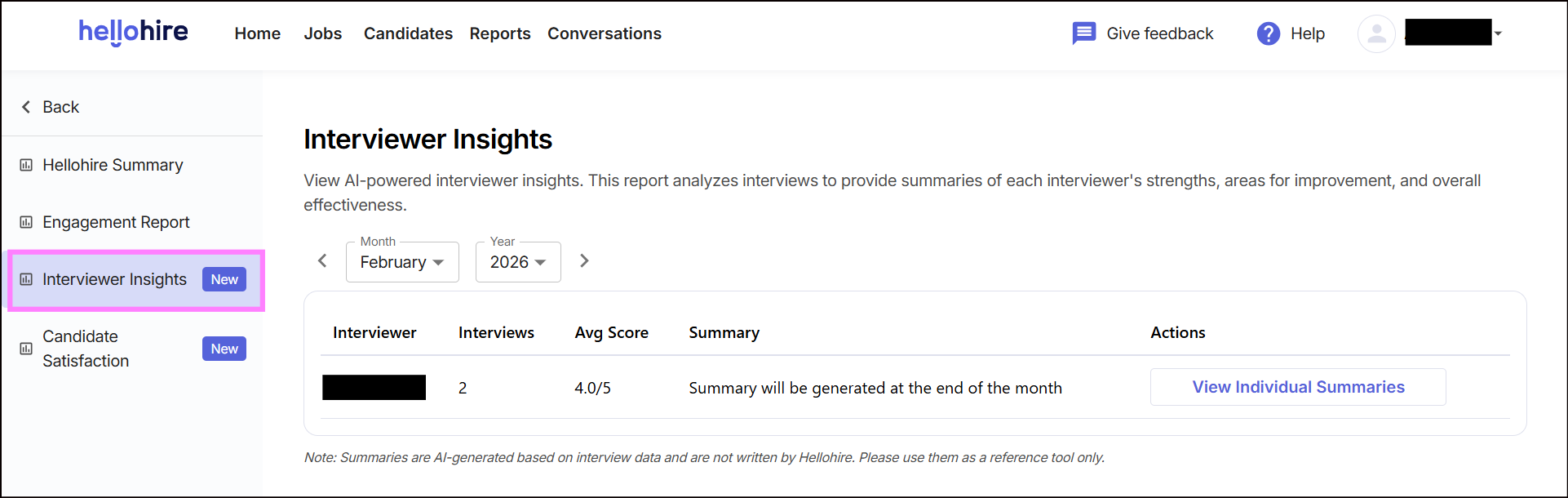
The Interviewer Insights Report uses AI-powered analysis to provide summaries of each interviewer’s strengths, areas for improvement, and overall effectiveness. This helps you monitor performance and ensure consistency across your hiring team.
Navigating Interviewer Insights
Step 1: Log in to Your Hellohire Account
Go to https://www.tryhellohire.com and log in using your credentials.
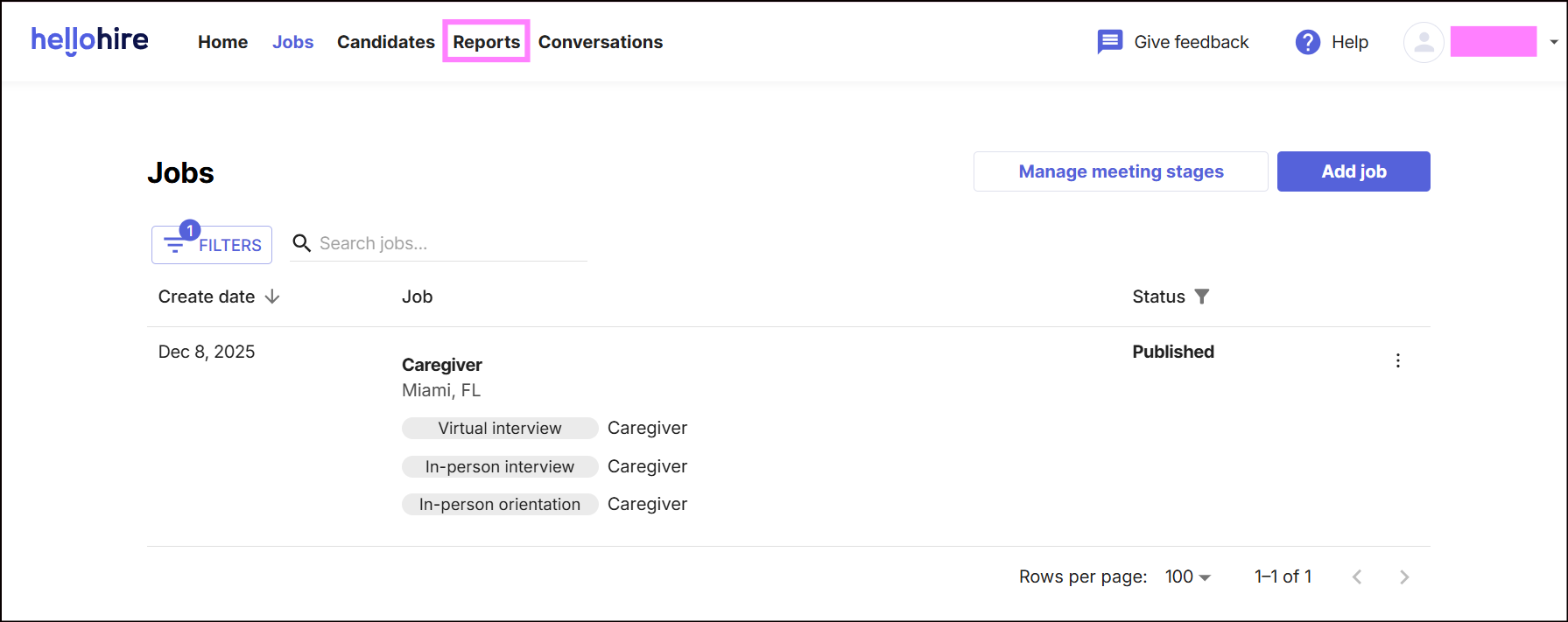
Step 2: Navigate to the Report Section
Click “Report” in the upper-left corner of your dashboard.
Step 3: Access Interviewer Insights
Locate the Interviewer Insights section within the report.
Key Features:
- Role-Based Access: Only users with Owner, Manager, or Admin roles can view this report.
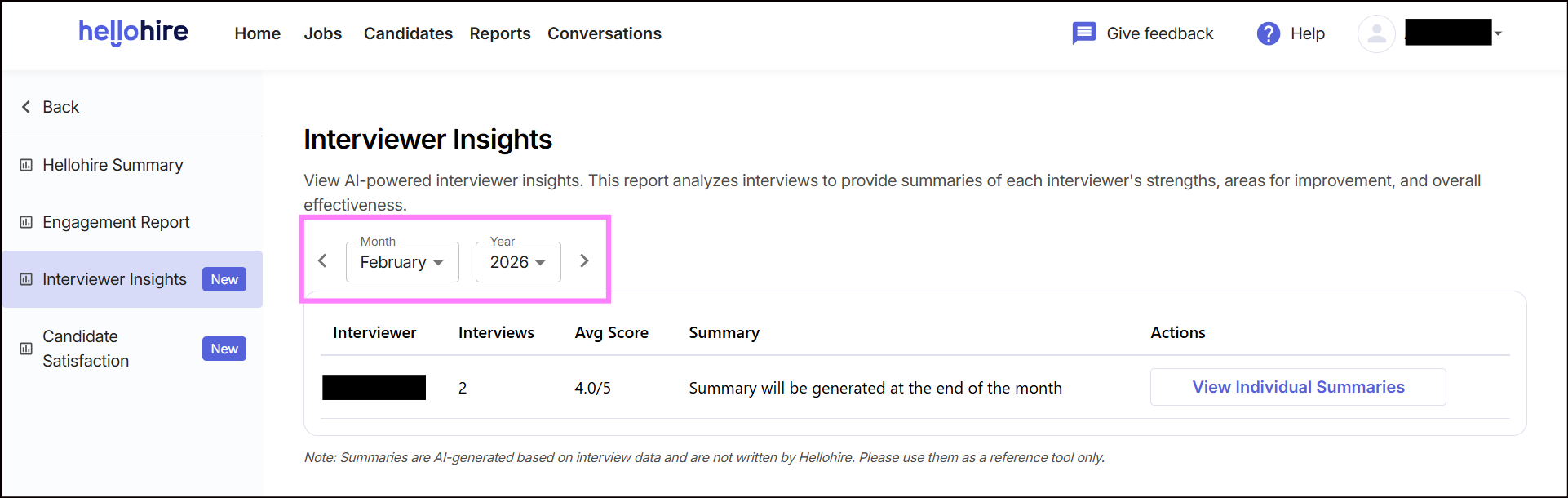
- Filter Options: You can filter insights by Month and Year to track interviewer performance over time.
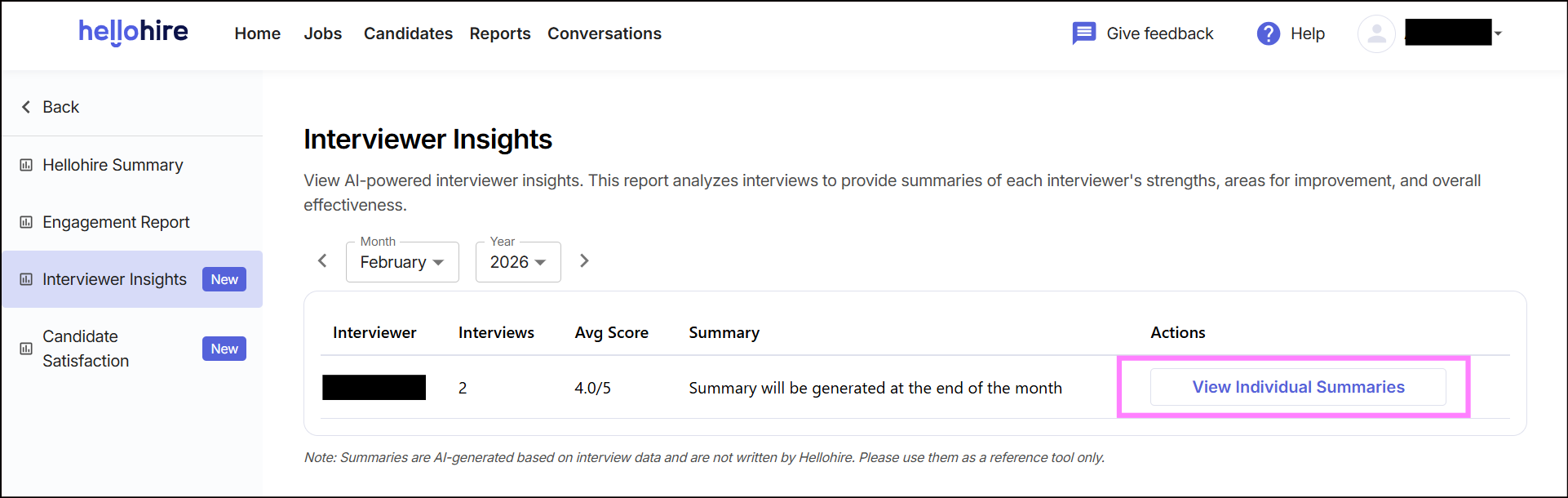
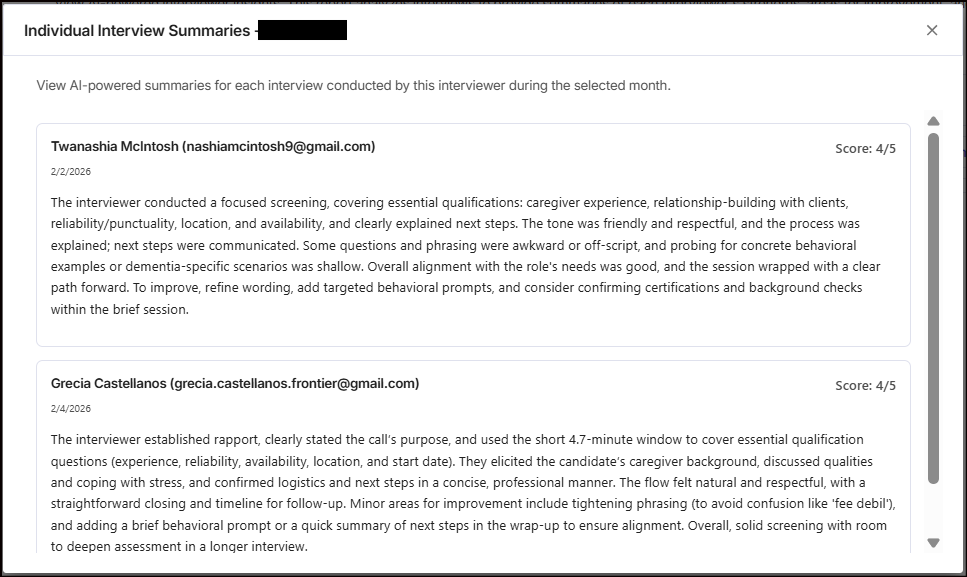
- Individual Summaries: Click “View Individual Summaries” to see detailed breakdowns for each interview conducted by an interviewer.
Using the Report
- Review interviewer strengths to identify best practices.
- Monitor areas for improvement to guide coaching and training.
- Track overall effectiveness to ensure high-quality candidate experiences.
Note: Summaries are AI-generated based on interview data and are not written by Hellohire. Please use them as a reference tool only.
Hellohire Support
Have questions or need assistance? We’re here to help! Feel free to contact us at support@tryhellohire.com.
Was this article helpful?
That’s Great!
Thank you for your feedback
Sorry! We couldn't be helpful
Thank you for your feedback
Feedback sent
We appreciate your effort and will try to fix the article