Efficient note-taking is essential for a smooth hiring process—for both you and your candidates. With Hellohire, you can set up a Notes Template that pre-fills the notes section for every candidate interview. This ensures consistency across all interviews and helps interviewers capture the most important details.
Setting Up Interview Notes Templates
Step 1: Log in to Your Hellohire Account
Go to https://www.tryhellohire.com and log in using your credentials.
Step 2: Navigate to the Jobs Section
Click “Jobs” in the upper-left corner of your dashboard.
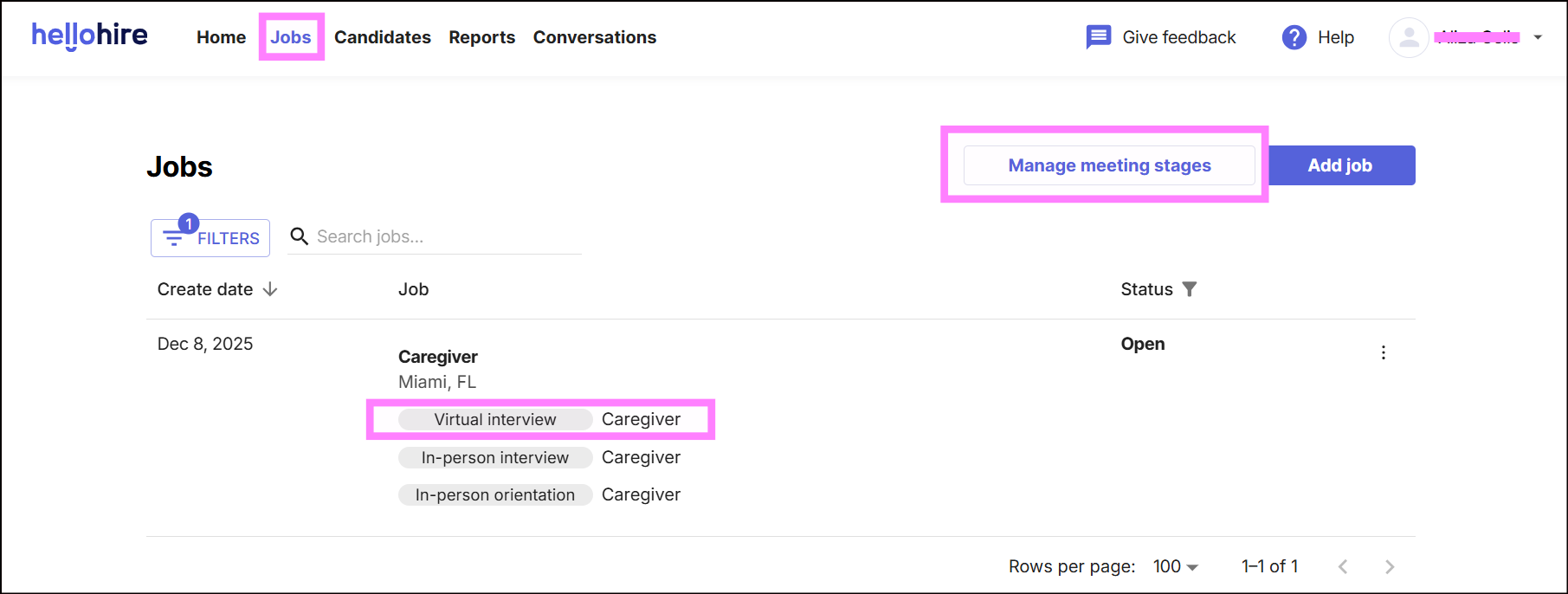
Note: One way to access is by clicking directly on Virtual Interview (Caregiver Virtual Interview).
Step 3: Manage Meeting Stages
Select the job title you want to configure.
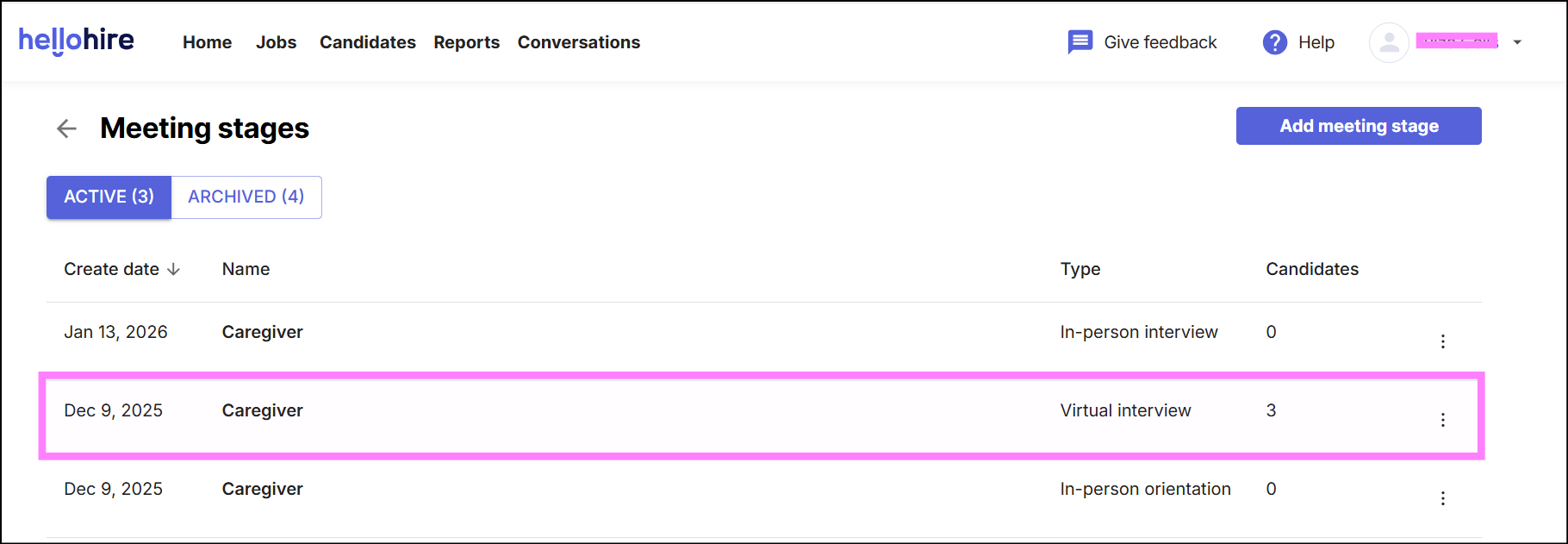
Step 4: Go to Interview Stage
Within the hiring stages, click “Interview”.
Step 5: Add a Notes Template
Look for the “Notes template” option. Here, you can create a structured template that will automatically appear in the notes section for every candidate interview.
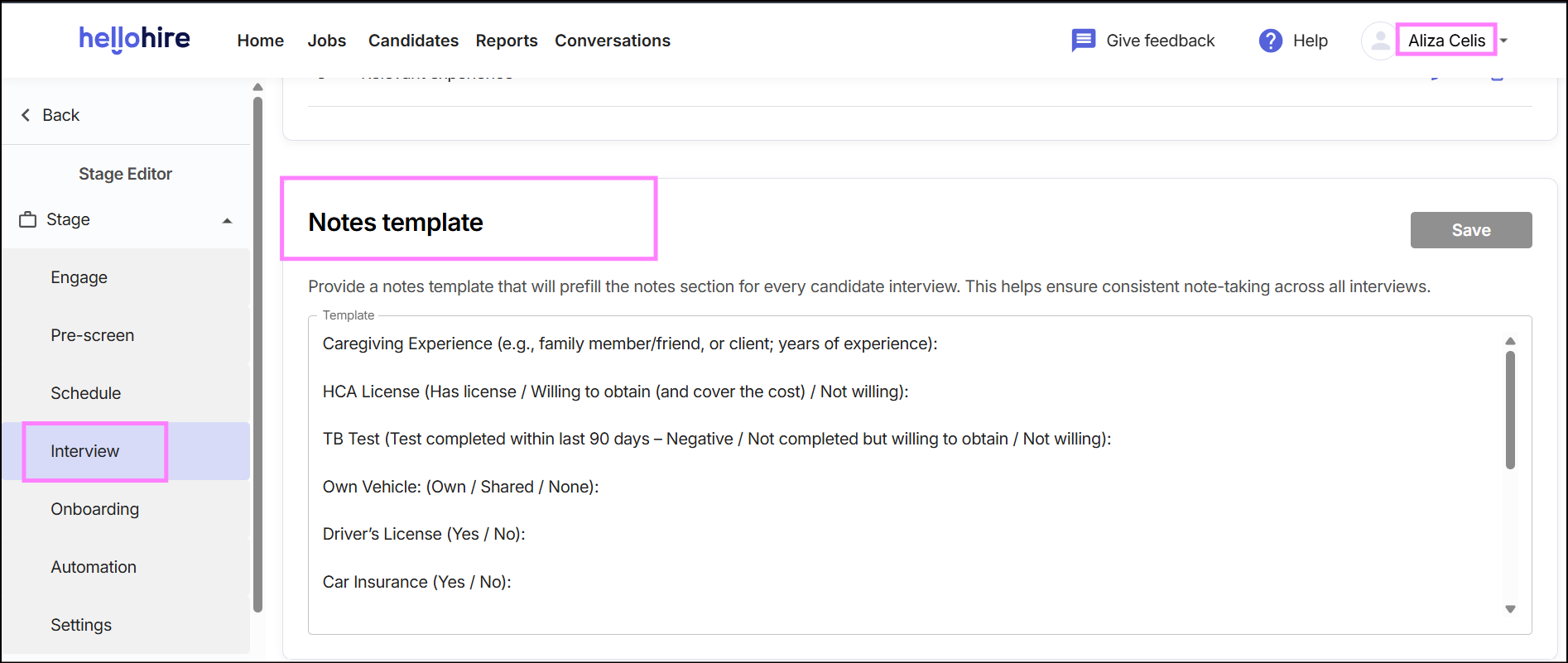
Example Notes Template
Interviewers can edit and customize important questions such as:
- Caregiving Experience (e.g., family member/friend, or client; years of experience)
- HCA License (Has license / Willing to obtain / Not willing)
- TB Test (Completed / Willing to obtain / Not willing)
- Driver’s License (Yes / No)
- Availability to Start
- General Availability (Days and times)
(You can add or remove fields depending on the role requirements.)
Interviewer’s View
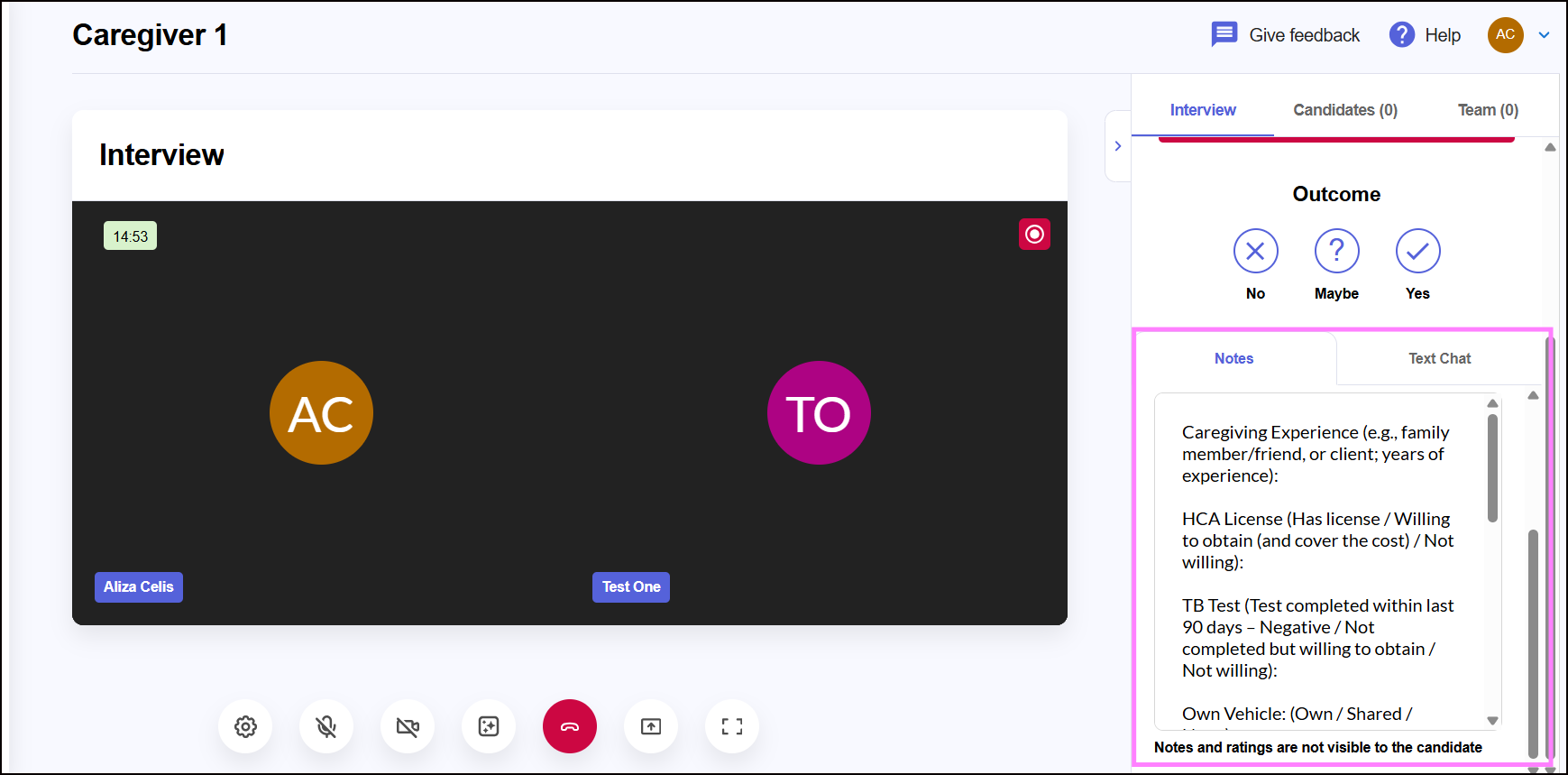
When conducting an interview, the prefilled notes template will appear in the Notes section of the candidate’s profile. Interviewers can type directly into each field, ensuring consistent documentation across all interviews.
Hellohire Support
Have questions or need assistance? We’re here to help! Feel free to contact us at support@tryhellohire.com.
Was this article helpful?
That’s Great!
Thank you for your feedback
Sorry! We couldn't be helpful
Thank you for your feedback
Feedback sent
We appreciate your effort and will try to fix the article