Sharing a candidate profile in Hellohire allows you to easily collaborate with your team and review applicant details.
Step 1: Log in to Your Hellohire Account
- Go to https://www.tryhellohire.com and log in using your credentials.
Step 2: Navigate to the Candidate
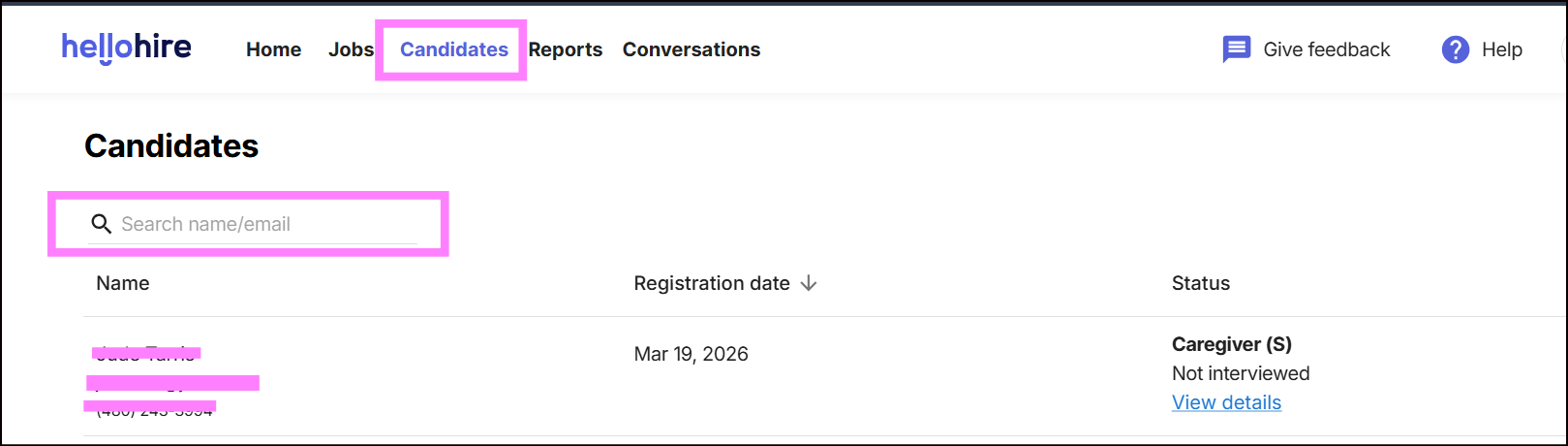
- Click “Candidate” from the dashboard.
- Search for the candidate's name or email
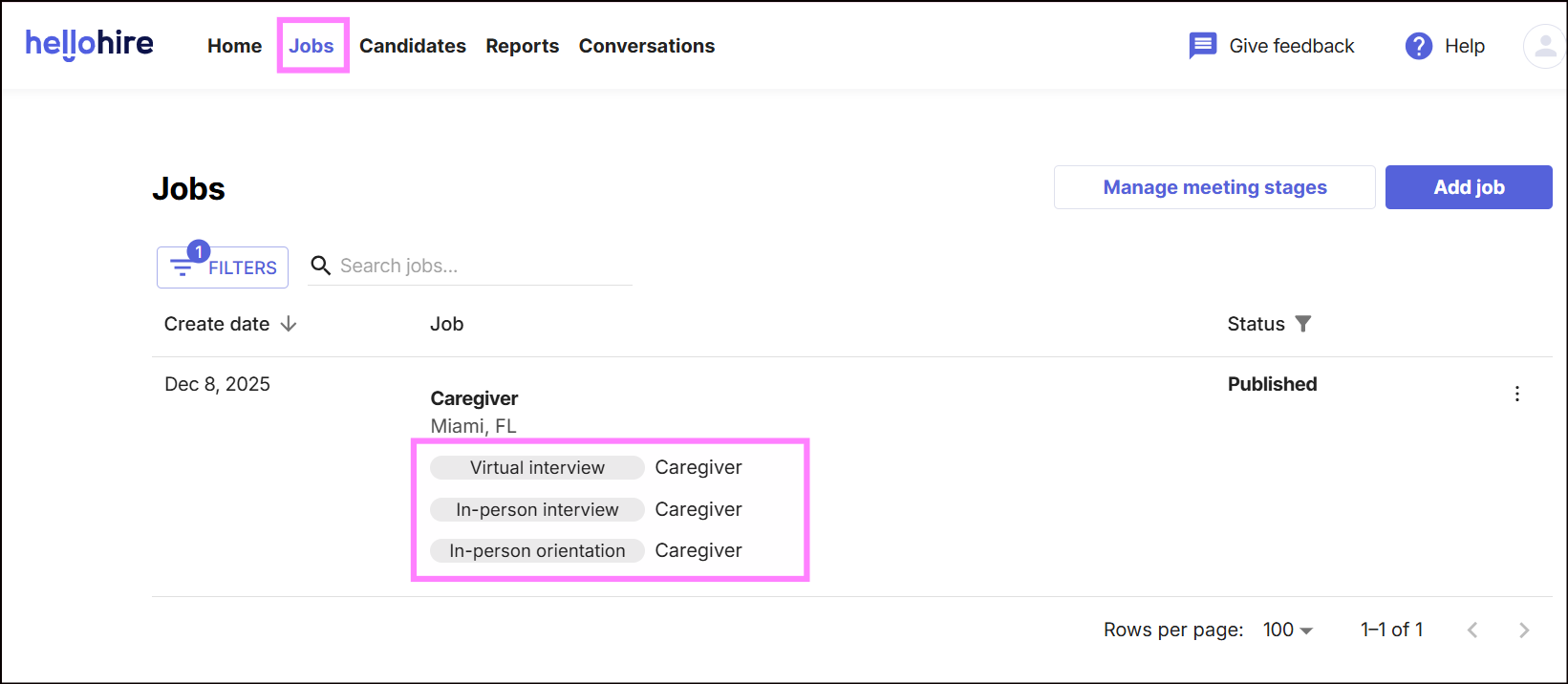
- Another way is to go to "Jobs."
- Select the relevant job.
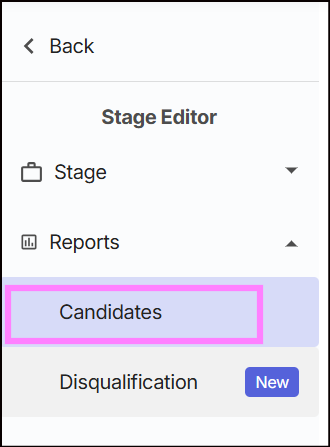
- Go to the Candidates tab.
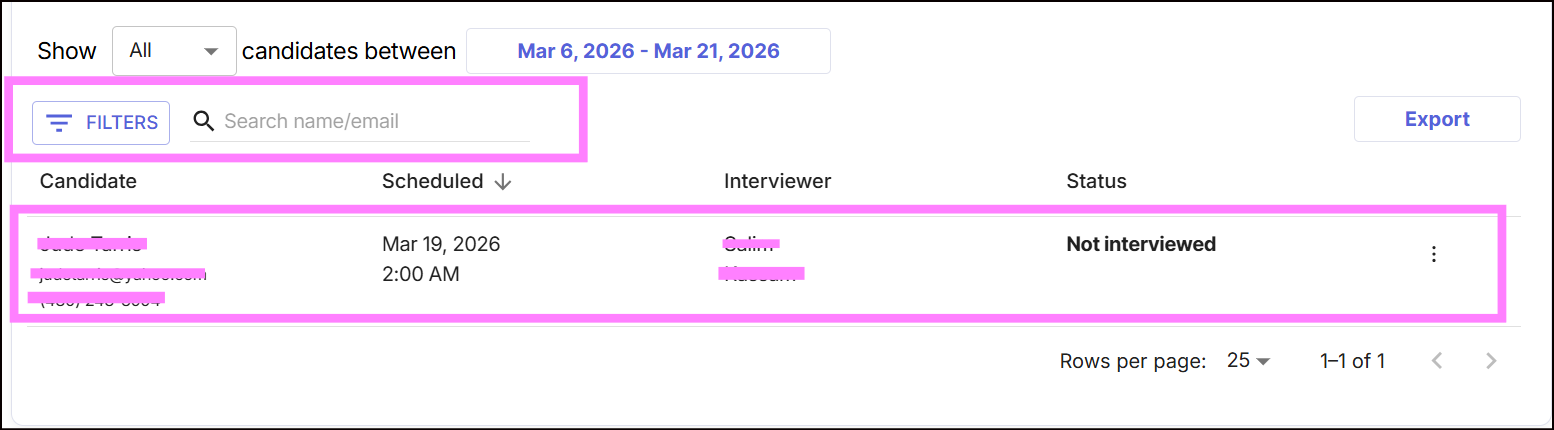
- Search the candidate’s name to open their profile.
Step 3: Share the Candidate Profile
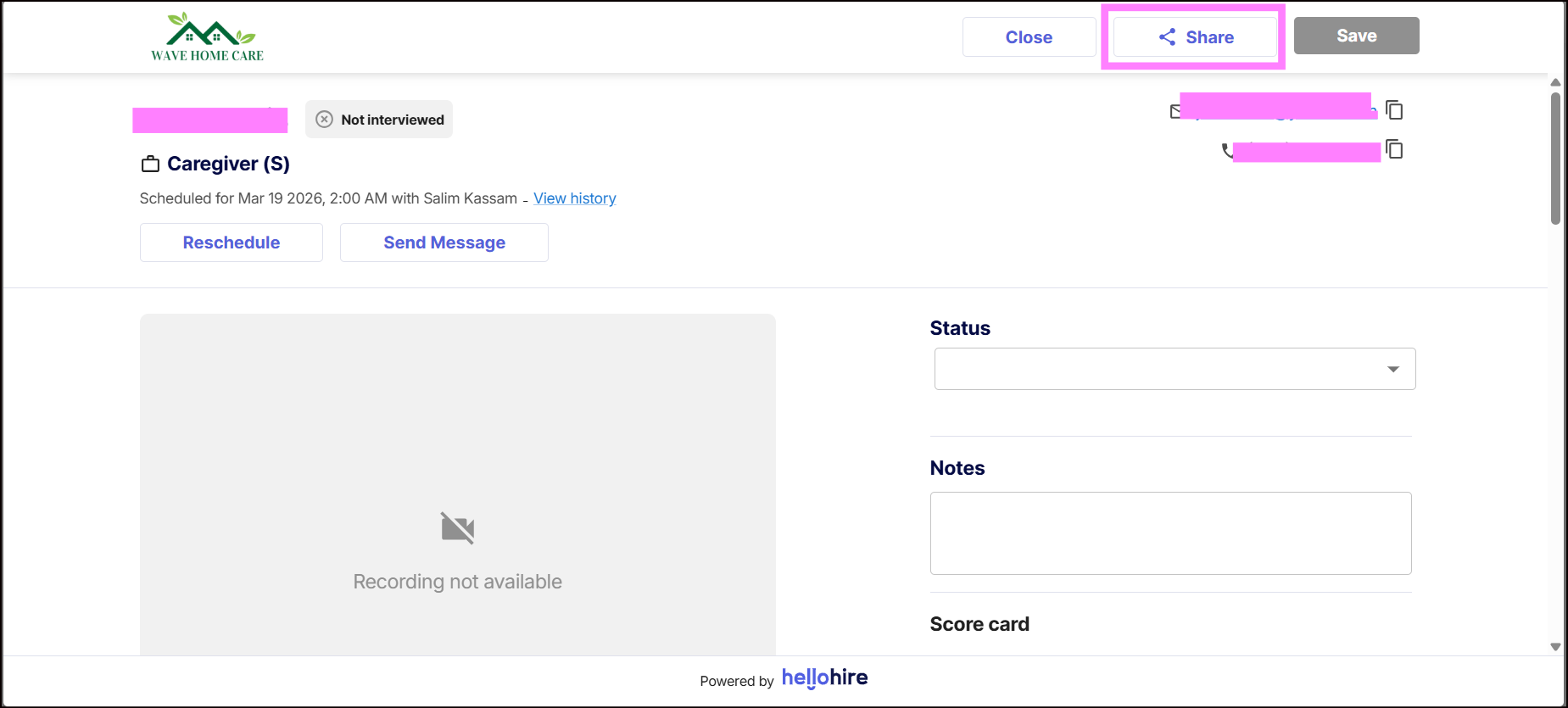
- Inside the candidate’s profile, look for the Share option.
- Click “Share.”
Step 4: Send the Profile
Paste the link into an email or message to your team members.
Recipients with proper access will be able to view the candidate profile.
Hellohire Support
Have questions or need assistance? We’re here to help! Feel free to contact us at support@tryhellohire.com.
Was this article helpful?
That’s Great!
Thank you for your feedback
Sorry! We couldn't be helpful
Thank you for your feedback
Feedback sent
We appreciate your effort and will try to fix the article