No matter if your interview is virtual or in-person, following the right steps to reschedule helps keep everything organized and on track:
Here’s how you can easily reschedule an interview session:
Step 1: Log in to HelloHire
- Log in to your Hellohire account: https://www.tryhellohire.com
Step 2: Access the Candidate List
- Click "Candidates" on the upper left side of your screen (recommended) OR
- Click "Jobs" > Select the job the candidate applied for > Then, click "Candidates" on the lower left side.

Step 3: Search for the Candidate
- Use the search bar to enter the candidate’s name or email to find the candidate/session you want to reschedule.

Step 4: Open the Candidate Report
- Click the candidate’s name to open their Candidate Report tab.

Step 5: Click the "Reschedule Interview" Button
- Within the Candidate Report tab, find and click the "Reschedule Interview" button to start rescheduling.
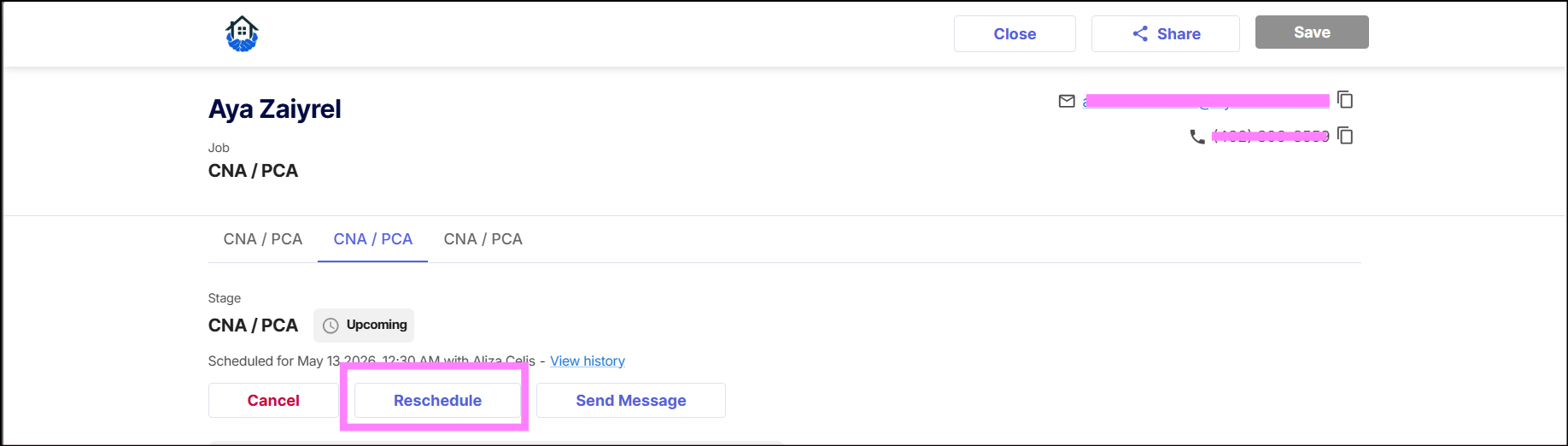
Step 6: Update Interview Details
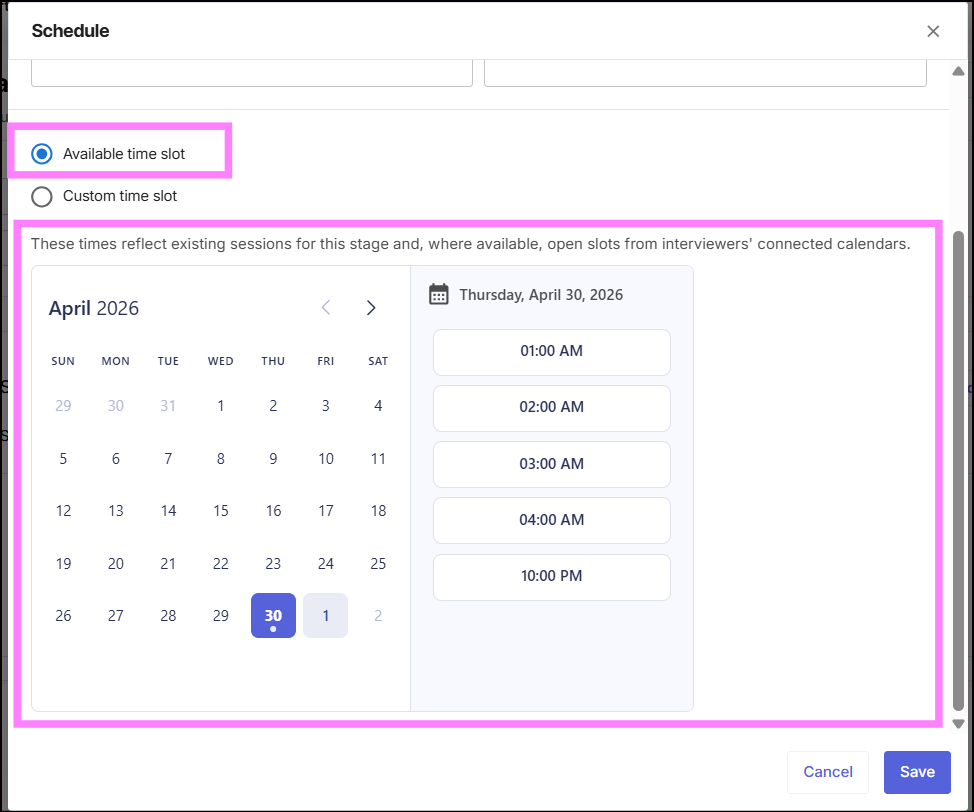
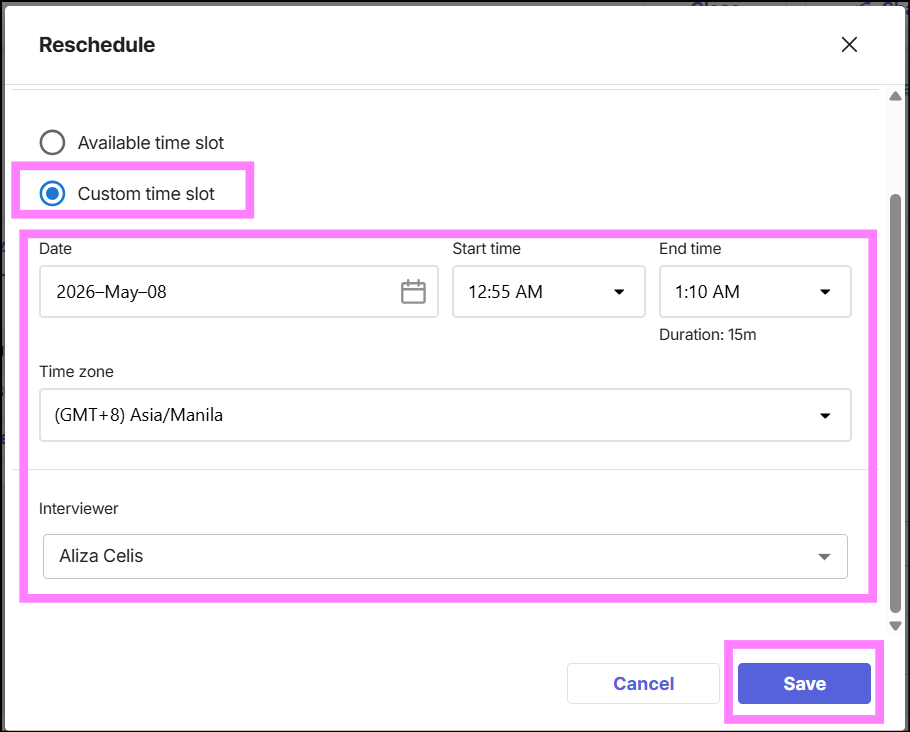
Select the date and time you’d like the candidate to attend the interview. You will see two options:
- Available time slot
These are pre-set interview sessions for the selected stage. It may also include open availability pulled from the interviewer’s connected calendar.
Hellohire Support
Have questions or need assistance? We’re here to help! Feel free to contact us at support@tryhellohire.com.
Was this article helpful?
That’s Great!
Thank you for your feedback
Sorry! We couldn't be helpful
Thank you for your feedback
Feedback sent
We appreciate your effort and will try to fix the article