Need to update a candidate's name or phone number? No worries — you can do this quickly right from their profile in Hellohire!
Here's how to update a candidate's name and phone number in just a few easy steps:
Step 1: Go to Candidates

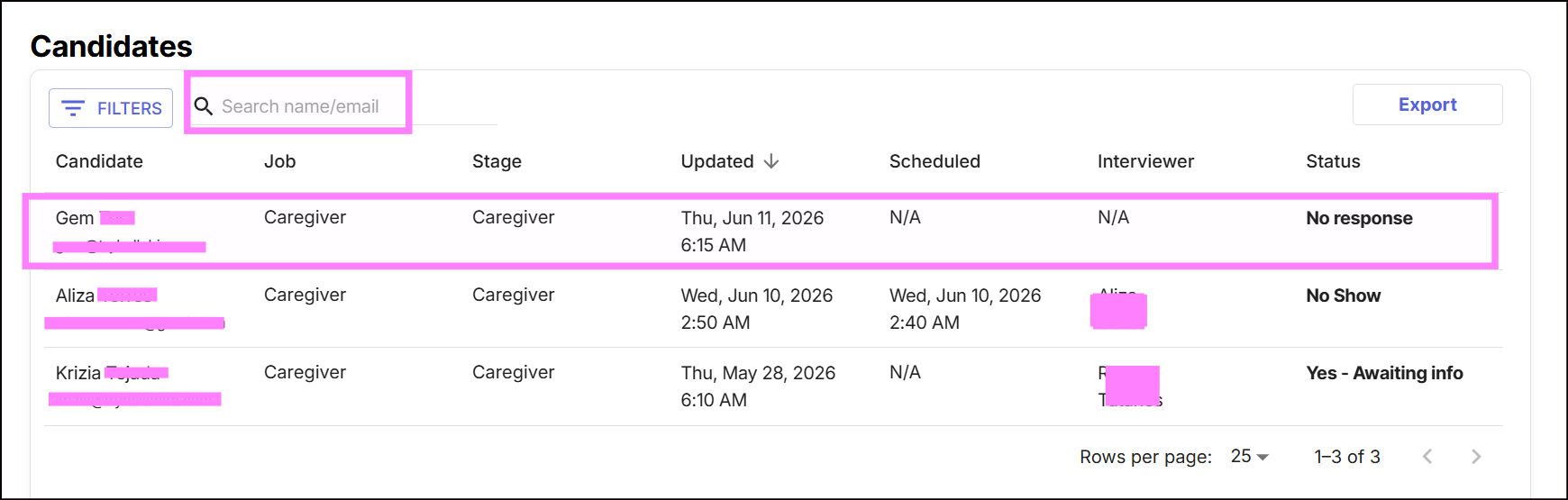
Step 2: Search for the candidate using their name or email address, then click on their profile.
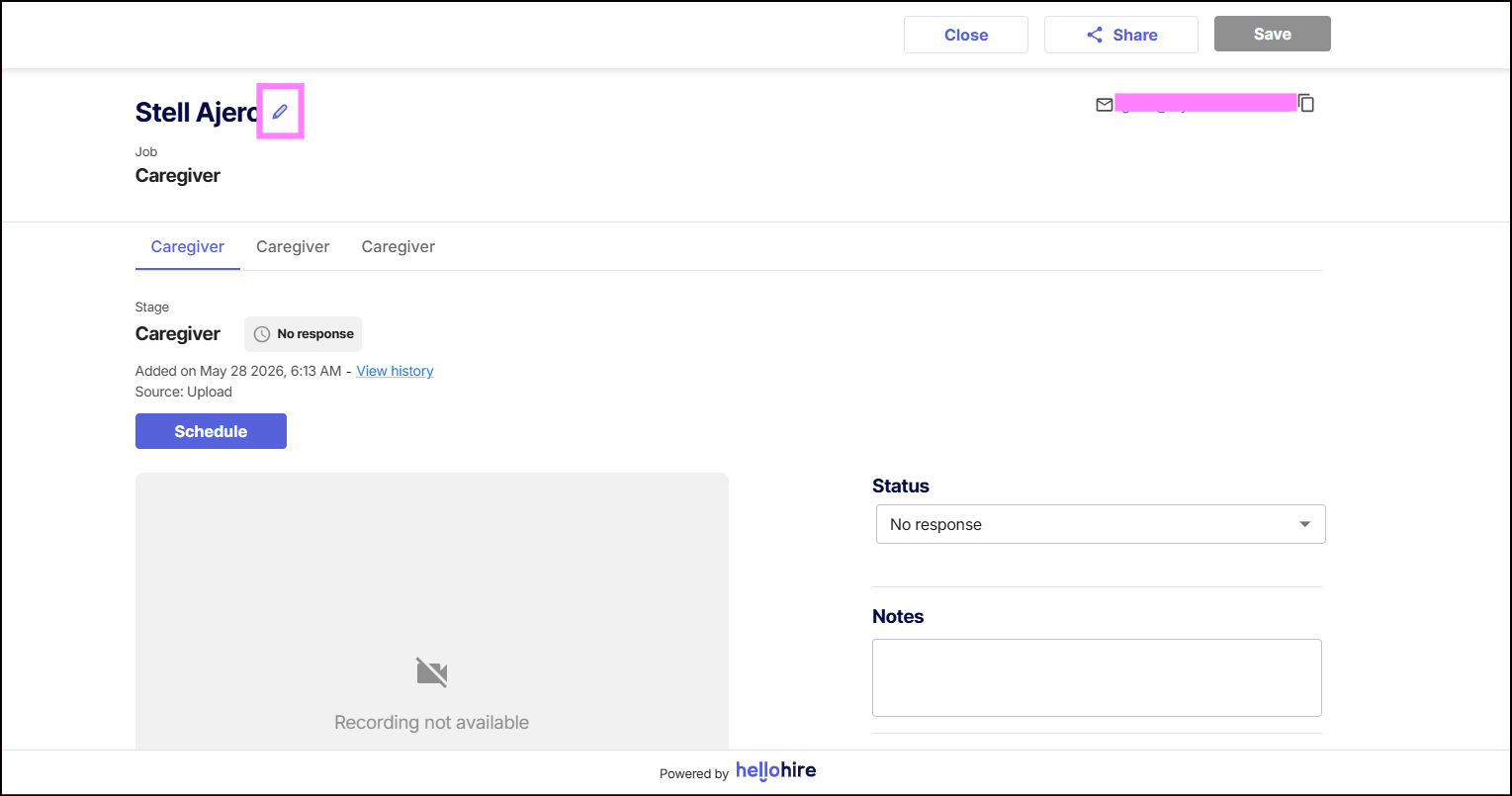
Step 3: Click the pencil (edit) icon beside the candidate's name.
Step 4: Edit the candidate details (name and/or phone number) as needed.
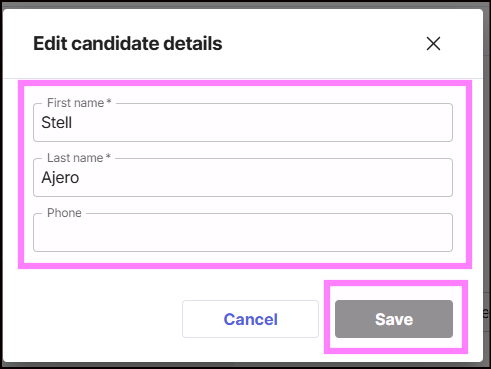
Step 5: Click Save to apply your changes.
Hellohire Support
Have questions or need assistance? We’re here to help! Feel free to contact us at support@tryhellohire.com.
Was this article helpful?
That’s Great!
Thank you for your feedback
Sorry! We couldn't be helpful
Thank you for your feedback
Feedback sent
We appreciate your effort and will try to fix the article