This setting defines how many times a candidate is allowed to reschedule their interview. Once the limit is reached, they will no longer be able to make additional changes and will need to contact the interviewer or support for further assistance.
Follow the steps below to configure these settings for a specific job.
Step 1: Log In to Your Hellohire Account
Go to https://www.tryhellohire.com and log in using your credentials.
Step 2: Navigate to the Jobs Section
Click “Jobs” in the upper left corner of your screen.

Step 3: Select the Job
Choose the job for which you want to update the settings.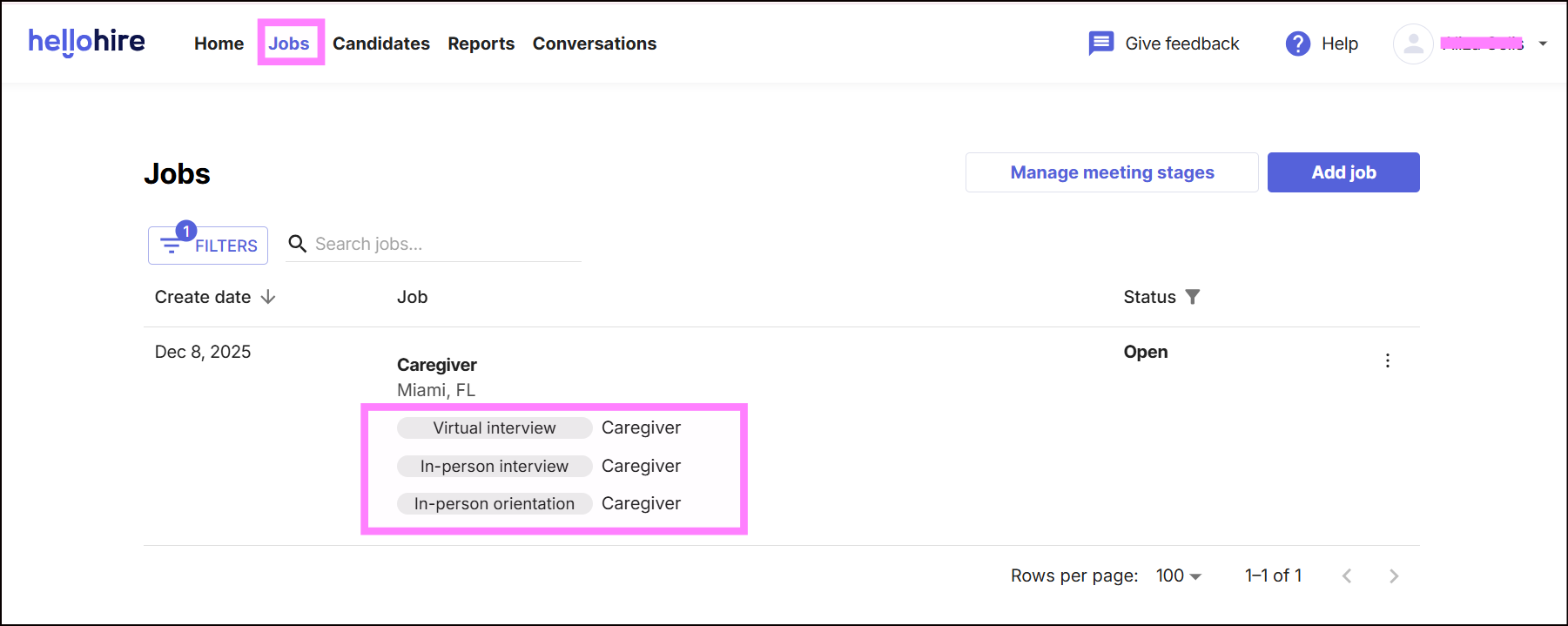
Step 4: Open the Settings Tab
Click on the “Settings” tab. From here, you can manage the following: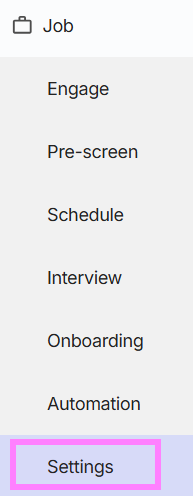
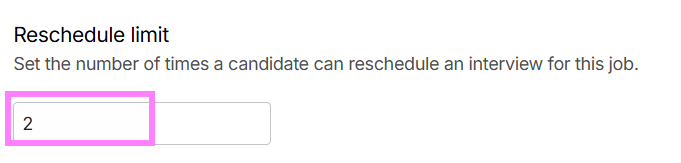
How to Set or Update the Reschedule Limit?
Enter the number of times a candidate is allowed to reschedule an interview for this job in the Reschedule Limit field.
Hellohire Support
Have questions or need assistance? We’re here to help! Feel free to contact us at support@tryhellohire.com.
Was this article helpful?
That’s Great!
Thank you for your feedback
Sorry! We couldn't be helpful
Thank you for your feedback
Feedback sent
We appreciate your effort and will try to fix the article