AI Phone Screening gives candidates the option to complete an initial phone screening with an AI interviewer when your team is not available.
This helps you engage candidates sooner without requiring your team to add more interview hours to their schedule.
Once the screening is completed, the candidate is moved to Needs Review, where your team can review the screening and decide on the next steps.
What is this for?
AI Phone Screening is useful when you want to:
Give candidates an interview option outside your team's availability
Engage candidates immediately
Reduce delays caused by limited interview availability
Collect screening information before your team reviews the candidate
Allow your hiring team to review completed AI screenings at a convenient time
Important
AI Phone Screening does not replace your hiring team's review. Completed screenings are sent to Needs Review so a human member of your team can review the candidate's screening and determine the next step.
Here’s how to set it up:
Step 1: Log in to Your Hellohire Account
Go to https://www.tryhellohire.com and log in using your credentials.
Step 2: Go to the Jobs Section
Click “Jobs” in the upper-left corner of your screen.

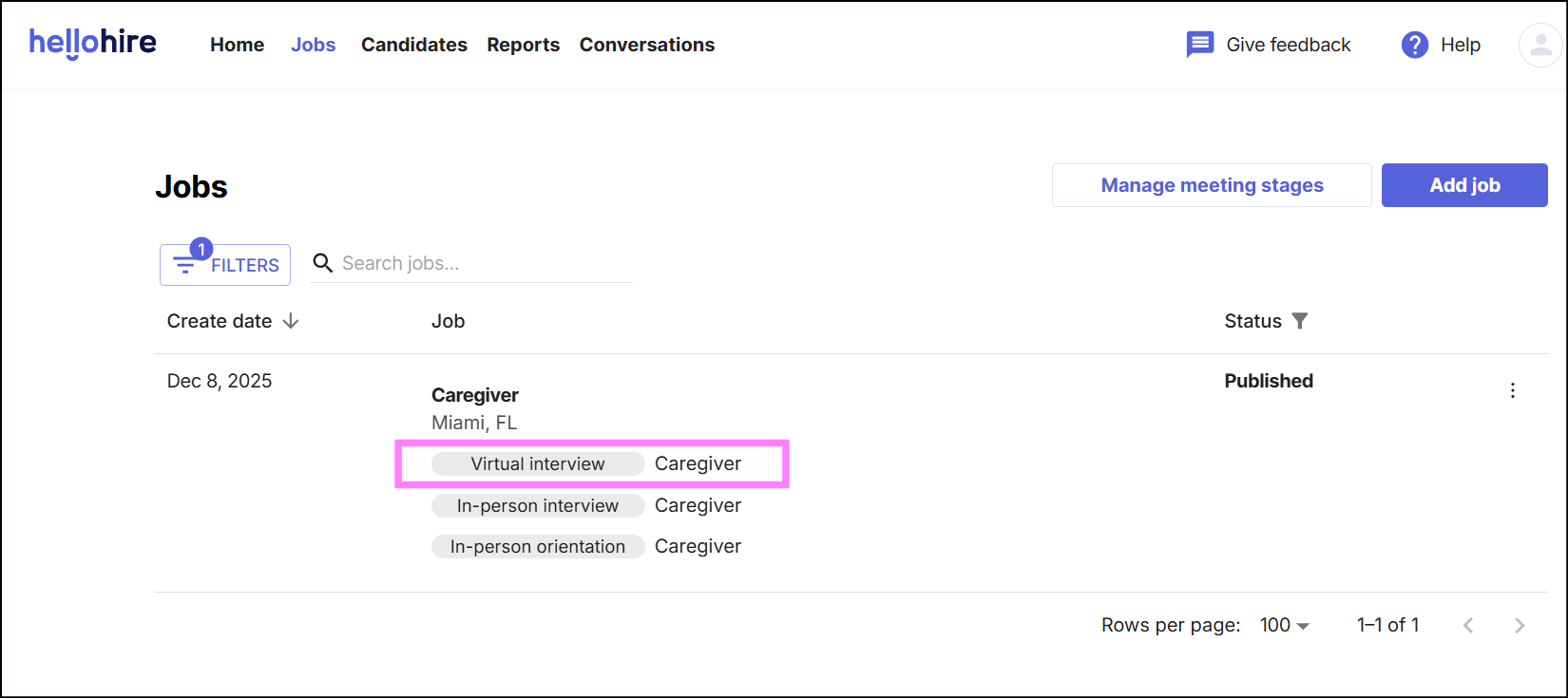
Step 3: Open the Virtual Interview Stage
Open the Virtual Interview meeting stage.
Step 4: Turn on AI Phone Screening
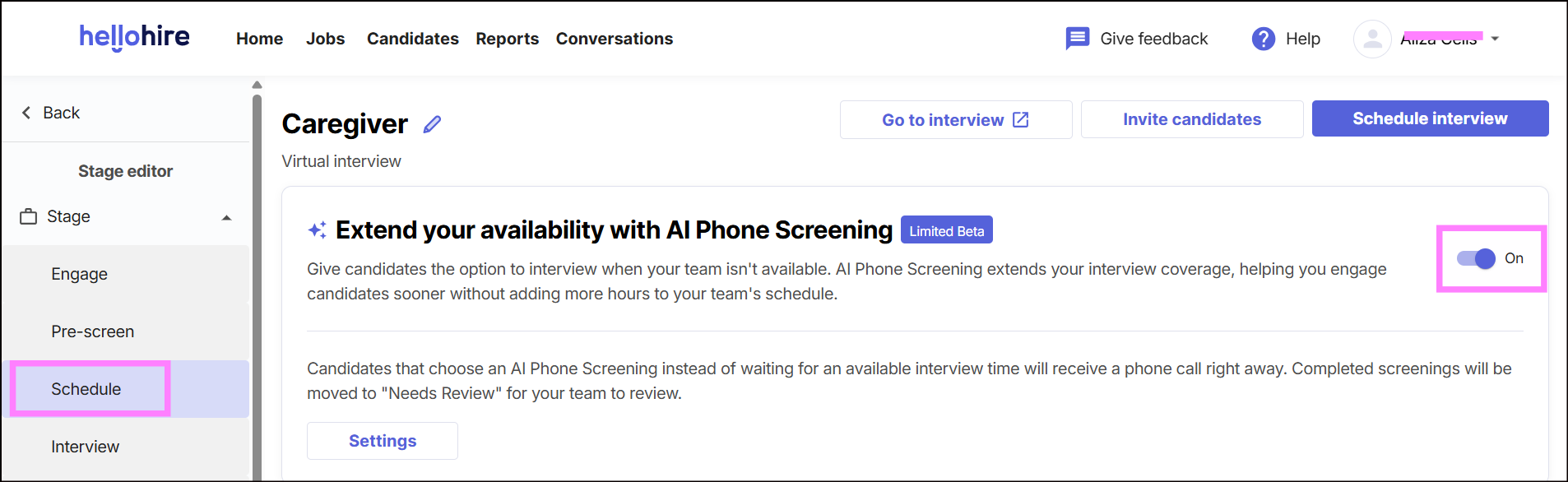
Within the Virtual Interview stage, find AI Phone Screening. Toggle the option ON.
Step 5: Select Screening Questions
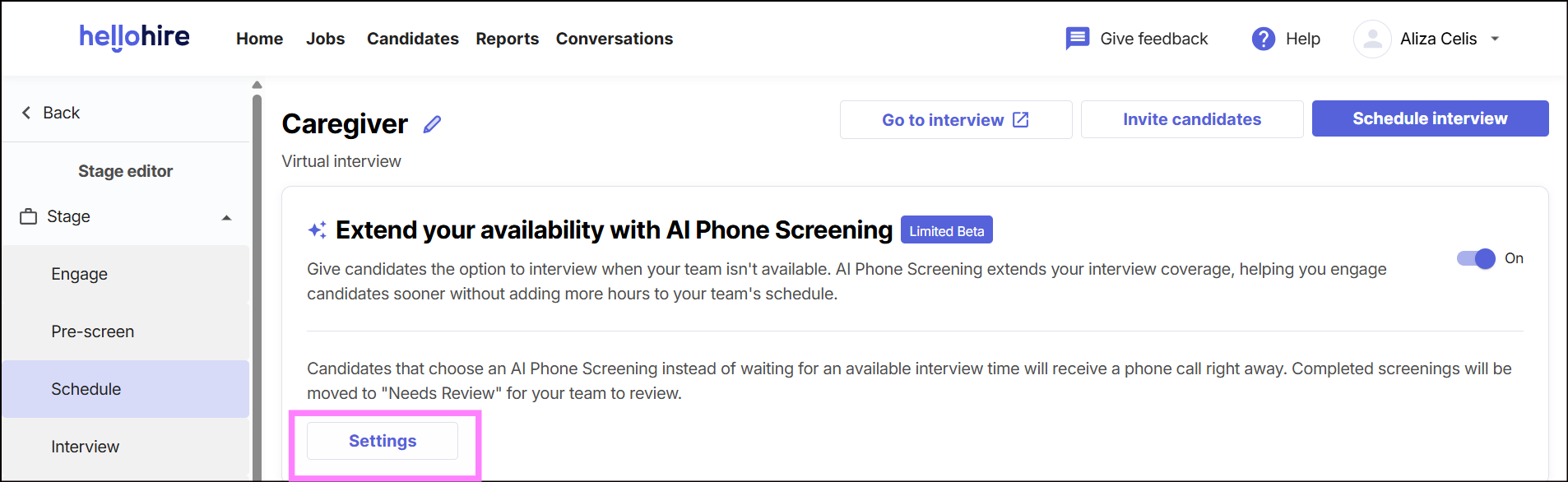
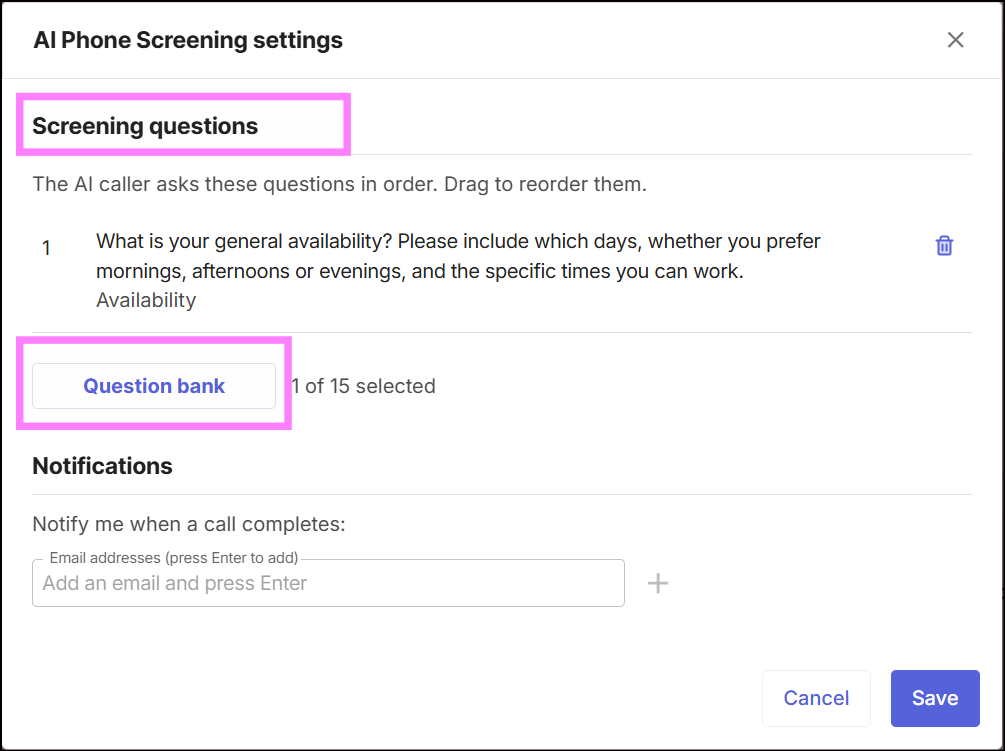
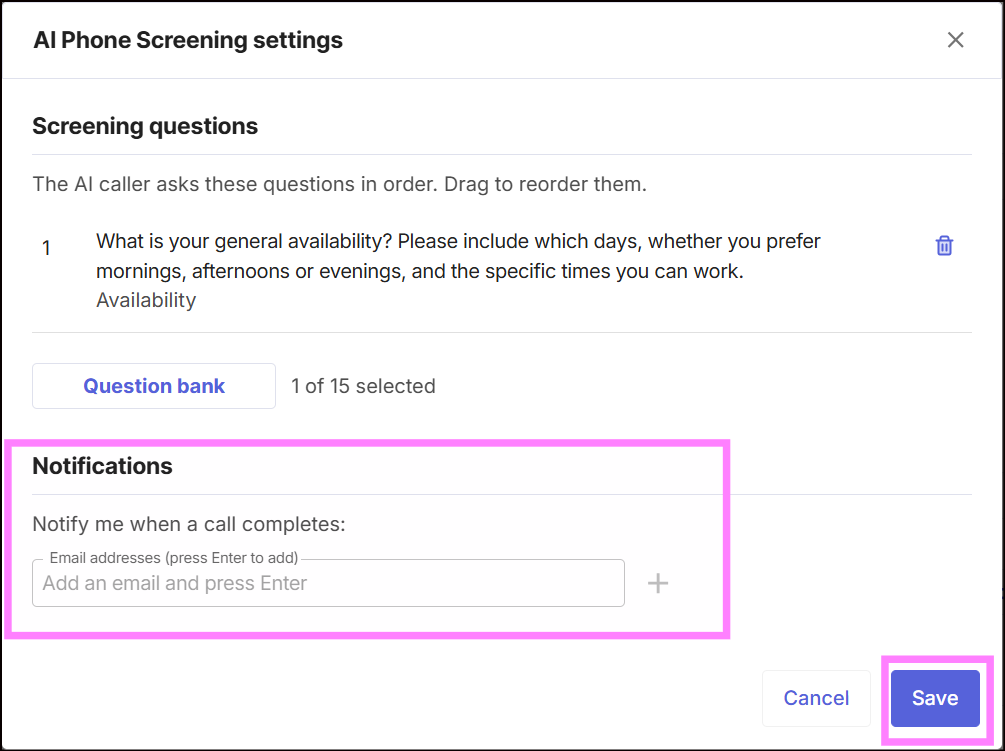
Go to Settings and open Screening questions. Select the questions you want the AI Phone Screening to ask candidates from the Questions Bank.
These questions will be used during the candidate's AI phone screening.
Step 6: Add a Notification Email
Add a recruiter's email address under Notify me when a call completes. The recruiter will receive a notification when a candidate completes their AI Phone Screening.
What Will Candidates See?
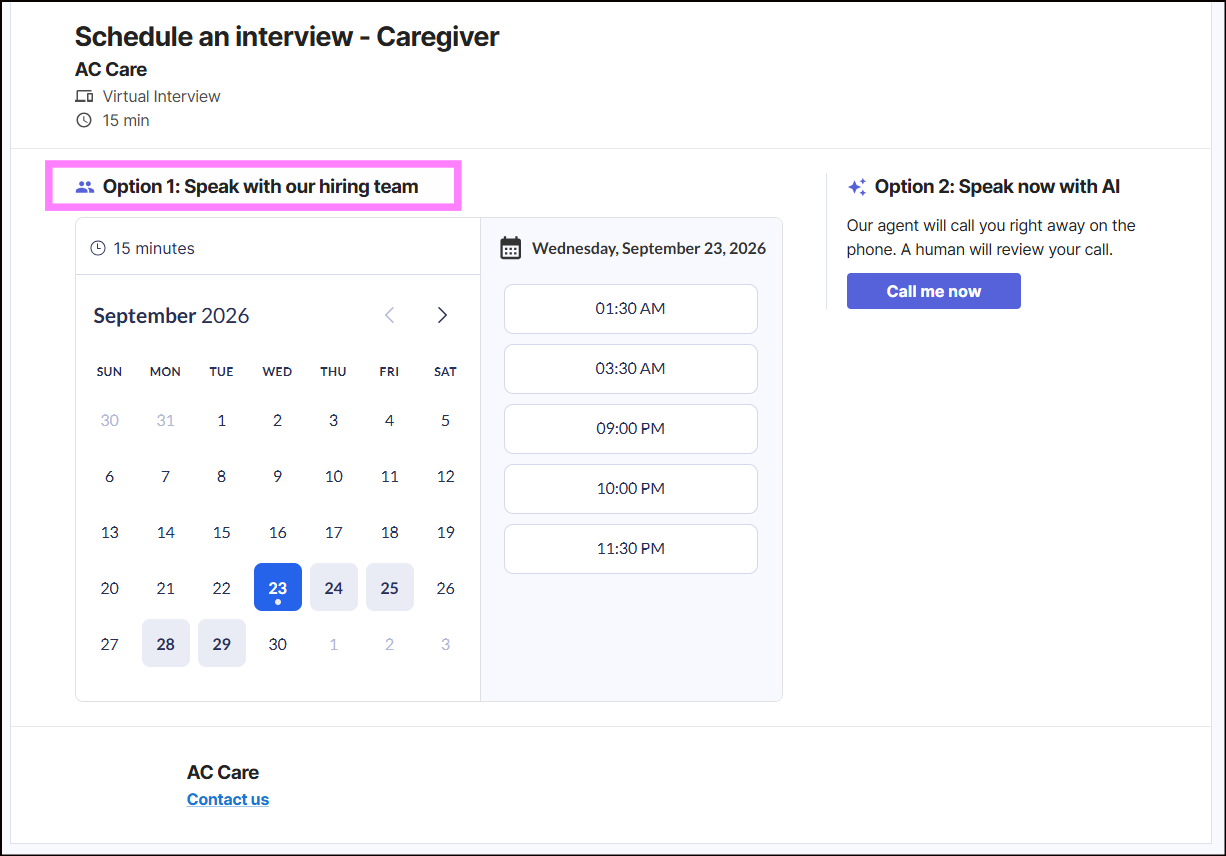
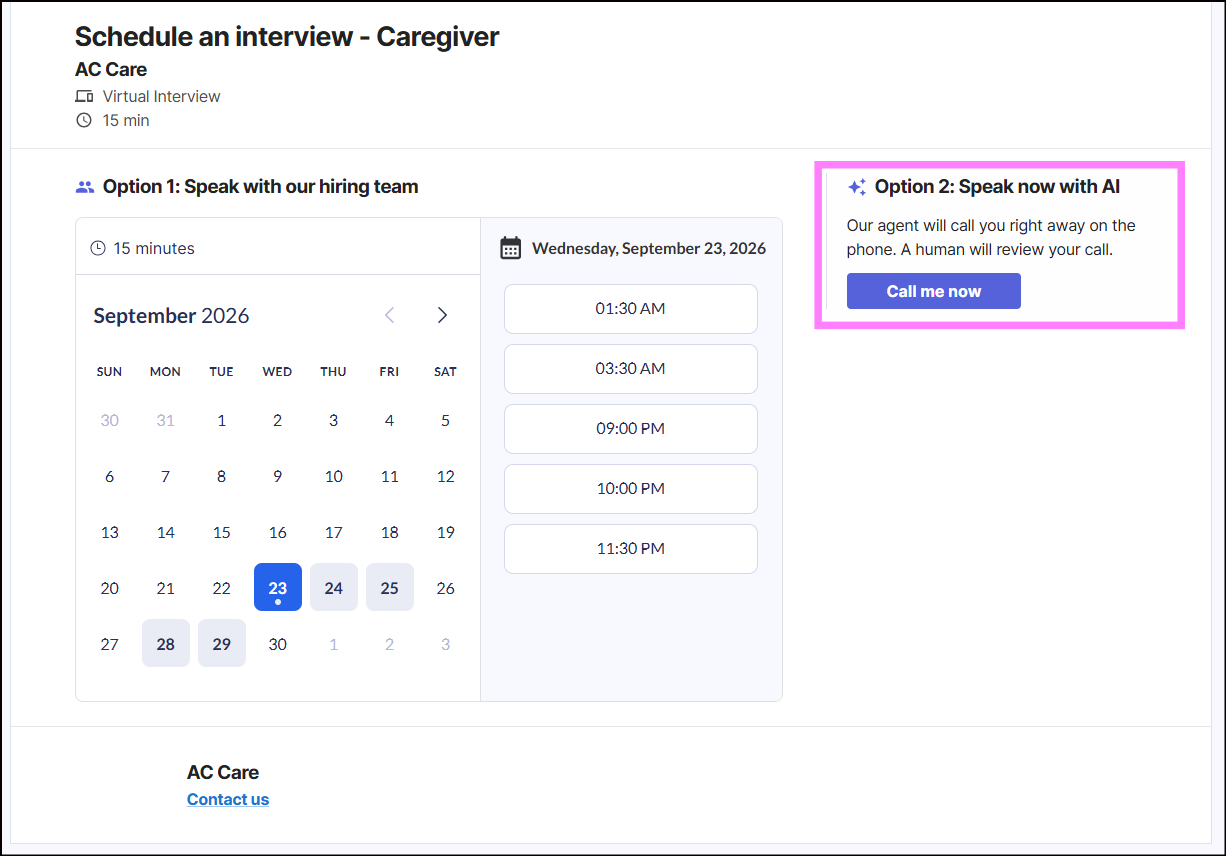
When AI Phone Screening is enabled, candidates will have two options:
1. Speak with our hiring team - Schedule an interview for an available time.
2. Speak now with AI - Start an AI Phone Screening immediately.
Candidates who choose Speak now with AI will receive a phone call right away.
Best Practice
If a recruiter wants a candidate to move to the next step after the AI Phone Screening, they can create a new meeting stage for the candidate.
The next stage can be:
Virtual Interview
In-Person Interview
Orientation
Recruiters can also use Automations to help move candidates through the hiring process automatically based on their status or screening results.
The following articles may also help:
Hellohire Support
Have questions or need assistance? We’re here to help! Feel free to contact us at support@tryhellohire.com.
Was this article helpful?
That’s Great!
Thank you for your feedback
Sorry! We couldn't be helpful
Thank you for your feedback
Feedback sent
We appreciate your effort and will try to fix the article