Hellohire integrates directly with AxisCare to simplify your recruitment process. It automatically syncs new applicants from AxisCare into your Hellohire account, keeping everything organized and up to date with less manual effort.
How to connect Hellohire to AxisCare?
To integrate your AxisCare account with HelloHire, you’ll need two things:
1. Your AxisCare domain
2. A newly generated API key from AxisCare
Step-by-Step: How to Generate Your API Key in AxisCare
1. Log in to your AxisCare account.
2. Go to the Admin tab.
3. Click on API Keys.
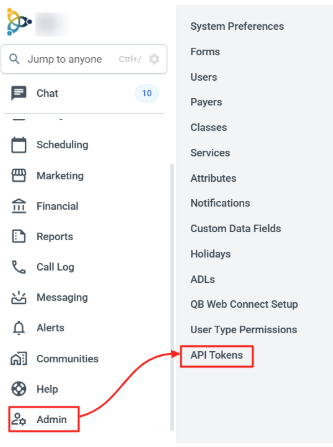
NOTE: If you do not see API Tokens as an option, please contact integrations@axiscare.com and ask them to enable the ability to generate API Tokens for your site.
4. Click Create New Token.
Note: When creating the key, ensure all Applicant and Caregiver privileges are enabled.
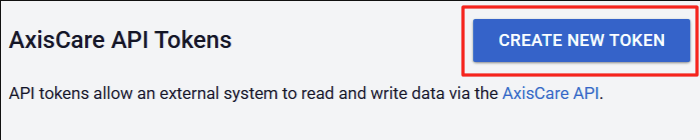
Set an Expiration Date in the future to ensure the Token remains valid, the token can be removed later if needed:
Check the box beside all Applicant and Caregiver permissions:
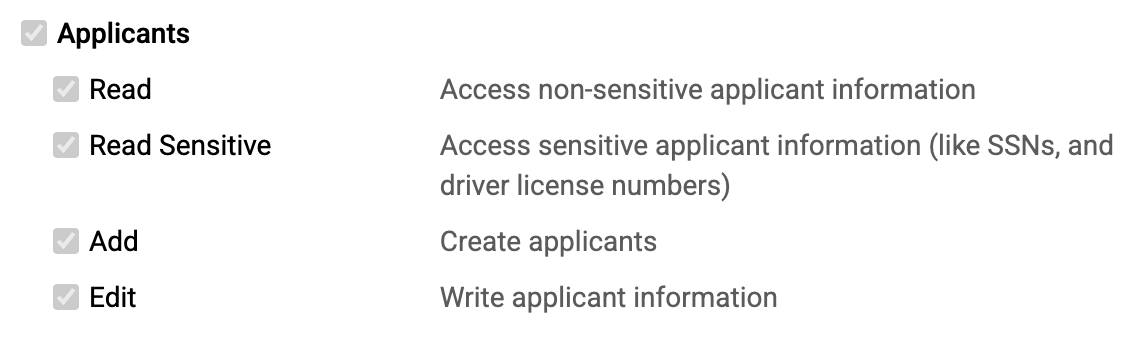
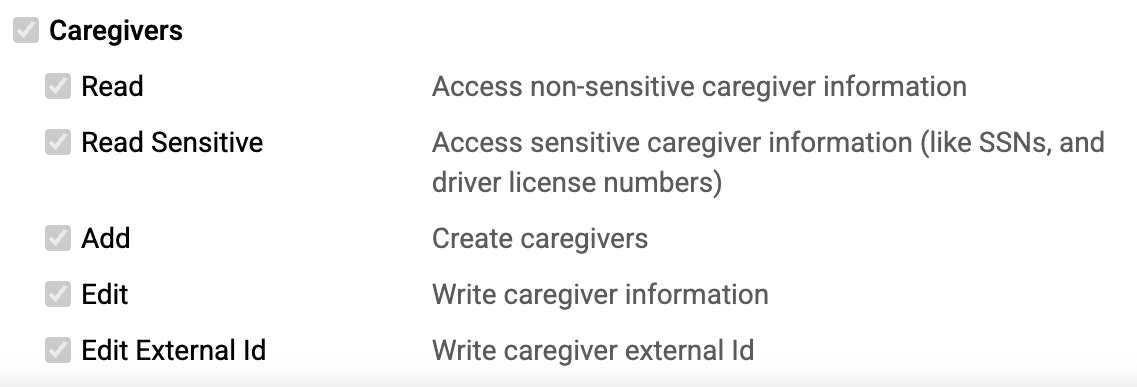
Click Submit to create the API token. Copy the token and paste it into a document for your records. IMPORTANT: As soon as you leave this page, the token will disappear and cannot be viewed again so please ensure to copy and store it right away.
Once the API Token is created, please proceed to the next steps below:
- API Key Format
API keys typically look like this format: axc_g2QXMOMZFLrg1A1lpQI5tqXntEaX3N7V
- Finding Your AxisCare Domain
Your domain is part of the URL you use to access AxisCare.
Example:
If your login URL is: https://demomark.axiscare.com/?dashboard.php
Then your domain is: demomark
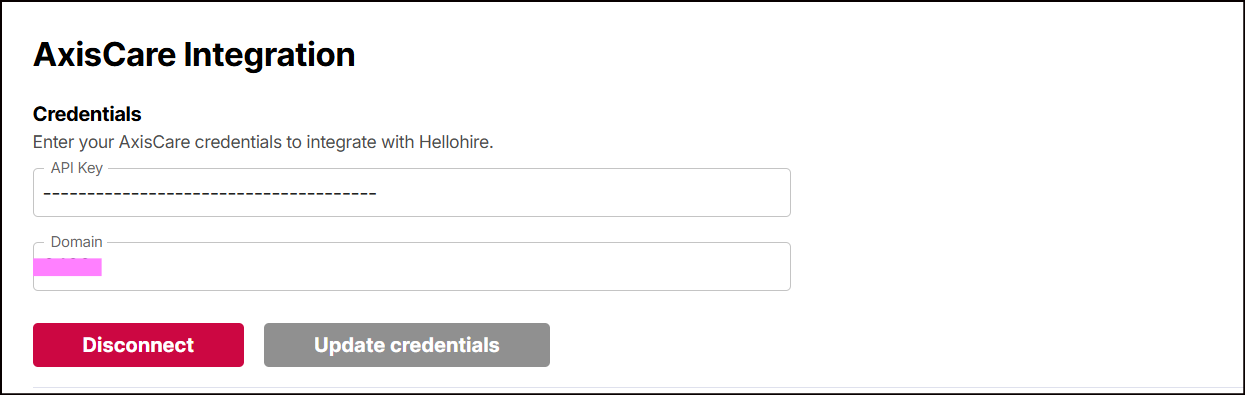
5. Once you have both your API key and your domain, please enter them into the AxisCare Integration section in Hellohire:
Read Applicants from AxisCare
Hellohire can automatically pull applicants from AxisCare to keep your Hellohire jobs updated.
- Under "Read Applicants from AxisCare", select the Hellohire job you want to link.
- This ensures that candidates applying to AxisCare are automatically engaged in the selected Hellohire job.
- Click Save to confirm your selection.
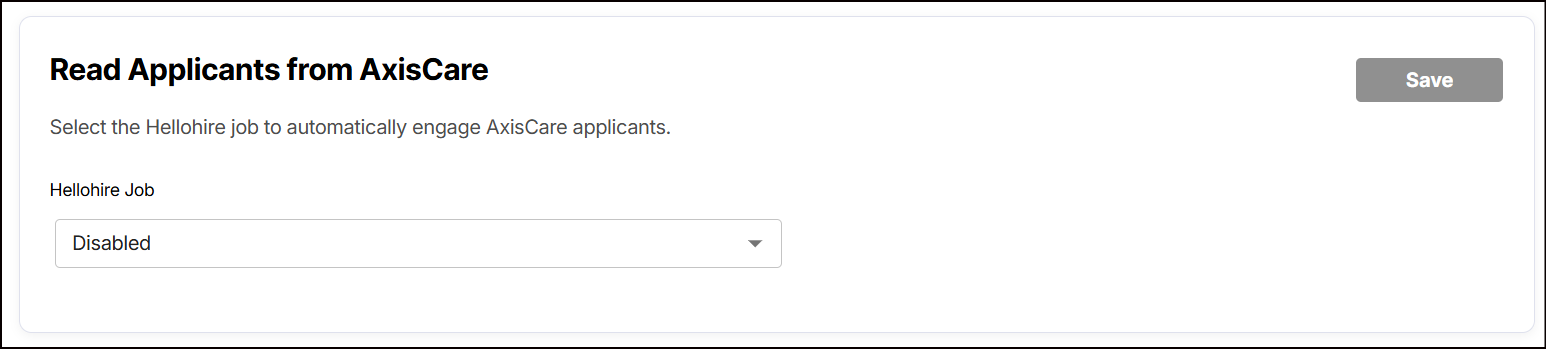
Note: If no job is selected, the integration will remain Disabled.
Write Applicants to AxisCare
You can configure which candidate statuses in Hellohire will trigger automatic applicant creation in AxisCare.
1. Under "Write Applicants to AxisCare", check the statuses you want to use as triggers:
- Scheduled – Candidate is scheduled for an interview
- Yes – Candidate is given a “Yes” outcome
- No – Candidate is given a “No” outcome
- Maybe – Candidate is given a “Maybe” outcome
- Hired – Candidate is given a “Hired” outcome
2. Click Save to apply the trigger settings.
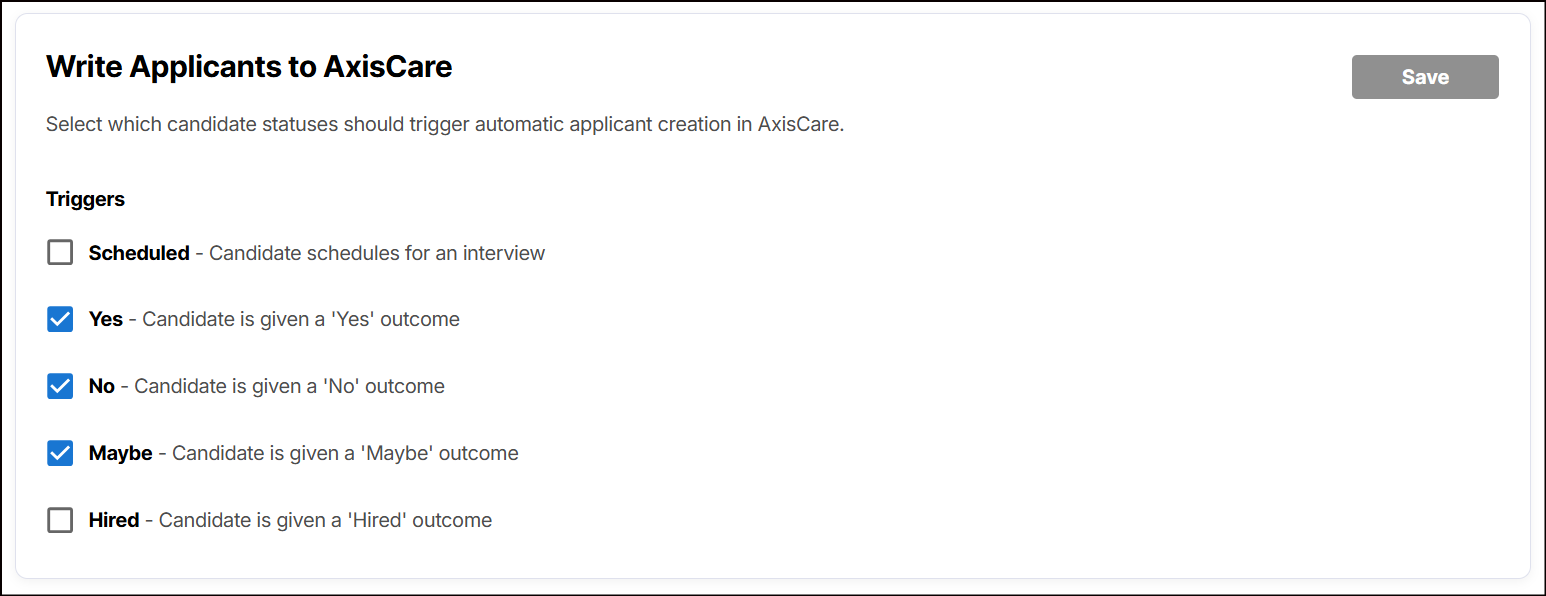
This allows you to control exactly which candidates are sent to AxisCare as applicants without manual steps.
Important note: Your AxisCare account must have at least one applicant present in order for the integration to function properly.
What happens next?
1. Hellohire automatically syncs with AxisCare.
2. Candidates who meet the selected trigger statuses will have their profiles automatically created in AxisCare, including their name, email, and phone number.
Need a hand getting set up?
We’re here for you! If you have any questions or need help connecting Hellohire to AxisCare, don’t hesitate to reach out. You can contact your Account Manager directly, or send us an email at support@tryhellohire.com. We’re here to make sure everything goes smoothly!
Was this article helpful?
That’s Great!
Thank you for your feedback
Sorry! We couldn't be helpful
Thank you for your feedback
Feedback sent
We appreciate your effort and will try to fix the article