How to Connect Hellohire to Caribou

Modified on Thu, Aug 20 at 11:46 AM

You can connect Caribou to HelloHire by forwarding candidate notification emails to your Hellohire forwarding email address.


Once configured, candidate information received from Caribou can be processed by Hellohire.


Step 1: Configure Candidate Email Notifications in Caribou


Log in to your Caribou account and configure the candidate notification settings so that an email is sent whenever a new candidate applies.


Step 2: Add the Hellohire Forwarding Email


In Caribou, enter the Hellohire forwarding email address provided for your account as the designated recipient for candidate notification emails.


How to get the forwarding email?


Step 1: Get Your Hellohire Job Email Address


1. Log in to your Hellohire account: https://www.tryhellohire.com


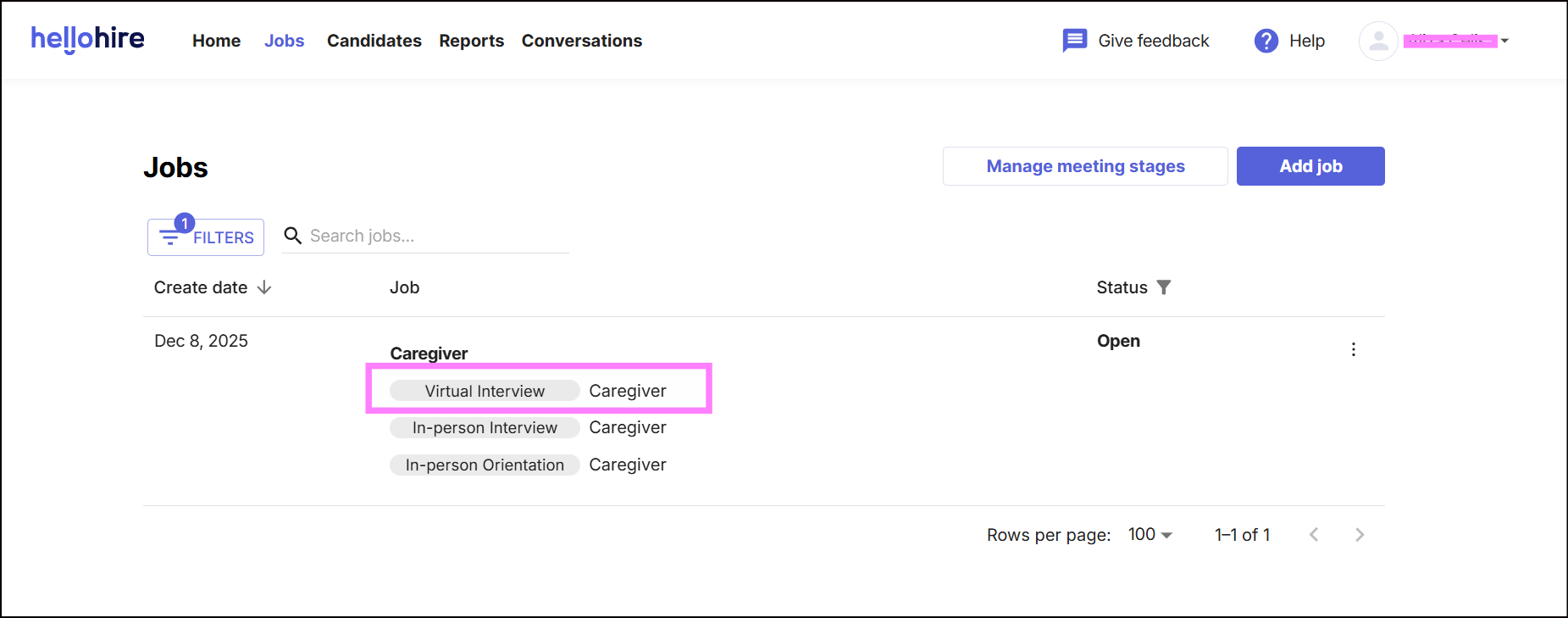
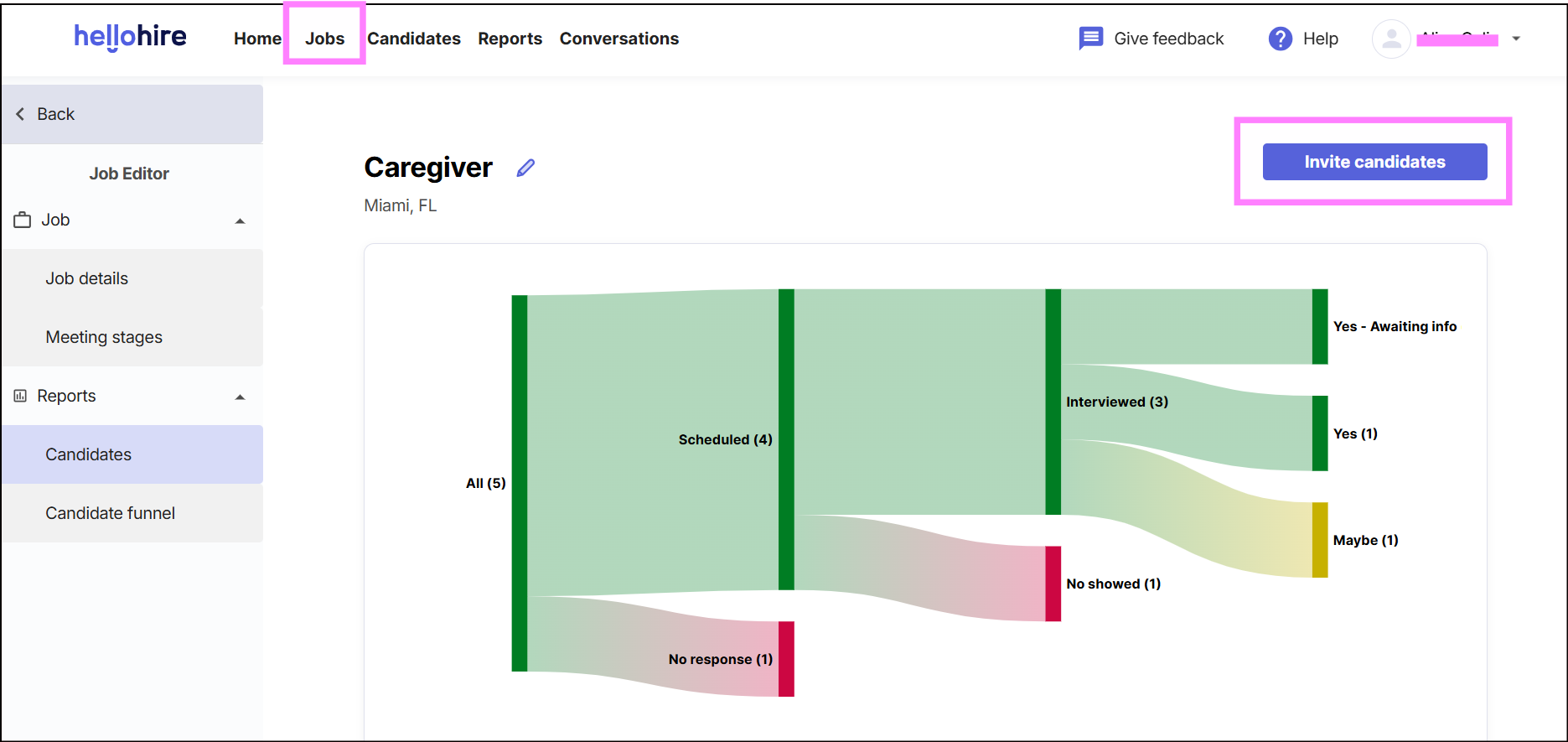
2. Navigate to the Jobs tab.


3. Select the hiring stages you want to integrate. 


4. Click "Invite Candidates."


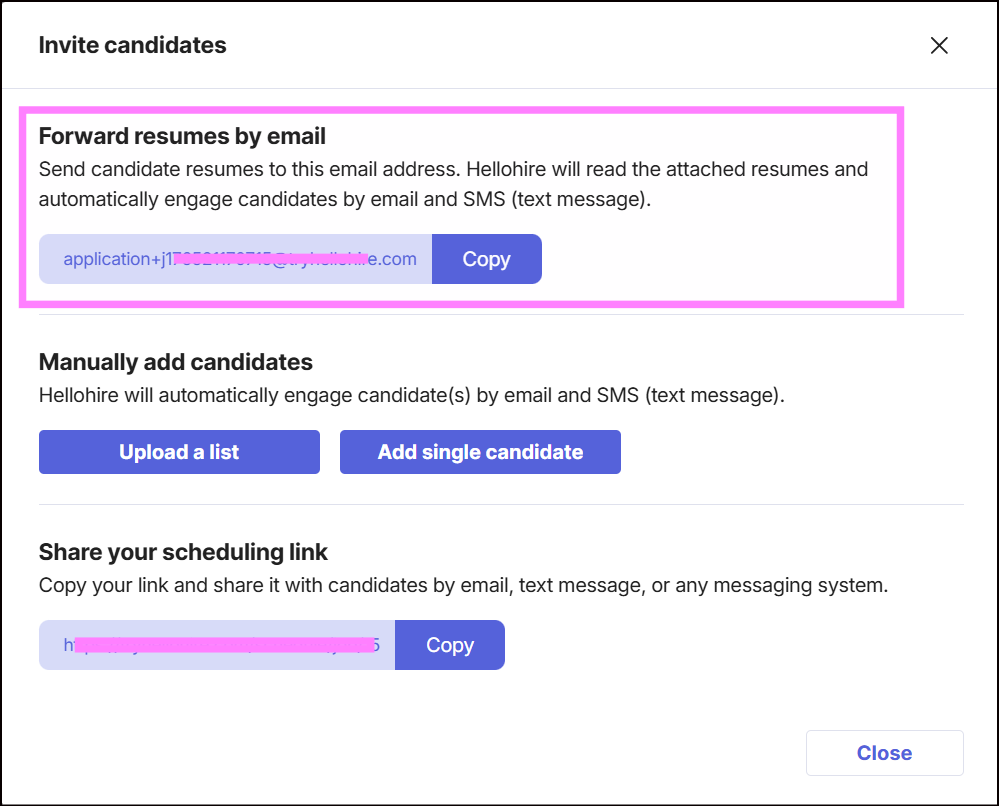
5. Under "Forward resumes by email," copy the unique email address 

        (e.g., application+jXXXXXXXXXXXXX@tryhellohire.com).


This allows Caribou to automatically send candidate information to Hellohire whenever a new candidate is received.


Hellohire Support

Have questions or need assistance? We’re here to help! Feel free to contact us at support@tryhellohire.com.


Was this article helpful?

That’s Great!

Thank you for your feedback

Sorry! We couldn't be helpful

Thank you for your feedback

Let us know how can we improve this article!

Select at least one of the reasons
CAPTCHA verification is required.

Feedback sent

We appreciate your effort and will try to fix the article