Hellohire integrates directly with Indeed to simplify your recruitment process. It automatically syncs new applicants from Indeed into your Hellohire account, keeping everything organized and up to date with less manual effort.
Follow the steps below to connect your Indeed job post to your Hellohire account so that candidate applications are forwarded automatically.
How to connect Hellohire to Indeed?
Step 1: Get Your Hellohire Job Email Address
1. Log in to your Hellohire account: https://www.tryhellohire.com
2. Click the dropdown in the top-right corner of your screen.
3. Select Manage organization > Integrations.
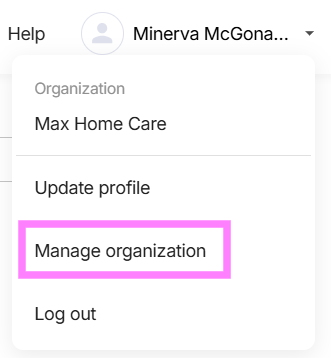
4. Click the dropdown beside Integrations and select Indeed
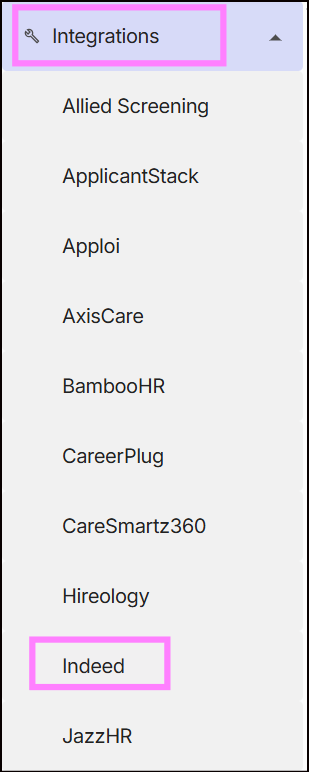
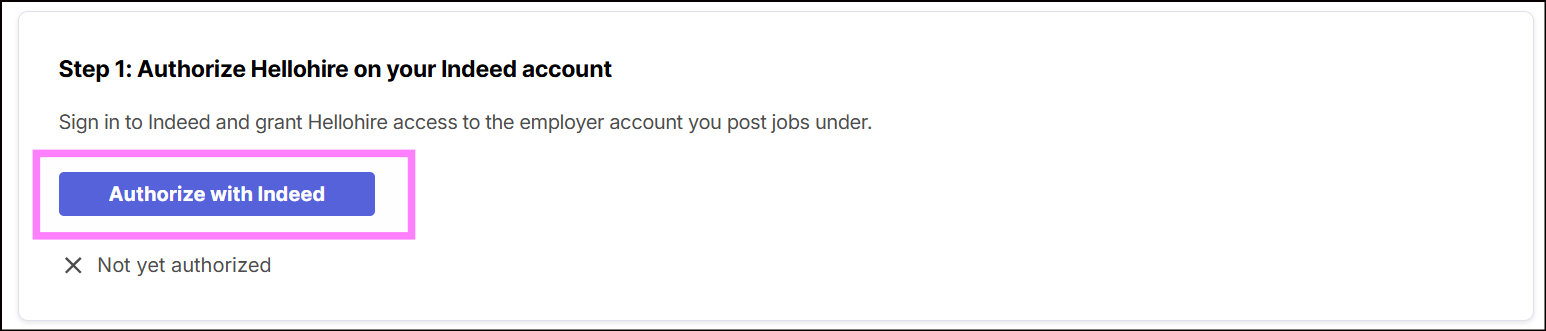
Step 2: Authorize Hellohire on your Indeed account
Sign in to your Indeed account and grant Hellohire access to the employer account you use to post your jobs.
Step 3: Add the Hellohire widget to your careers page.
Add the Hellohire Jobs Widget to your careers page to display your active job postings and allow candidates to easily view and apply for available positions.
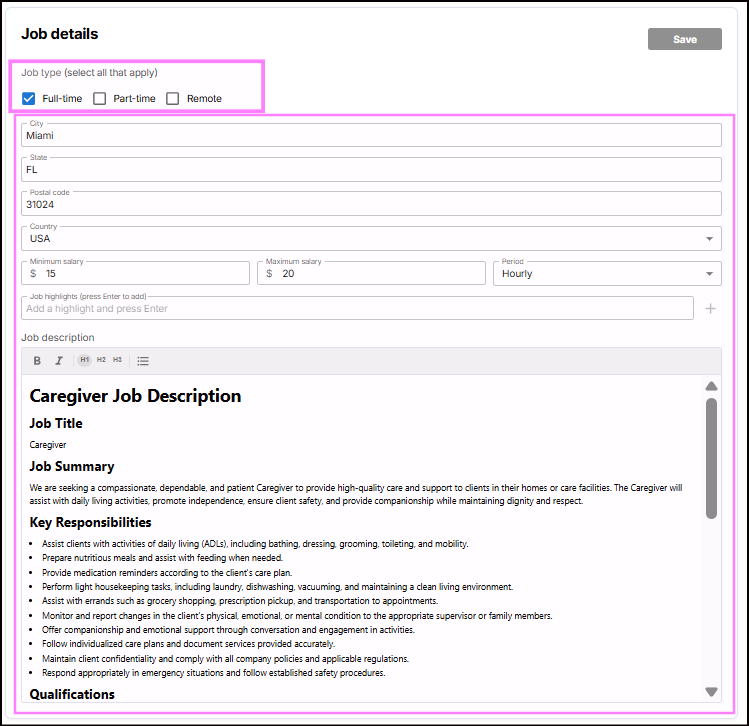
Before publishing your jobs, make sure you have completed the Job Details in the Hellohire Jobs Widget. The information entered in the Job Details is also used when your job is posted to Indeed, so it is important to ensure that all information is accurate and complete.
When completing the Job Details, review and provide all relevant information about the position, such as the job title, description, requirements, location, and other job-specific details.
For step-by-step instructions on adding and customizing the widget, please refer to our FAQ guide: How to Add and Customize Your Hellohire Jobs Widget on Your Website.

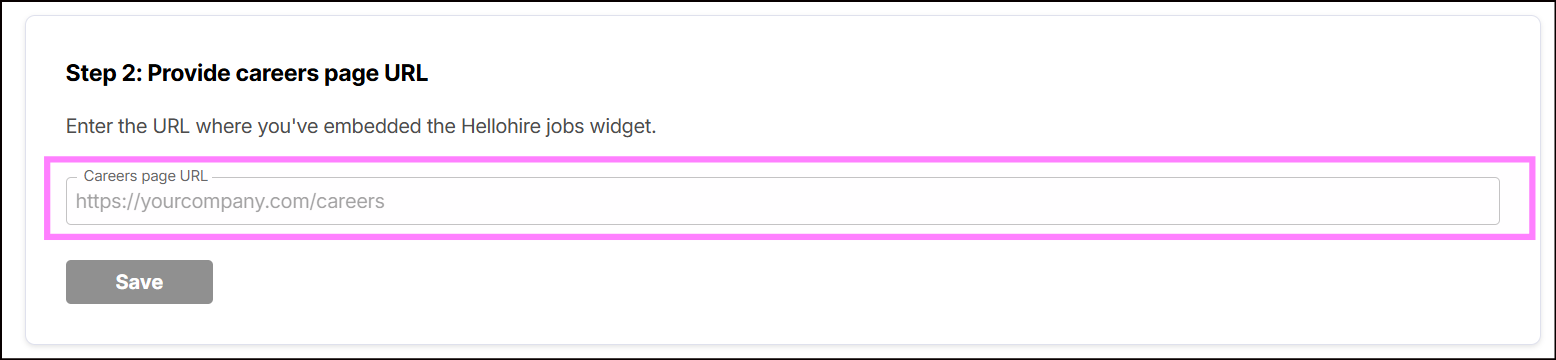
Step 4: Provide careers page URL
Enter the URL of the page where you have embedded the Hellohire Jobs Widget.
Step 5: Click Connect to connect your Hellohire account to Indeed.
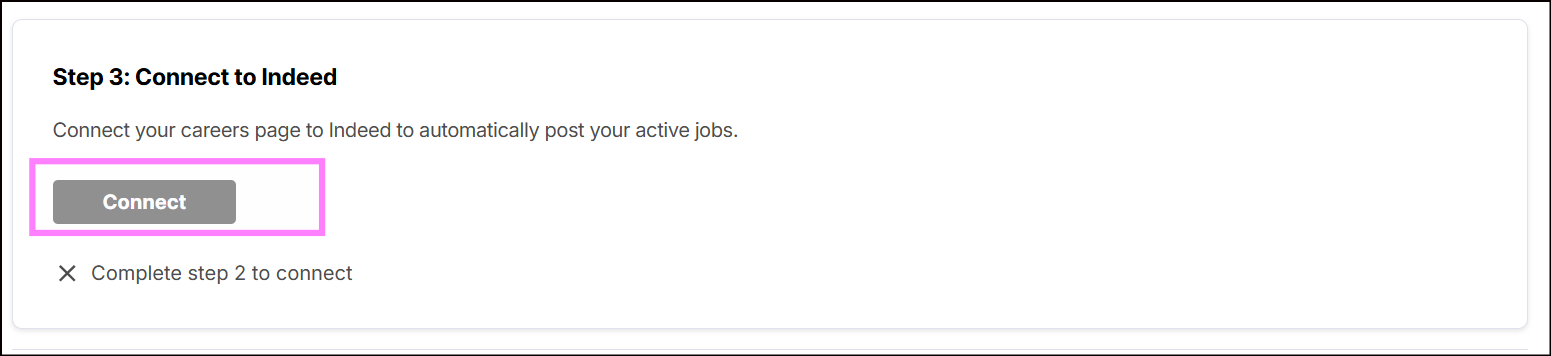
The Indeed integration page is now available to all Hellohire users.
Important:
- When you click Connect, all jobs that are currently marked as Published in Hellohire will automatically be posted to Indeed
- You must complete Steps 2 to 4 before you can connect your careers page to Indeed.
How to Publish New Jobs to Indeed?
After your HelloHire account is connected to Indeed:
- Any new job that you change to Published will automatically be posted to Indeed.
- You do not need to manually submit each job to Indeed.
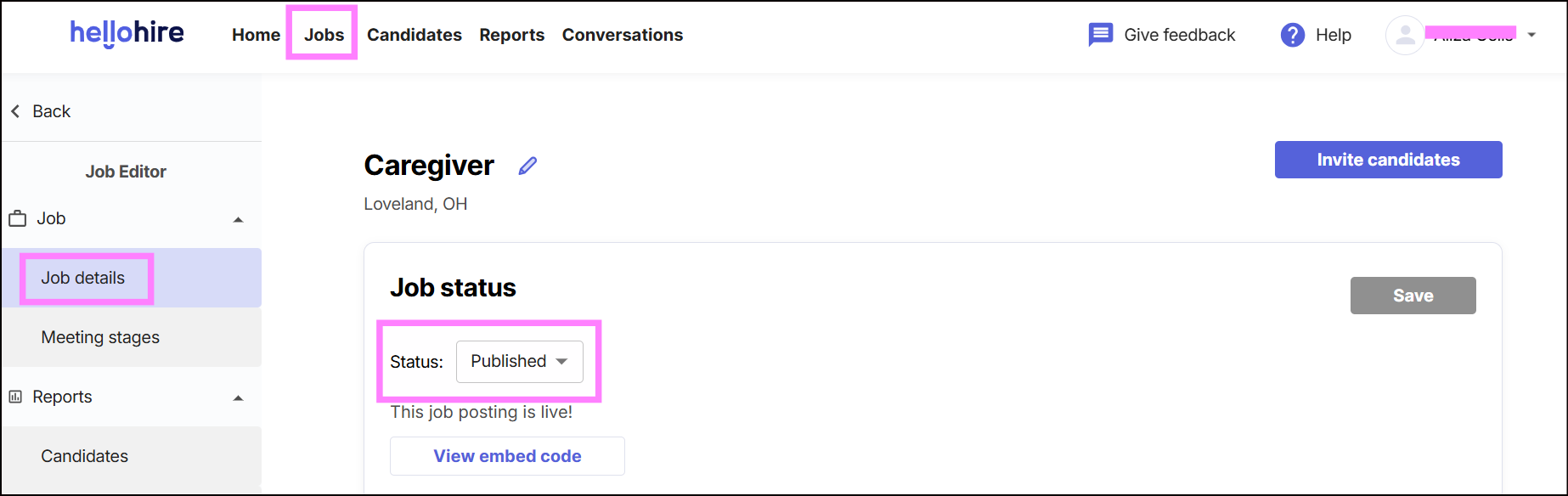
Remove a Job Posting from Indeed
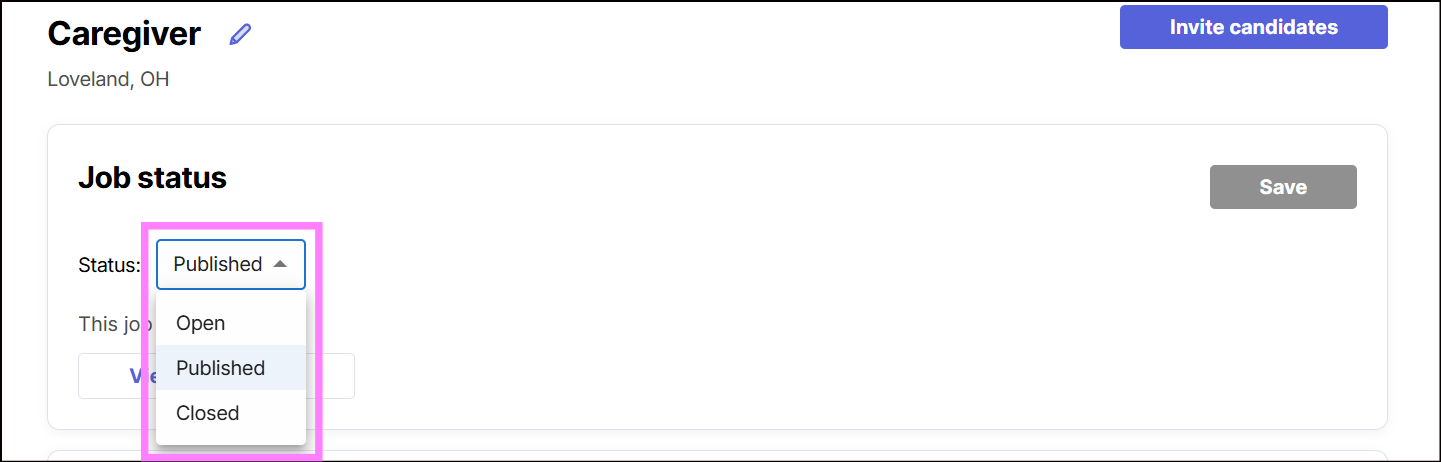
To remove a job posting from Indeed, update the job's status in Hellohire:
- Open – Keeps the job visible in your Hellohire job list but removes it from the Indeed job posting.
- Closed – Removes the job from your Hellohire job list and removes it from Indeed.
Quick Reference
| Hellohire Job Status | Indeed |
|---|---|
| Published | Job is posted to Indeed |
| Open | Job remains in Hellohire but is removed from Indeed |
| Closed | Job is removed from Hellohire and Indeed |
Note: Only jobs marked as Published are automatically posted to Indeed after the integration is connected.
Hellohire Support
Have questions or need assistance? We’re here to help! Feel free to contact us at support@tryhellohire.com.
Was this article helpful?
That’s Great!
Thank you for your feedback
Sorry! We couldn't be helpful
Thank you for your feedback
Feedback sent
We appreciate your effort and will try to fix the article