This guide explains how to use Hellohire’s “Invite candidates by email” feature to invite candidates sent by your corporate office automatically.
Once set up, any employment leads sent to your Hellohire email address will receive an automatic invitation to complete pre-screening and schedule an interview.
What Is “Invite Candidates by Email”?
The Invite candidates by email feature allows you to forward candidate leads directly to Hellohire.
When the corporation sends candidate information to your assigned Hellohire email address, the system will automatically:
Invite candidates to pre-screen
Allow them to schedule an interview
Send notifications via email and text (US/Canada numbers only)
How Do I Find My “Invite Candidates by Email” Address?
Follow these steps to locate your forwarding address:
Step 1: Log In to Hellohire
Log in to your Hellohire account.
Go to https://www.tryhellohire.com and log in using your credentials.
Go to Jobs.
Select the meeting stage you want to use (Virtual).
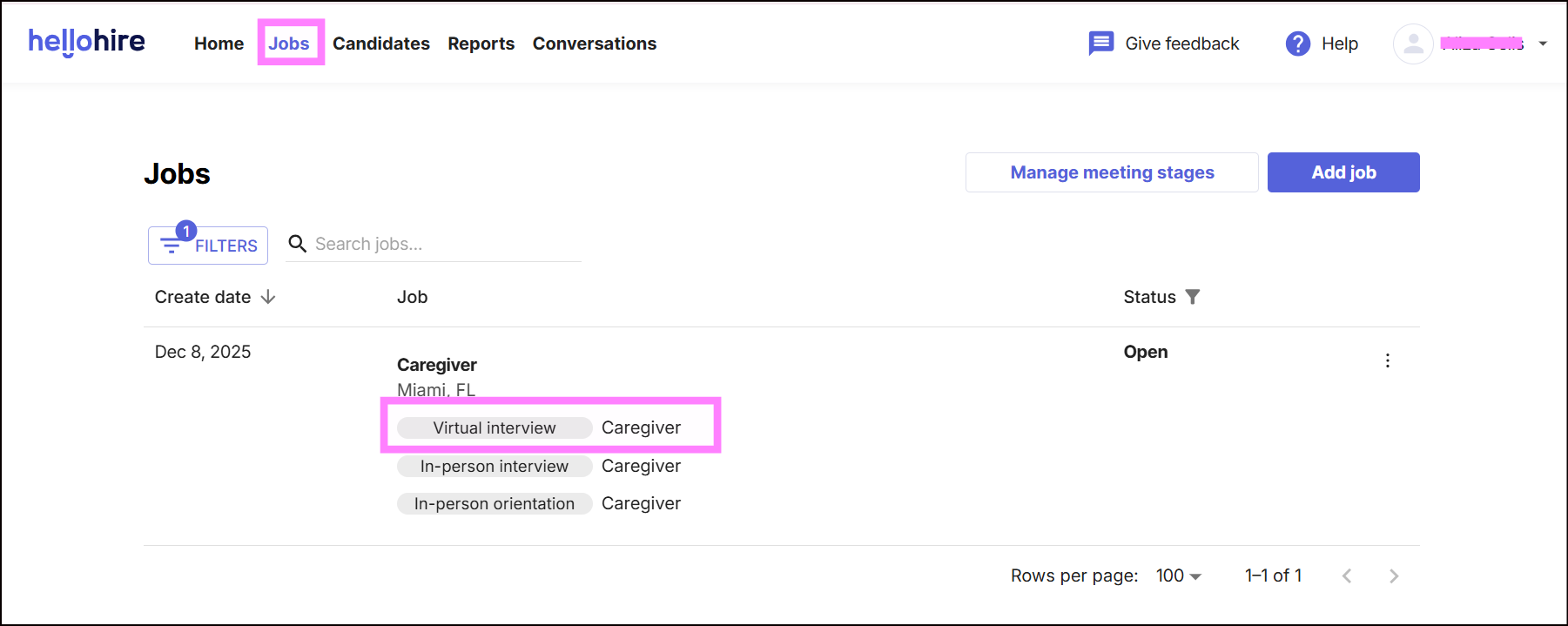
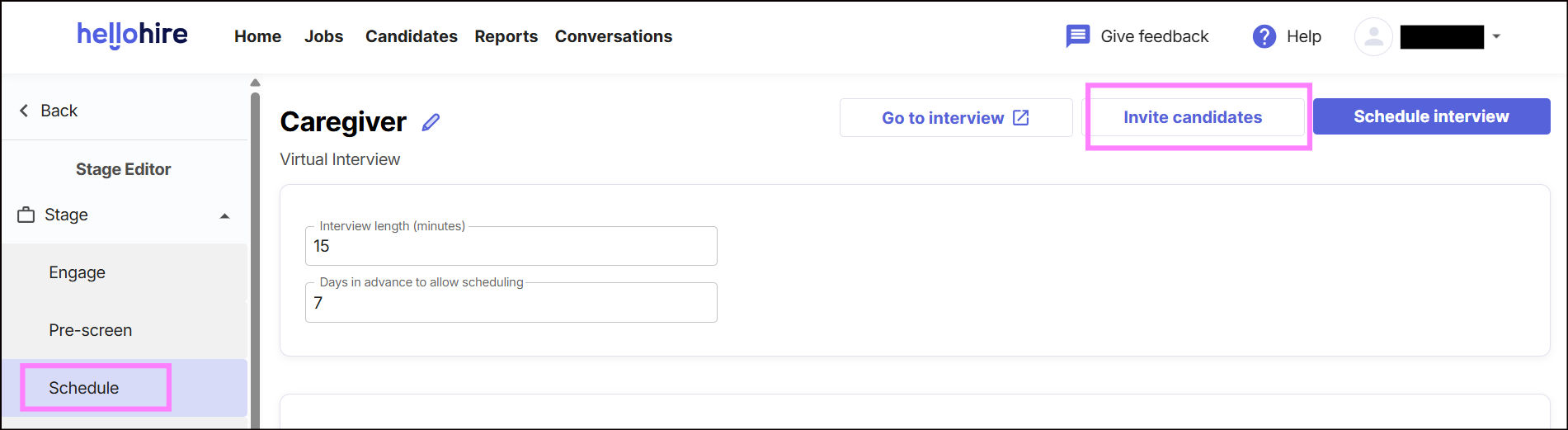
Step 2: Access Invite Candidates
Click Invite candidates.
Locate Forward Resumes by Email.
Copy the email address provided.
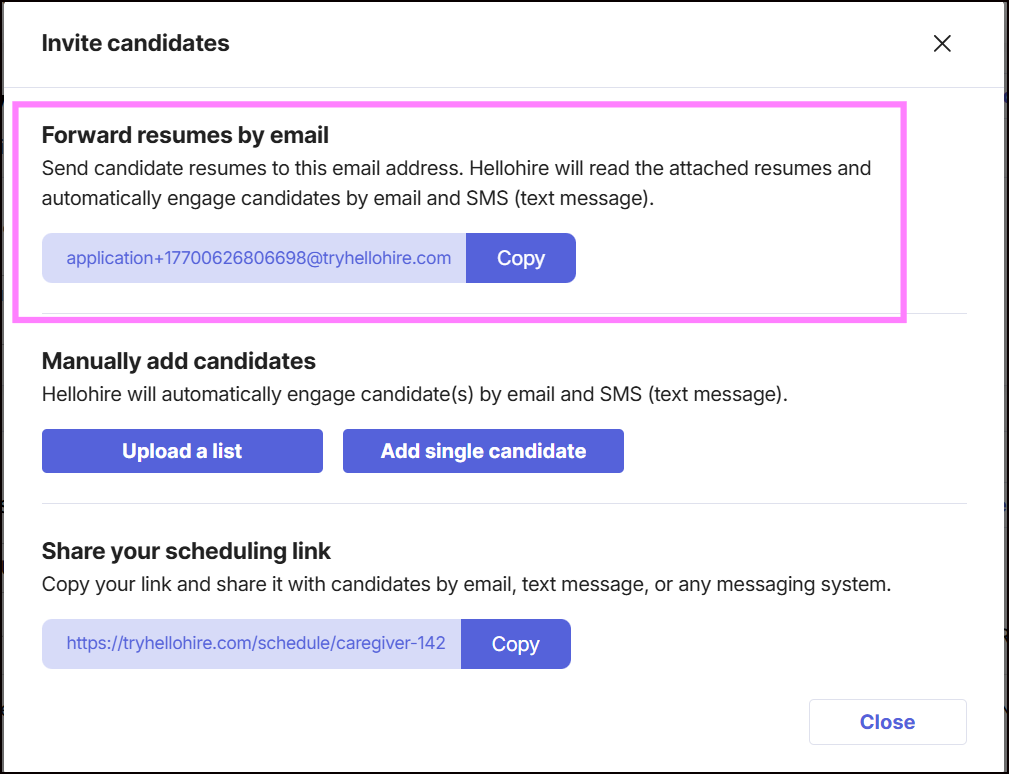
Sample email:

How Do I Use This Email Address?
Once you have your forwarding address:
Step 1: Contact Your Corporate Office
Reach out to your corporate contact and request that they send all candidate leads to your Hellohire forwarding address.
Step 2: Start Receiving Candidates
After the corporation sends leads to this address:
Candidates will be automatically invited
No manual entry is required
Interviews can be scheduled immediately after candidates answer and pass the prescreening questions.
What Happens After Candidates Are Invited?
Once invited, candidates will:
Receive an email and/or text message (US/Canada numbers only)
Complete pre-screening questions
Select an interview time
Appear in your HelloHire dashboard
Can I Use This for Multiple Job Positions?
Yes. Each job and hiring stage has its own forwarding address. Make sure corporate sends leads to the correct address for each role.
Hellohire Support
Have questions or need assistance? We’re here to help! Feel free to contact us at support@tryhellohire.com.
Was this article helpful?
That’s Great!
Thank you for your feedback
Sorry! We couldn't be helpful
Thank you for your feedback
Feedback sent
We appreciate your effort and will try to fix the article