The Hellohire → WellSky integration allows you to automatically send candidate information from Hellohire to WellSky. This integration is one-way, meaning data flows only from Hellohire to WellSky.
How to get your credentials from WellSky?
To set up the integration, you will need the following WellSky credentials:
Client ID
Client Secret
Agency ID
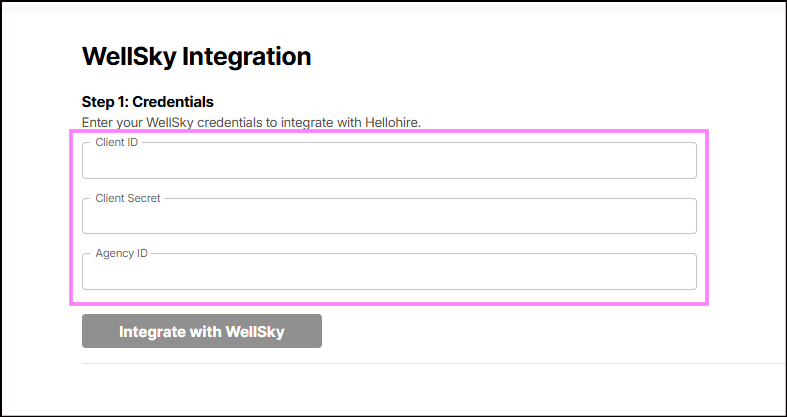
Steps to Obtain Your WellSky Credentials
Contact WellSky
Reach out to your WellSky account manager or WellSky Support.
Follow Their Instructions
WellSky will guide you on how to request and obtain your API credentials.
Obtain Credentials
Complete any forms or steps provided by WellSky to receive your Client ID, Client Secret and Agency ID.
Share Credentials with us
Once you have your credentials, provide them to us so we can proceed with integration.
How to connect Hellohire to WellSky?
Once you have your API key, connecting Hellohire to WellSky only takes a few minutes.
Step 1: Navigate to Integration
1. Log in to your Hellohire account: https://www.tryhellohire.com
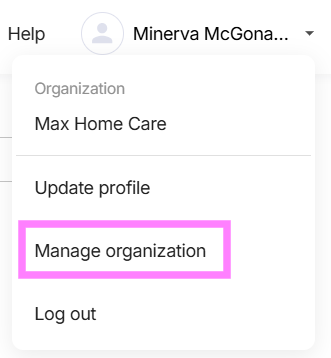
2. Click the dropdown in the top-right corner of your screen.
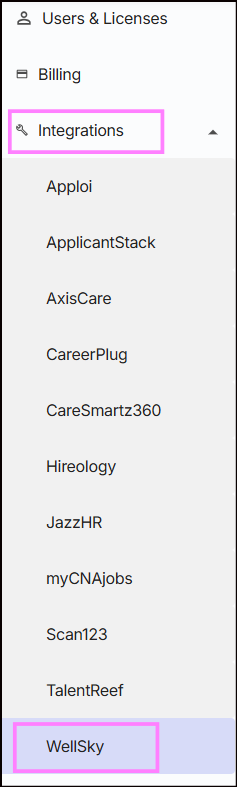
3. Select Manage organization > Integrations.
4. Click the dropdown beside Integrations and select WellSky.
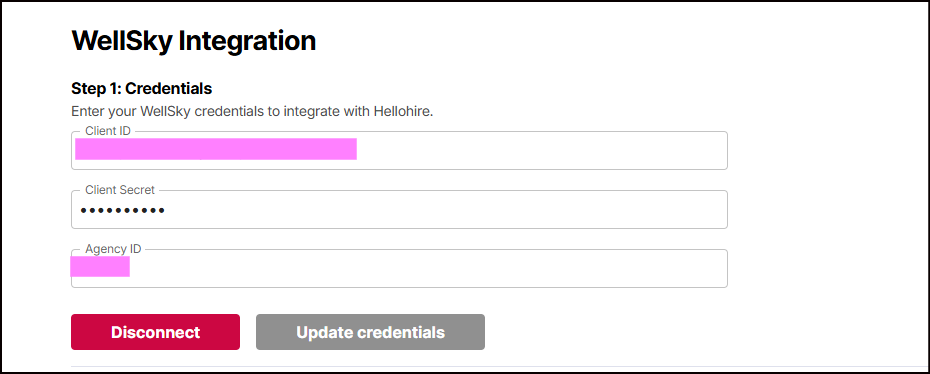
Step 2: Enter Credentials
1. Input your Client ID, Client Secret and Agency ID
2. Click "Integrate with WellSky" to activate the integration.
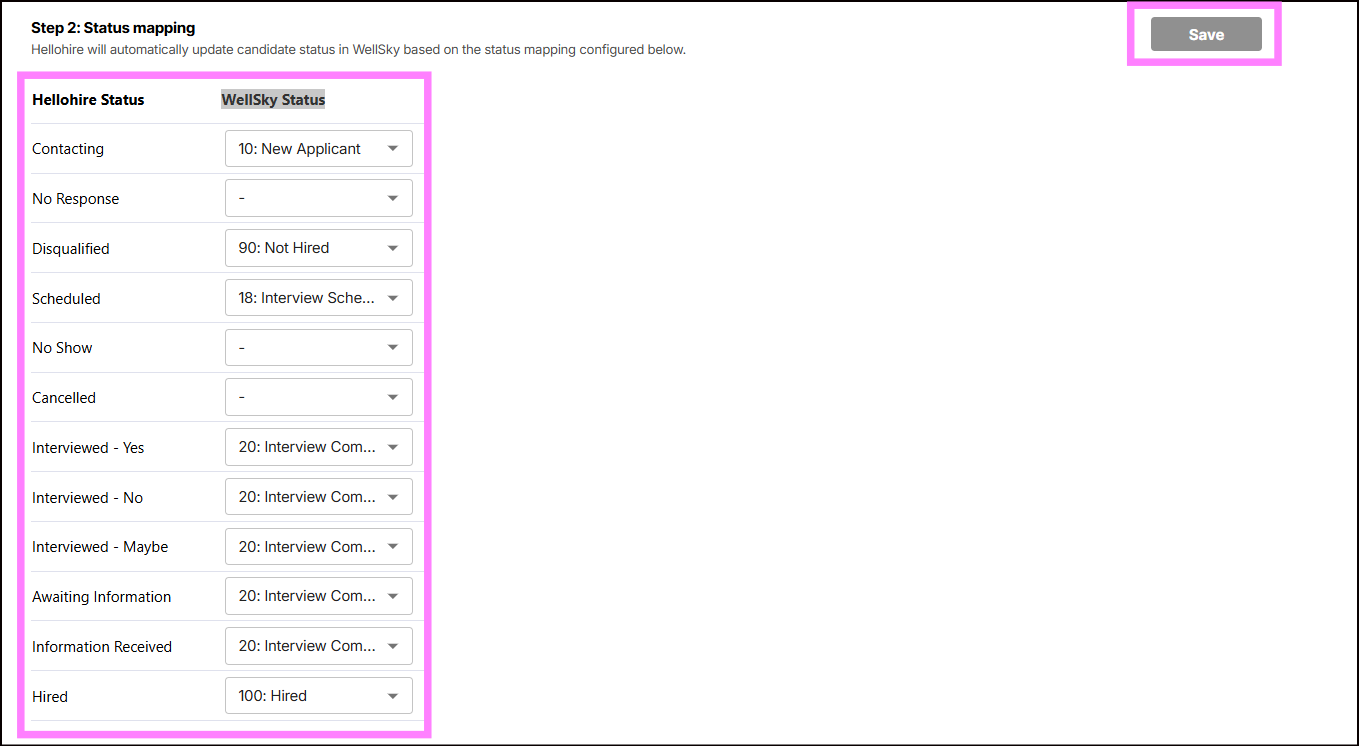
Step 3: Set Up Status Mapping
Hellohire will automatically update the candidate’s status in WellSky based on the status mapping configured in Hellohire.
To set up Status Mapping:
1. See the Hellohire Status column.
2. In the adjacent column, enter the corresponding WellSky Status for each.
3. Click "Save" to apply changes.
What happens next?
Hellohire creates or updates a Practitioner in WellSky at any configured stage of the process — either for all candidates or only those marked “Yes.”
The Practitioner record includes the candidate’s name, email address, and phone number.
Email is used for matching: if a Practitioner with the same email already exists in WellSky, the record is updated; if not, a new Practitioner record is created.
Hellohire Support
Have questions or need assistance? We’re here to help! Feel free to contact us at support@tryhellohire.com.
Was this article helpful?
That’s Great!
Thank you for your feedback
Sorry! We couldn't be helpful
Thank you for your feedback
Feedback sent
We appreciate your effort and will try to fix the article