Integrating Hellohire with TalentReef allows you to automatically send candidate information from Hellohire into your TalentReef account. Once connected, candidates can be seamlessly created in TalentReef based on your configured job mappings.
How to generate your API key and Client UUID from TalentReef?
Step 1: Request Your TalentReef API Key
Before connecting the integration, you must obtain your API credentials from TalentReef.
To do this:
Submit a support request to TalentReef.
Request access to your API Key for integration with Hellohire.
Once received, securely provide the API Key to Hellohire during setup.
If you’re unsure how to request this, TalentReef Support can guide you through the process.
How to connect Hellohire to TalentReef?
Step 1: Navigate to Integration
1. Log in to your Hellohire account: https://www.tryhellohire.com
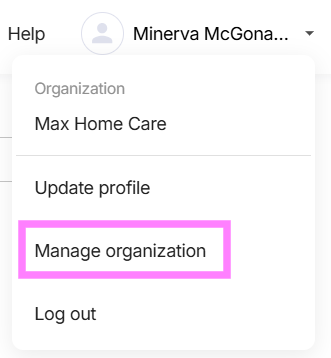
2. Click the dropdown in the top-right corner of your screen.
3. Select Manage organization > Integrations
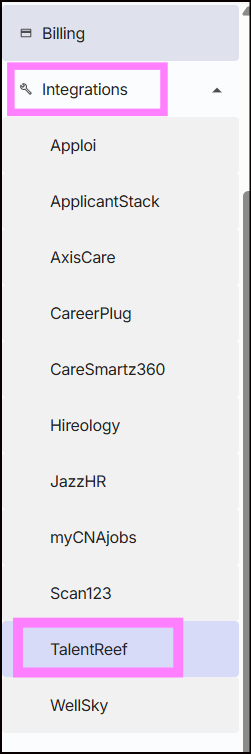
4. Click the dropdown beside Integrations and select TalentReef
Step 2: Enter Credentials
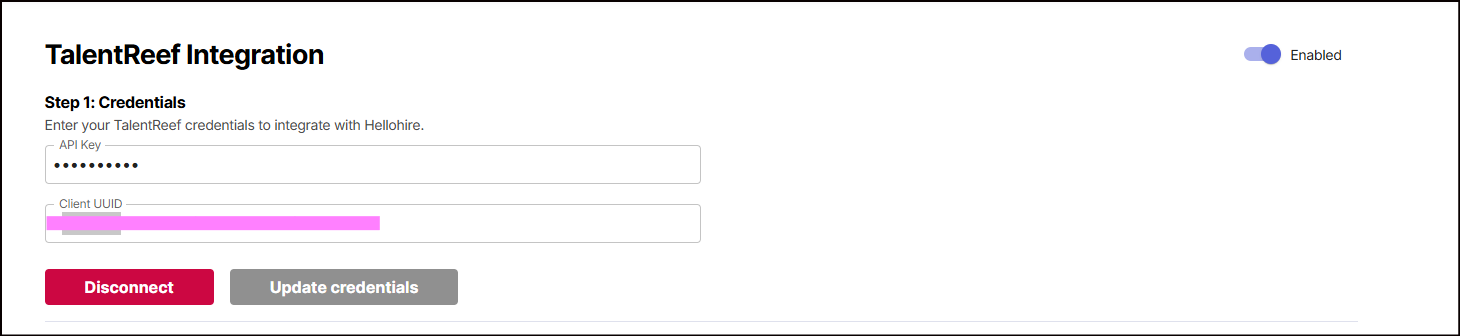
1. Input your API key and Client UUID
2. Connect and toggle the "Enabled" switch to activate the integration.
Step 3: Set Up Job Mapping
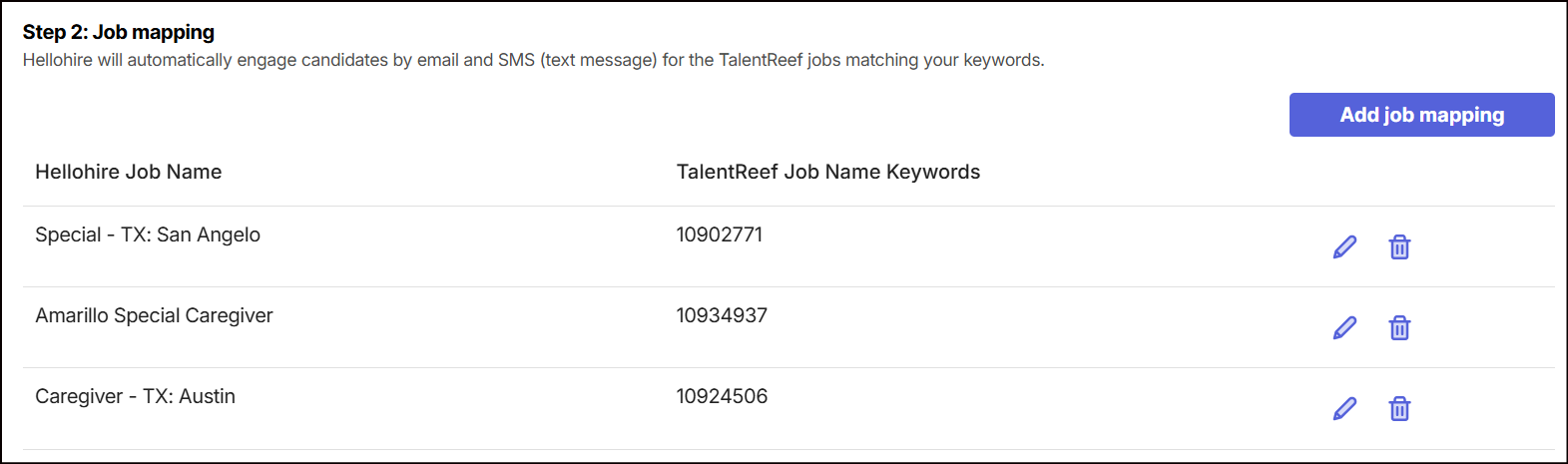
Job Mapping helps HelloHire match candidates to the correct TalentReef job listings using keywords or requisition numbers.
To set up Job Mapping:
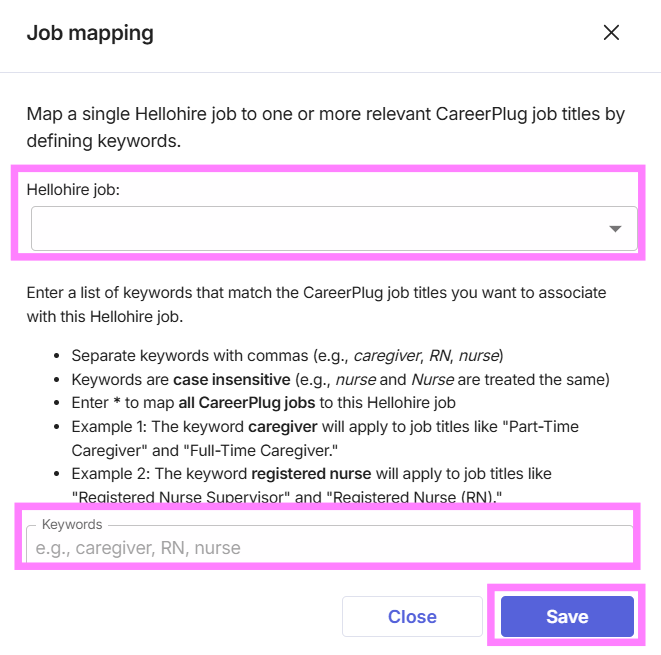
1. Click "Add Job Mapping".

2. Under Hellohire Job, select the job you want to map.
3. In the Keywords field, enter keywords that match relevant TalentReef job titles.
Separate multiple keywords with commas (e.g., caregiver, RN, nurse).
You can also enter TalentReef requisition numbers (e.g., 10901111) instead of keywords to map a specific job posting.
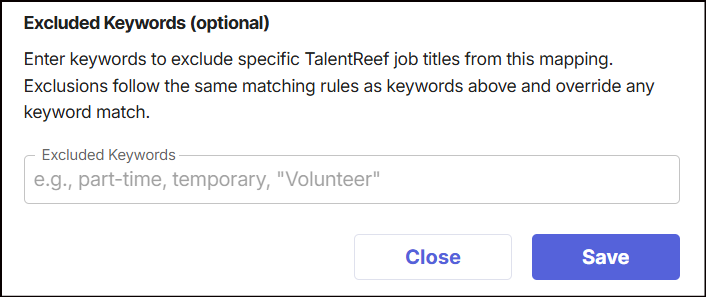
4. Exclude Keyword (optional)
Enter keywords to exclude specific TalentReef job titles from this mapping. Exclusions follow the same matching rules as keywords above and override any keyword match.
5. Click "Save".
What happens next?
1. Hellohire automatically syncs with TalentReef.
2. New applicants are imported directly into your Hellohire account.
3. Candidates appear in your dashboard, ready to move forward in the hiring process.
Need a hand getting set up?
We’re here for you! If you have any questions or need help connecting Hellohire to TalentReef, don’t hesitate to reach out. You can contact your Account Manager directly, or send us an email at support@tryhellohire.com. We’re here to make sure everything goes smoothly!
Was this article helpful?
That’s Great!
Thank you for your feedback
Sorry! We couldn't be helpful
Thank you for your feedback
Feedback sent
We appreciate your effort and will try to fix the article