You can easily add a candidate to a session that has already been created in your schedule. Follow the steps below:
Step 1: Go to the Job
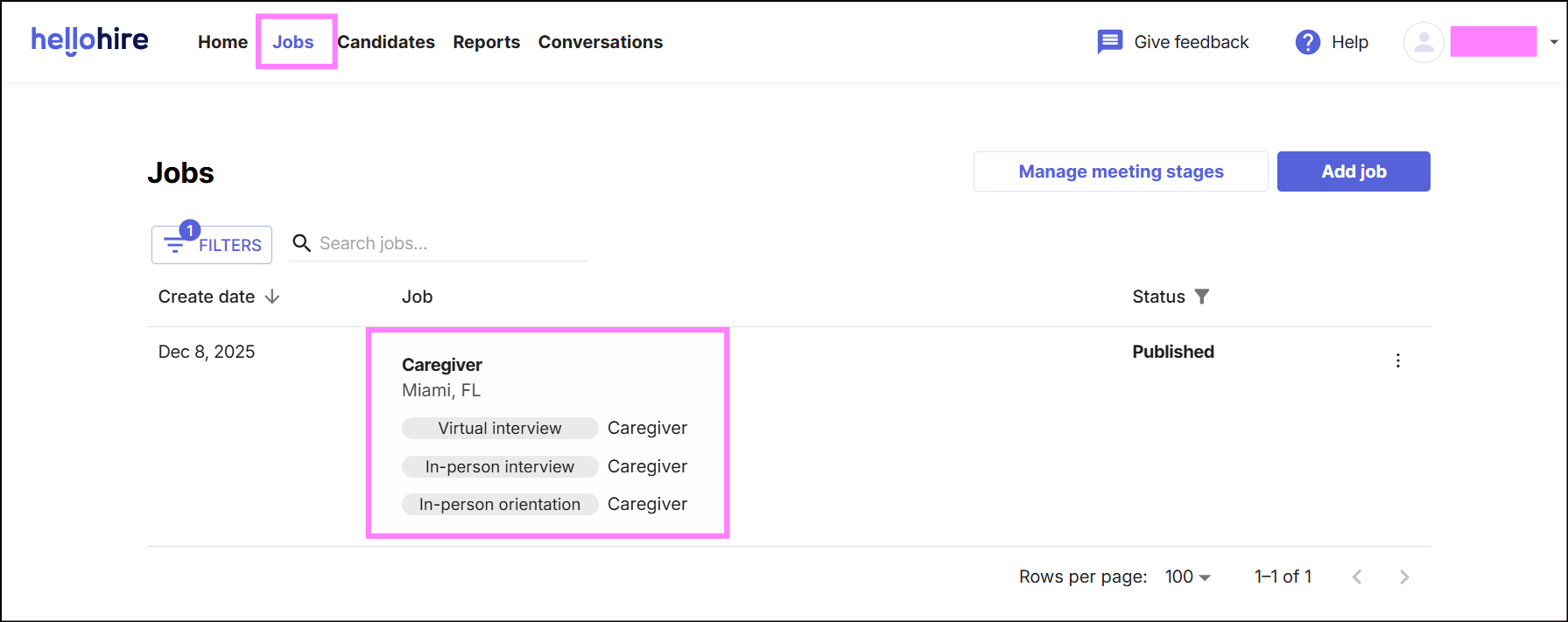
- Navigate to Jobs.
Step 2: Select the Hiring Stage
- Click on the appropriate Hiring Stage where the session is scheduled.
Step 3: Choose the Existing Session
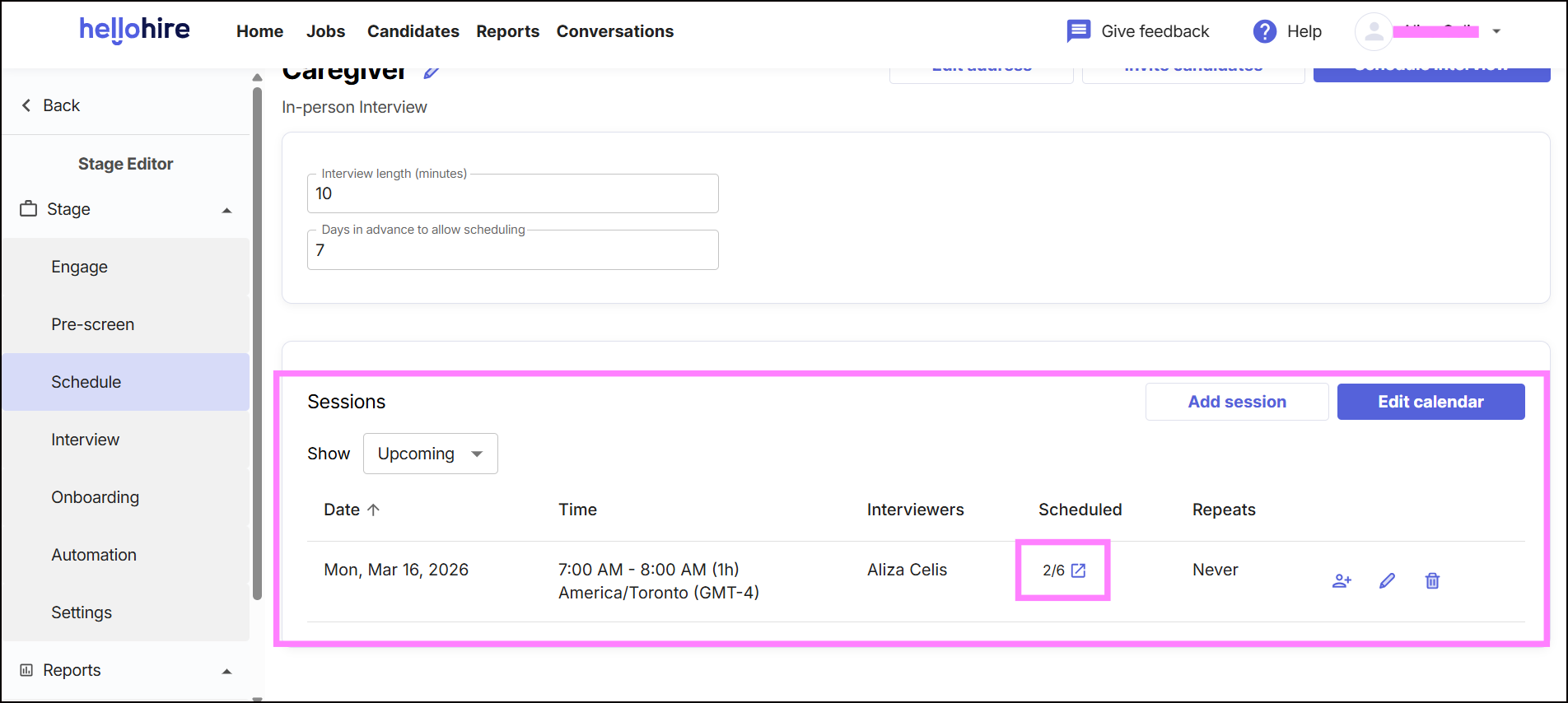
- Under Sessions, locate the timeslot where you want to add the candidate.
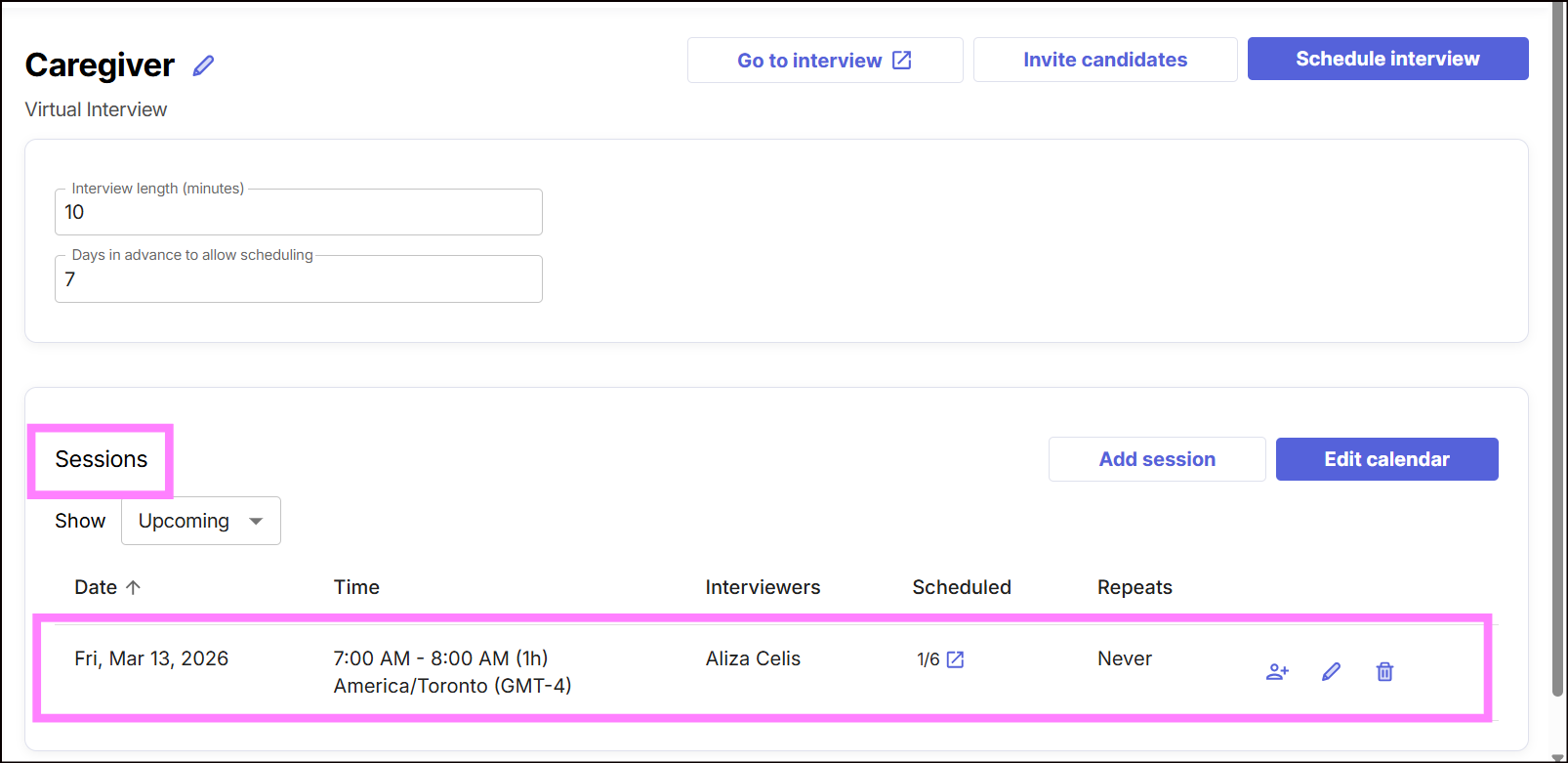
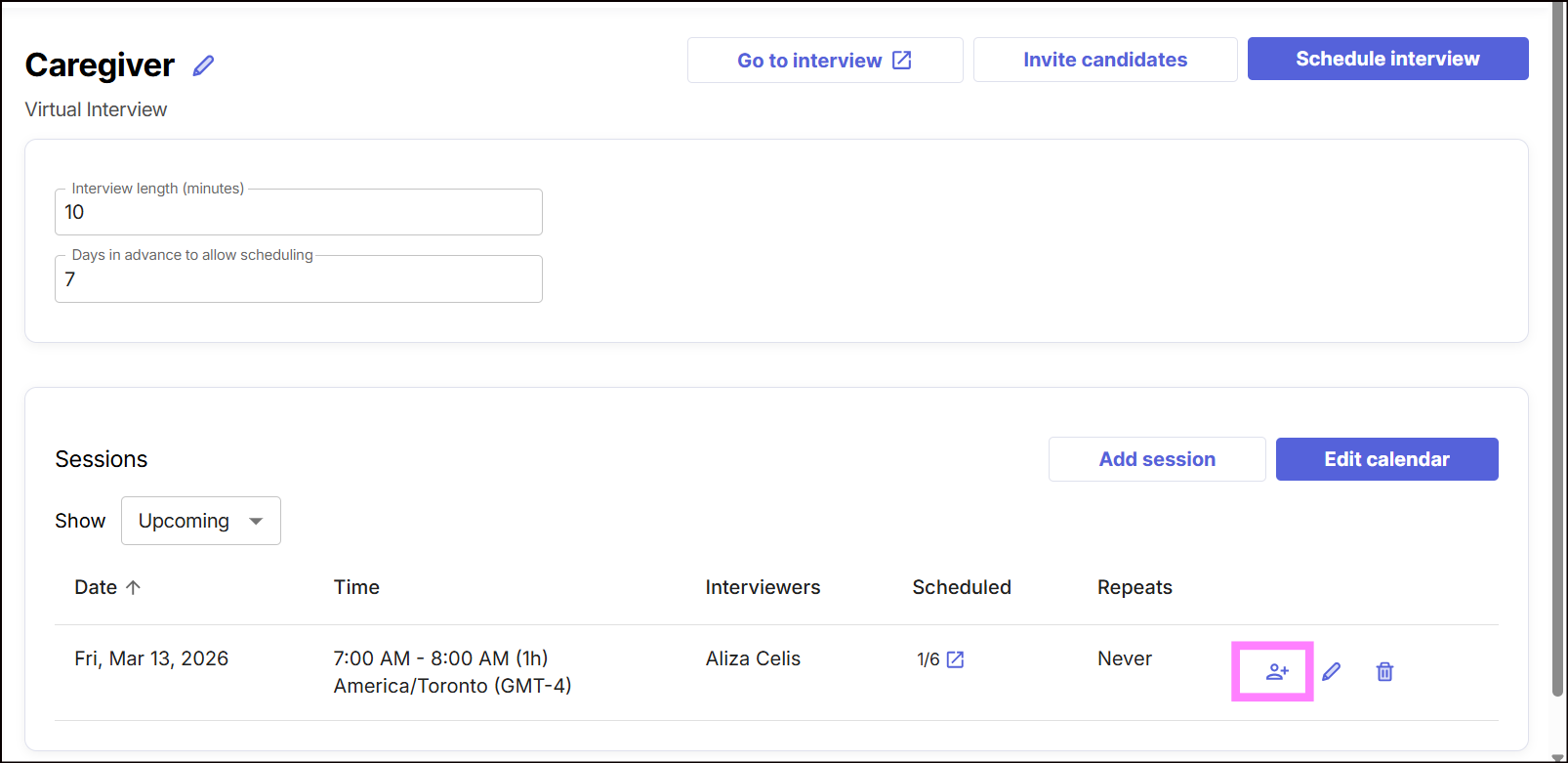
Step 4: Add the Candidate
- Click the human+ icon
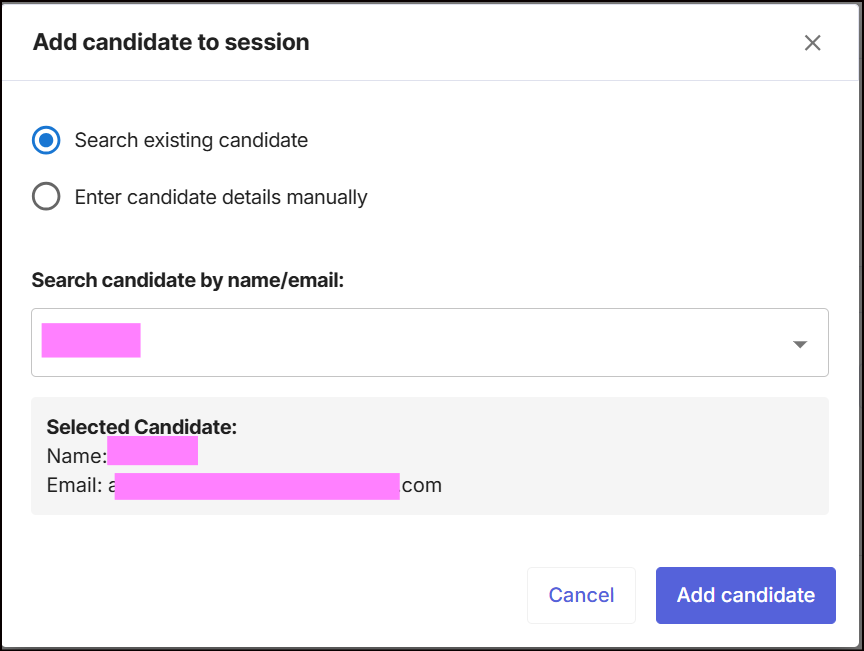
- A window will appear, allowing you to add a candidate.
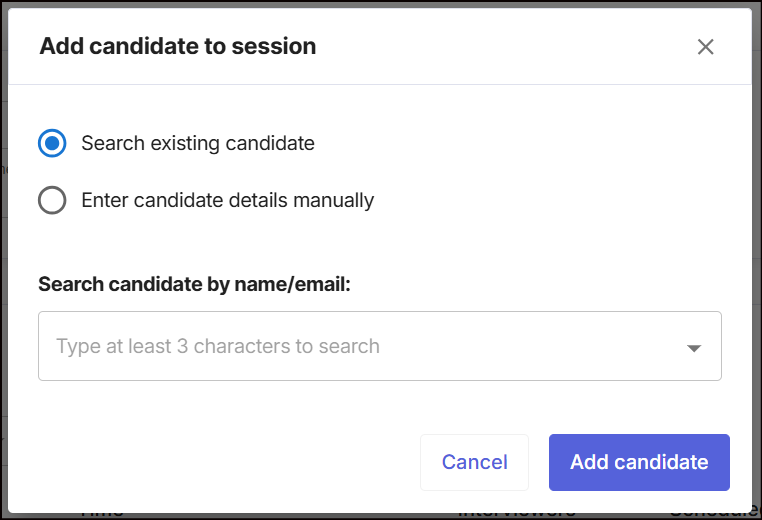
You can add candidates in two ways:
Option 1: Search for an Existing Candidate
- Use the search bar to find a candidate already in the system.
- Select the candidate from the list.
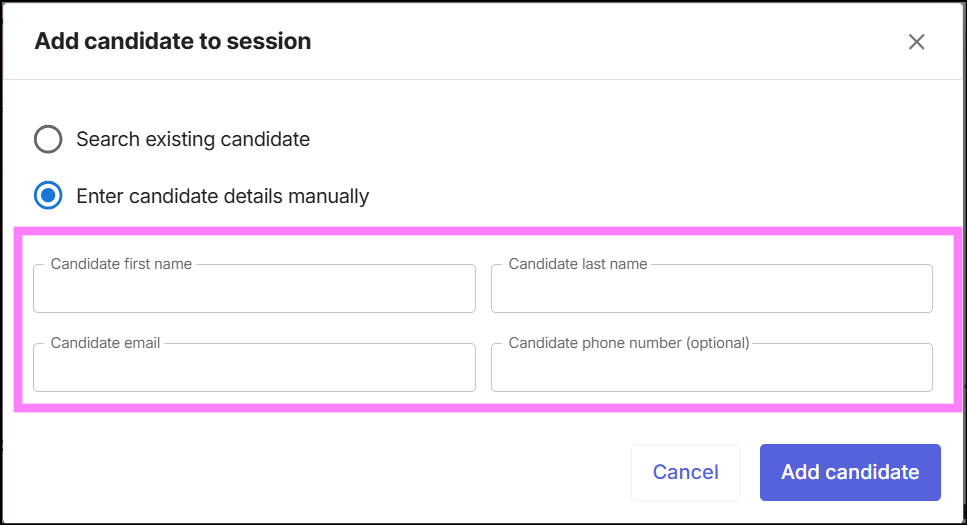
Option 2: Enter Candidate Details Manually
- Manually enter the candidate’s name, email, and other information.
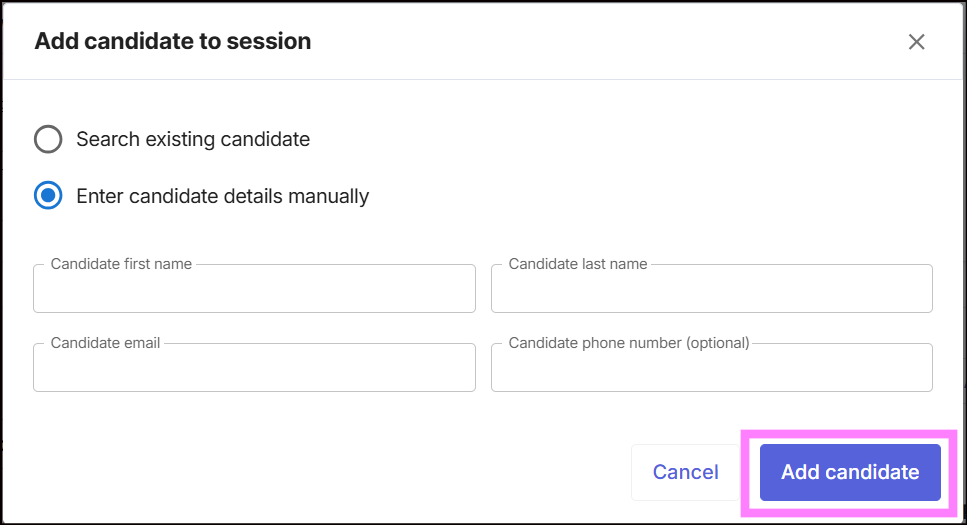
- Click Add Candidate to place the candidate into the selected session.
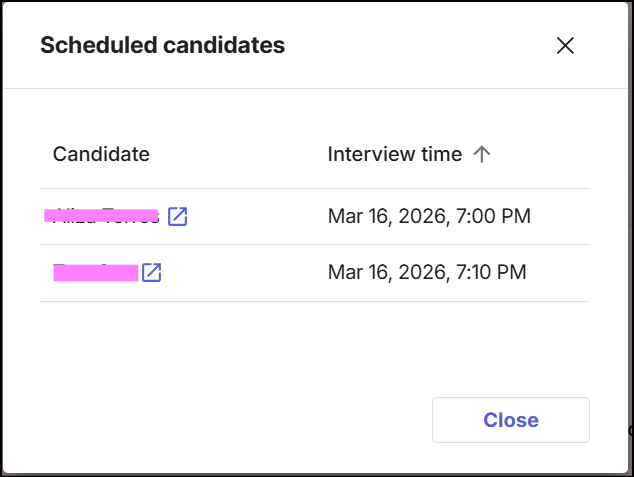
- Click the purple button to view if the candidate is successfully added on the selected timeslot.
Hellohire Support
Have questions or need assistance? We’re here to help! Feel free to contact us at support@tryhellohire.com.
Was this article helpful?
That’s Great!
Thank you for your feedback
Sorry! We couldn't be helpful
Thank you for your feedback
Feedback sent
We appreciate your effort and will try to fix the article