When a candidate requests to reschedule their in-person interview, you can quickly cancel their existing session and assign them to a new time slot.
Here’s how to do it step by step:
Step 1: Cancel the Current In-person Interview
- Go to the Candidate list under your In-person interview:
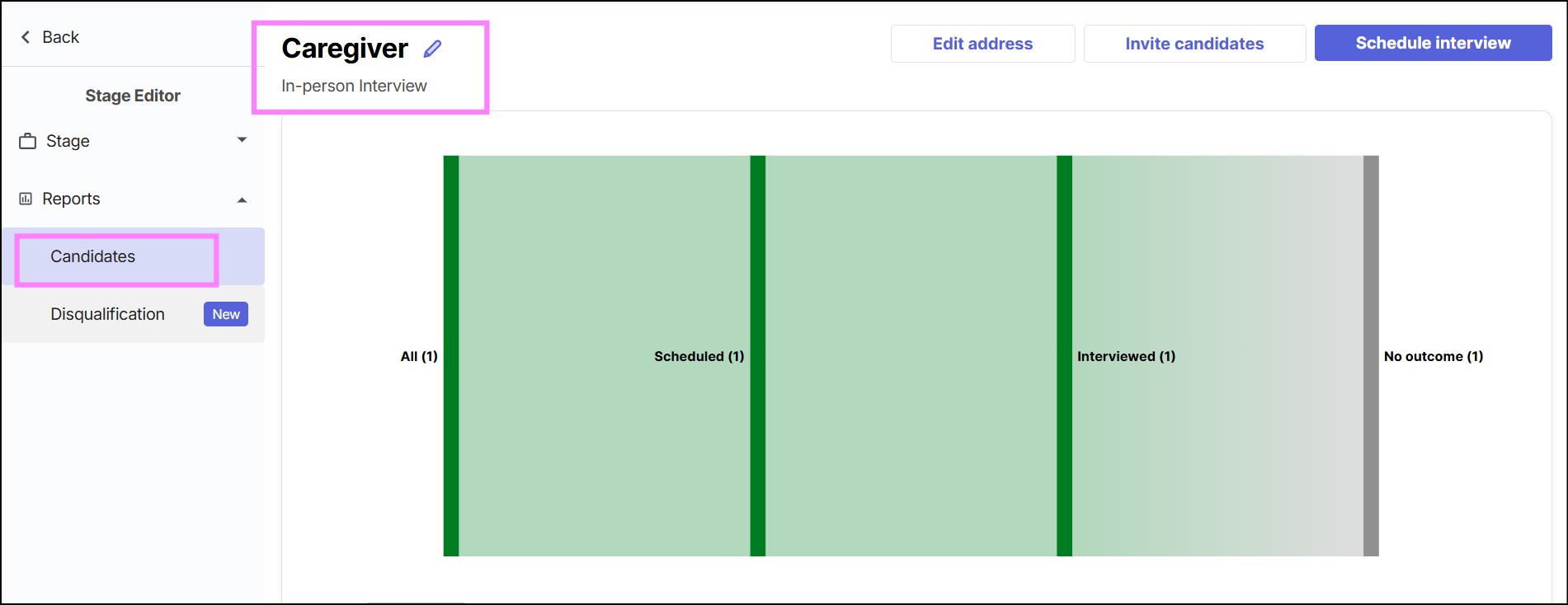
Find the candidate you want to reschedule.
Click the three dots (⋮) on the right side of their name.

Select Cancel.
Continue to confirm the cancellation and click Cancel interview.
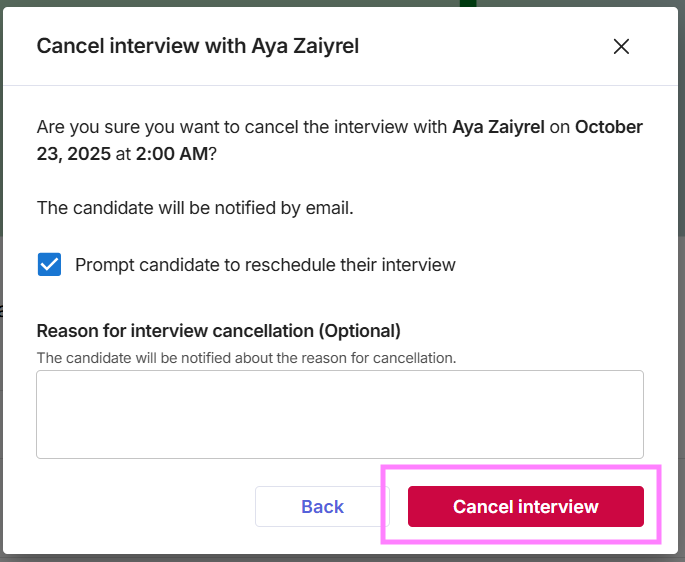
The candidate will receive an email notification informing them that their in-person interview session has been cancelled.
Step 2: Add the Candidate to a New Session
- Go to the Schedule section of your In-person Interview:
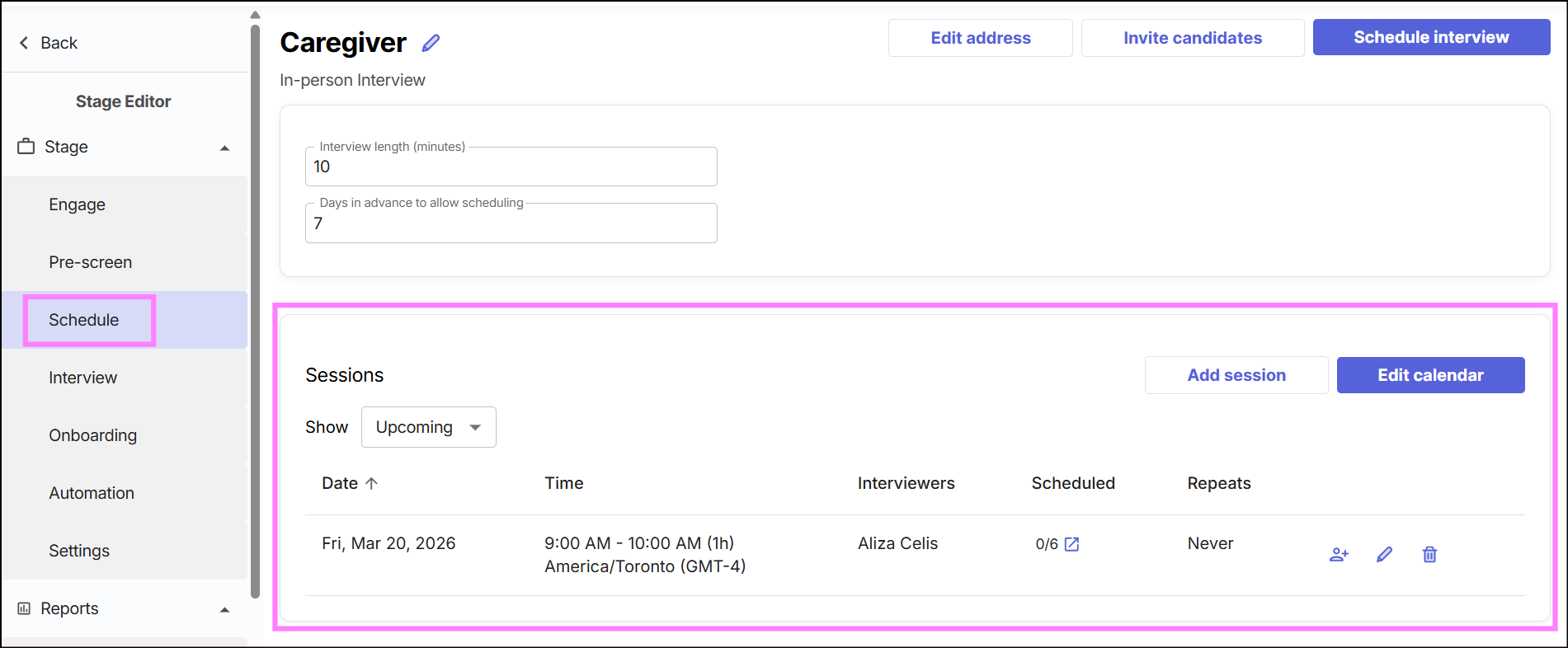
- Look for the new timeslot you’d like to assign the candidate to.
- Click the "human+" button beside that date and timeslot.

- Search for the candidate by name or email address, then select them from the results.
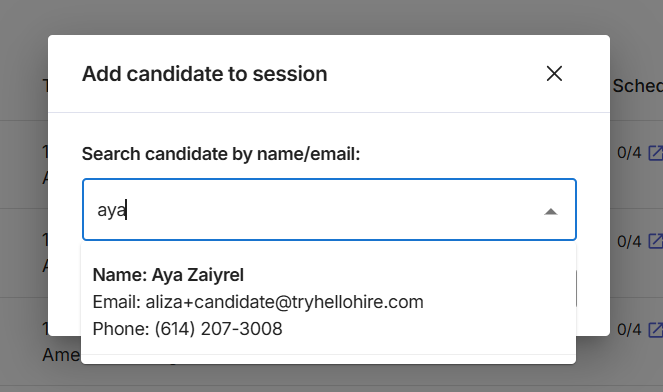
- Click Add Candidate to proceed.
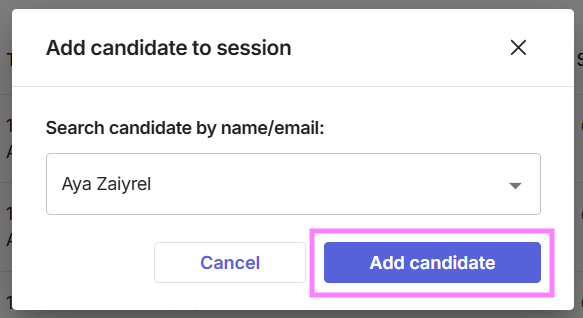
- The candidate will receive a new email confirming the new schedule of their in-person interview.
Hellohire Support
Have questions or need assistance? We’re here to help! Feel free to contact us at support@tryhellohire.com.
Was this article helpful?
That’s Great!
Thank you for your feedback
Sorry! We couldn't be helpful
Thank you for your feedback
Feedback sent
We appreciate your effort and will try to fix the article