You can control how many candidates are allowed to book a specific time slot for your in-person interviews by updating the Candidate Limit in your calendar settings.
Steps to Update Candidate Limit
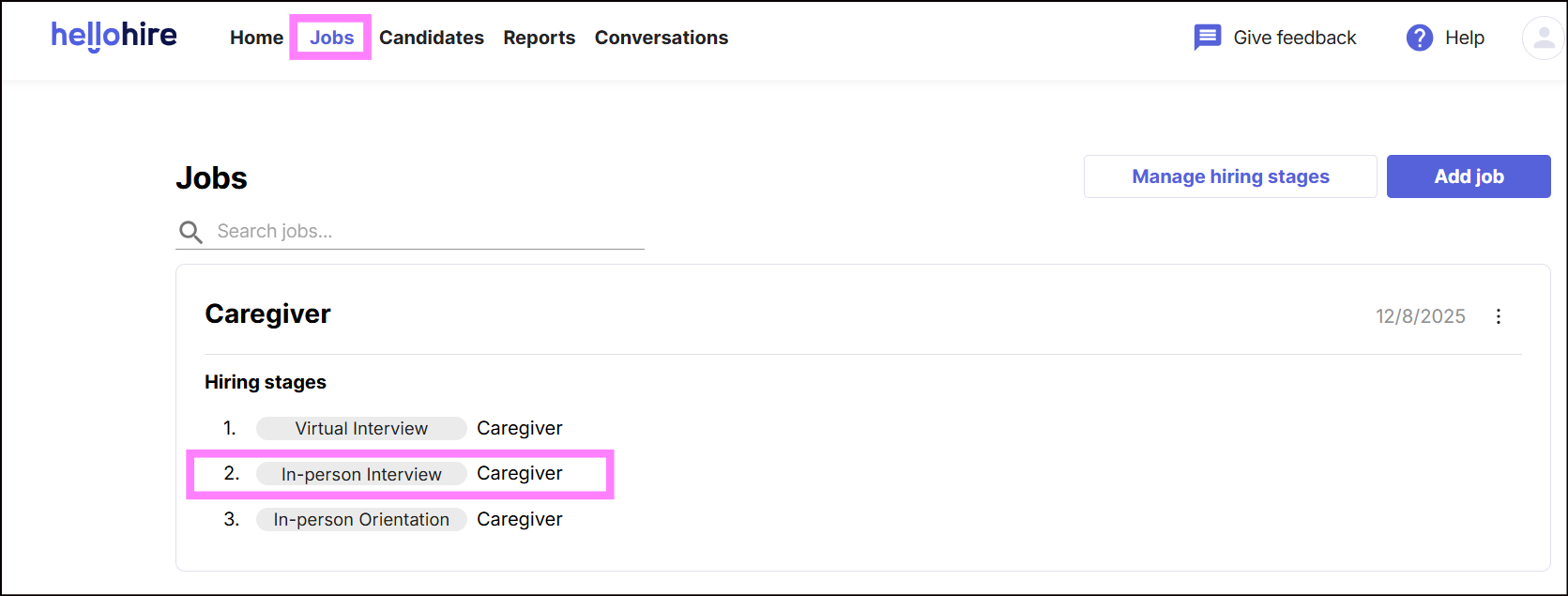
- Go to the Jobs tab in your dashboard.
- Navigate to the In-Person Interview hiring stage.
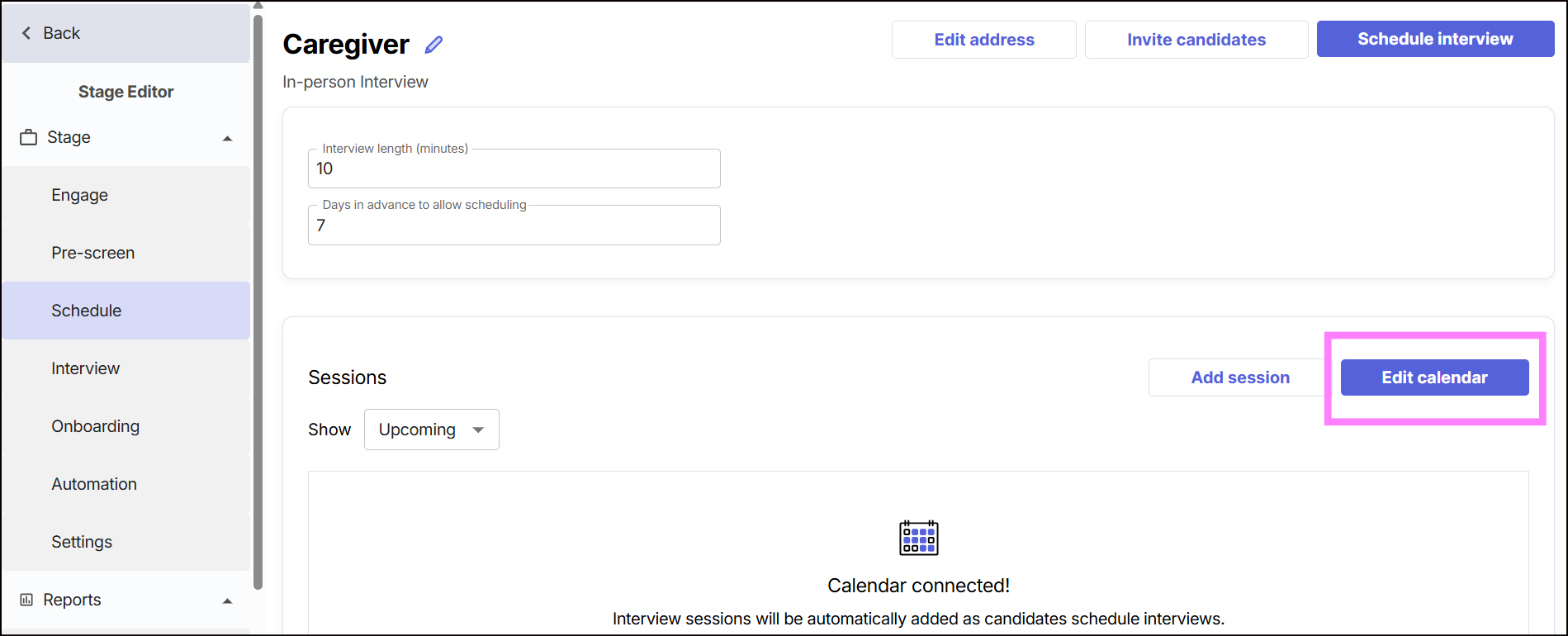
- Click Edit Calendar.
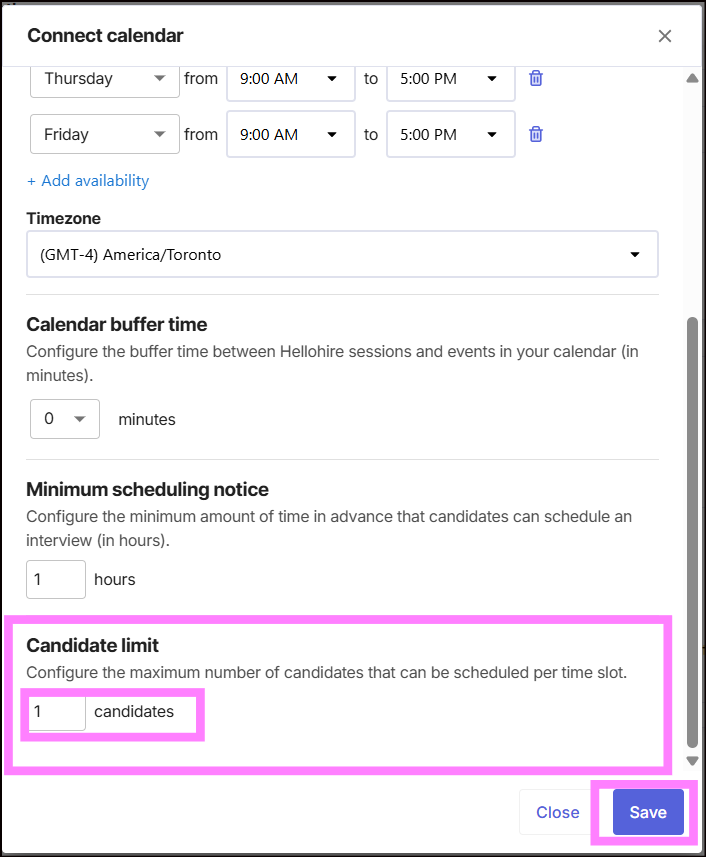
- Locate the Candidate Limit field.
- Enter the maximum number of candidates allowed per time slot.
- Save your changes.
What is Candidate Limit?
The Candidate Limit determines how many candidates can be scheduled into the same in-person interview time slot.
- Example:
- If set to 1 → Only one candidate can book that time slot.
- If set to 5 → Up to five candidates can book the same time slot.
Important Notes
- Once the limit is reached, the time slot will no longer be available for additional candidates.
- Adjust this setting based on your team’s capacity to handle interviews efficiently.
Hellohire Support
Have questions or need assistance? We’re here to help! Feel free to contact us at support@tryhellohire.com.
Was this article helpful?
That’s Great!
Thank you for your feedback
Sorry! We couldn't be helpful
Thank you for your feedback
Feedback sent
We appreciate your effort and will try to fix the article