If you need to adjust your availability—such as blocking off time each day (e.g., a daily 1-hour break)—you can easily do this through your scheduling settings in Hellohire.
How to Block Time Daily (e.g., 1 Hour Each Day)
To block off time (like a daily break or recurring appointment), you have two options:
Option A (Recommended): Use Your Connected Calendar
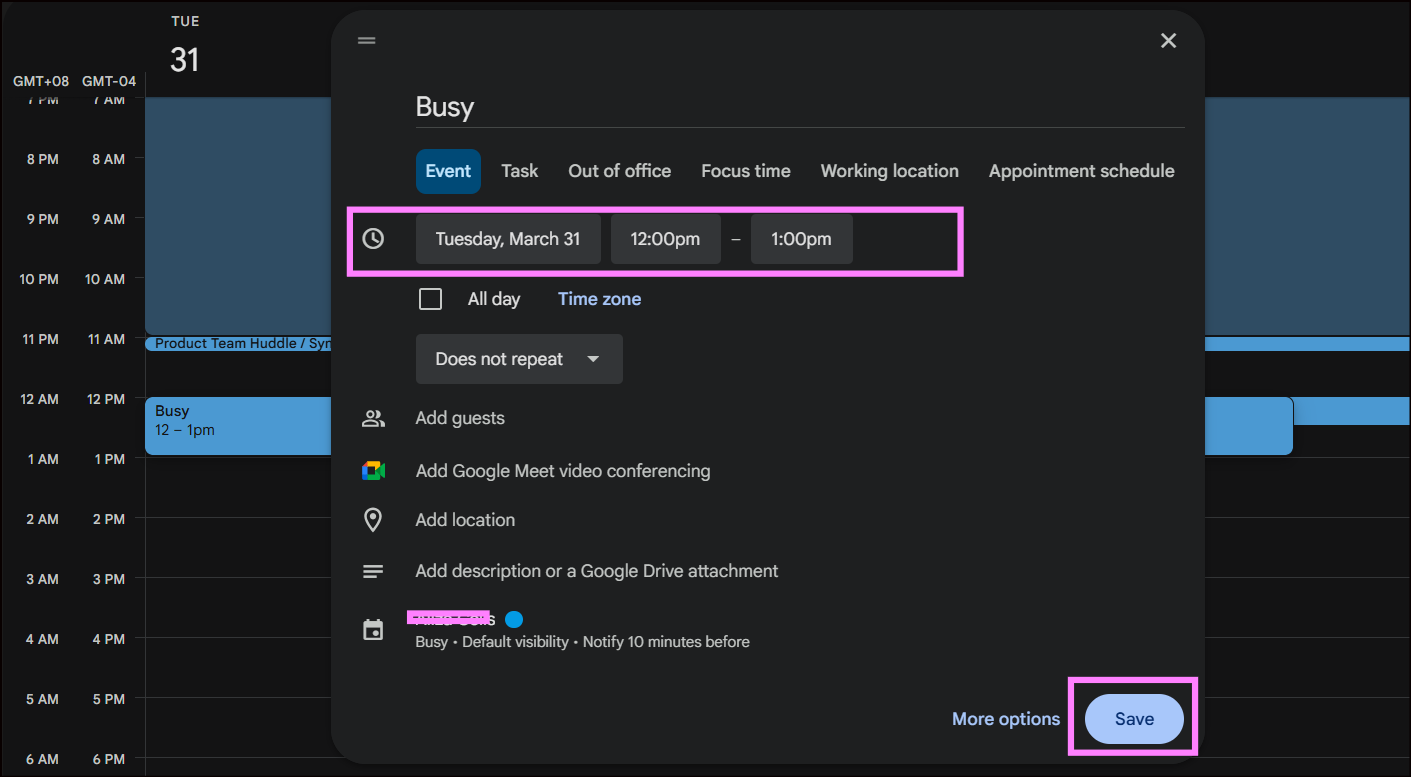
Add a recurring event (e.g., daily 12:00–1:00 PM) in your Google or Microsoft calendar.
Hellohire will automatically block this time from your scheduling page.
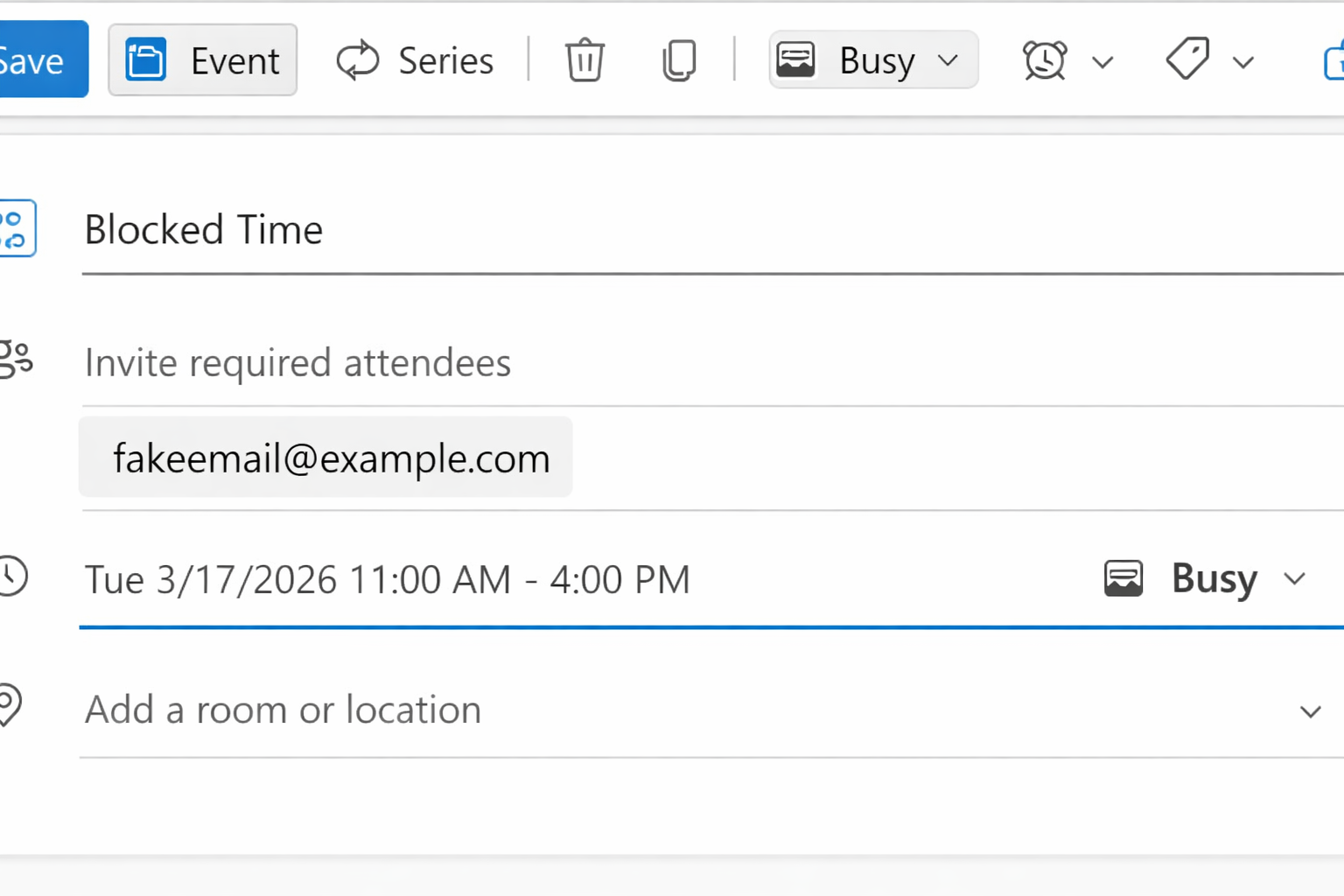
Blocking Time on Your Calendar (Microsoft Outlook)
If you are using Microsoft Outlook / Office 365 calendar integration, it’s important to block your time so that Hellohire reflects your true availability and prevents candidates from booking during those hours.
How to Block Time in Outlook
- Open your Outlook Calendar
- Create a New Event (or edit an existing one)
- In the “Invite Required Attendees”field:
- Add your own email address
- At the top of the event window, make sure the status is set to:
- ✅ Busy (not Free)
- Save the event
Option B: Adjust Availability in Hellohire
When setting availability, exclude the time range you want blocked (e.g., set availability as 9:00–12:00 and 1:00–5:00)
Check out these helpful articles guide :
- To add availability or sessions for interviews, see: How to Add Sessions/Availability for Interviews
- To set up scheduling type, see: Bulk and Individual Scheduling in Hellohire
How to Confirm Your Availability
After saving your settings, open your scheduling link and verify that:
Blocked times do not appear as available
Only your intended availability is visible to candidates
Hellohire Support
Have questions or need assistance? We’re here to help! Feel free to contact us at support@tryhellohire.com.
Was this article helpful?
That’s Great!
Thank you for your feedback
Sorry! We couldn't be helpful
Thank you for your feedback
Feedback sent
We appreciate your effort and will try to fix the article