Why do I need to upload documents?
Employers may request certain documents to move your application forward. You’ll receive an email with a secure link to upload the required files.
How do I upload my documents?
- Open the email you received.
- Click the provided link.
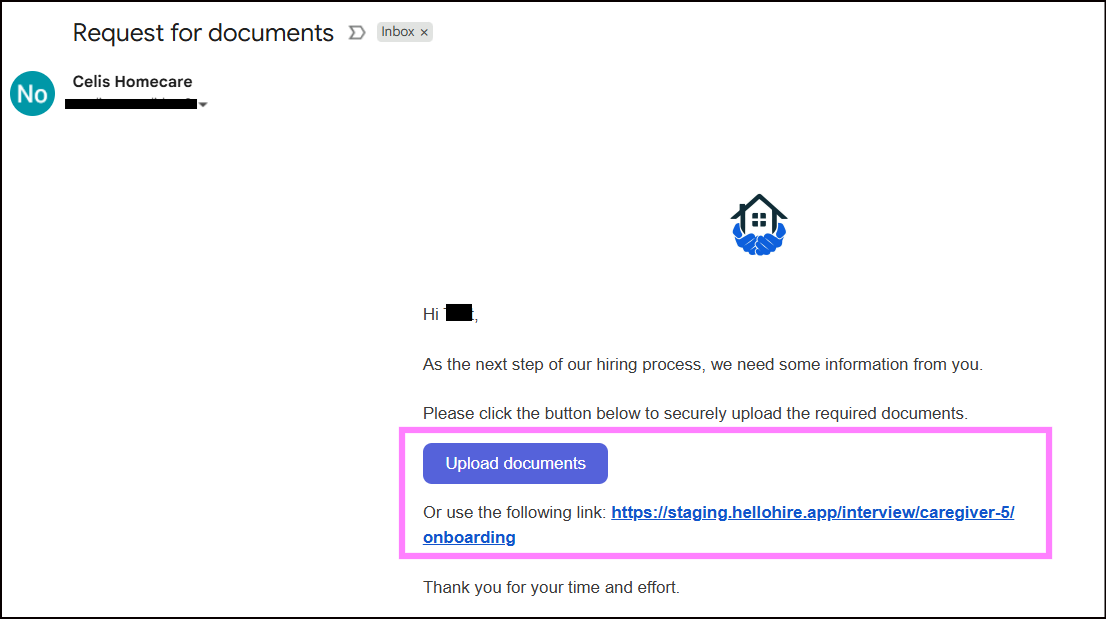
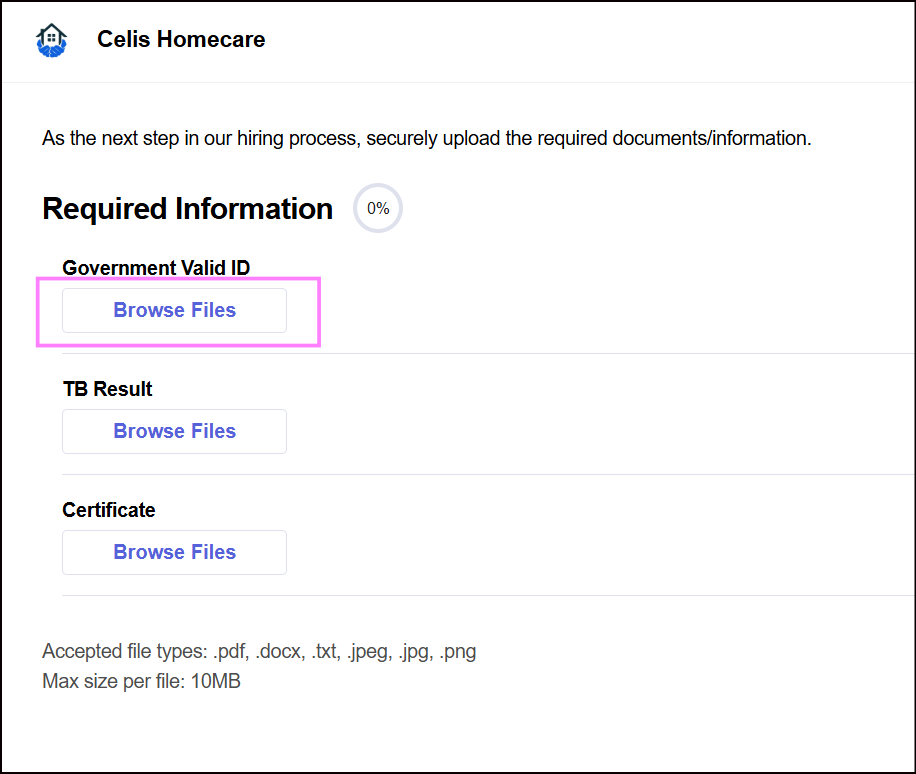
- You’ll be directed to a page where you can upload your documents/files.
- Select the file(s) from your device and begin the upload.
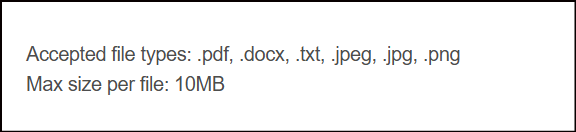
What file types are accepted?
You can upload the following formats:
- .docx
- .txt
- .jpeg / .jpg
- .png
How do I know my upload was successful?
- As your file uploads, you’ll see a progress indicator.
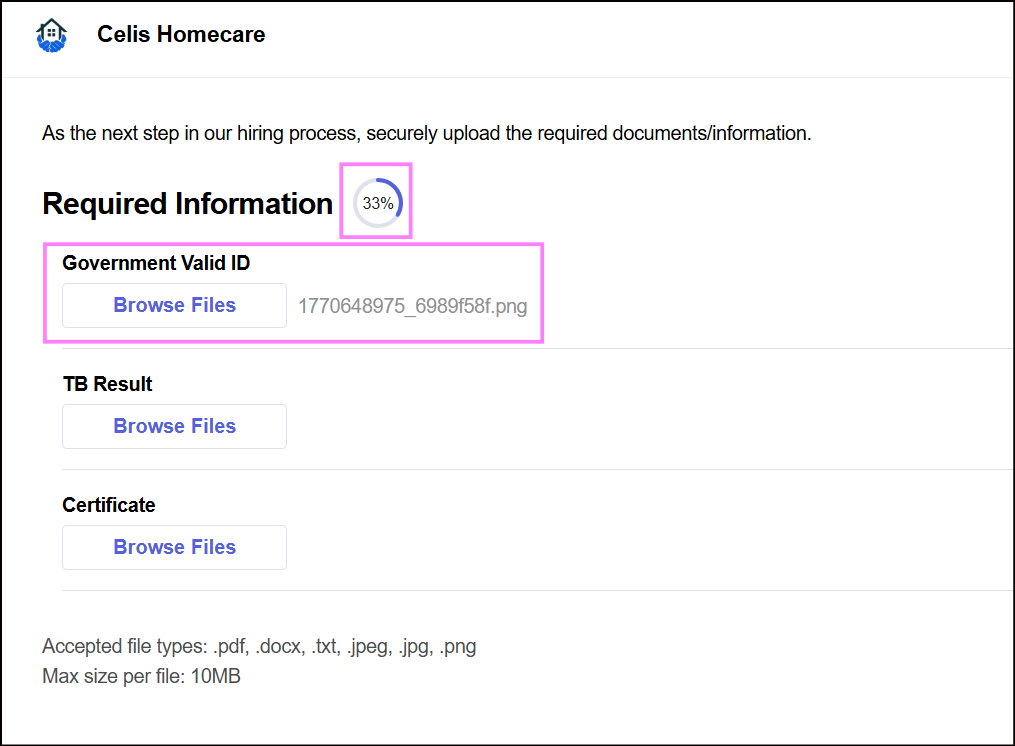
- Once the indicator reaches 100%, your submission is complete.
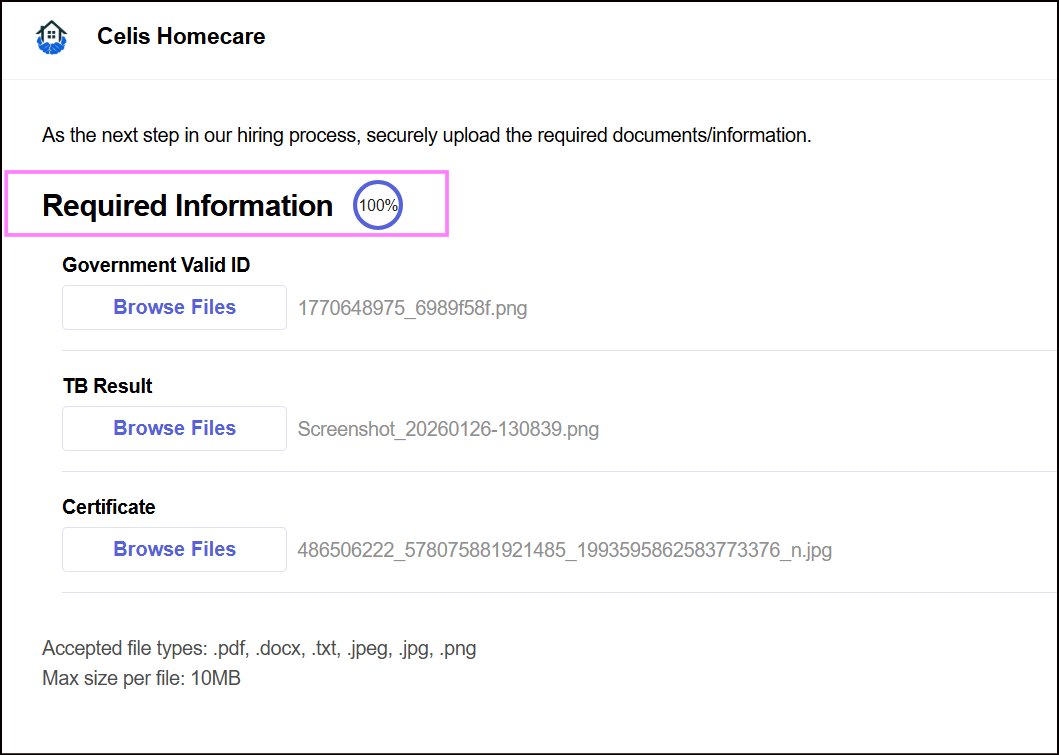
Note: There is no “Submit” or "Save" button — the upload is automatically finalized once it reaches 100%.
What if I have trouble uploading?
- Double-check that your file is in one of the accepted formats.
- Ensure your internet connection is stable.
- If issues persist, reach out to the support team.
Hellohire Support
Have questions or need assistance? We’re here to help! Feel free to contact us at support@tryhellohire.com.
Was this article helpful?
That’s Great!
Thank you for your feedback
Sorry! We couldn't be helpful
Thank you for your feedback
Feedback sent
We appreciate your effort and will try to fix the article