A quick guide to assigning and reassigning licenses and interviews, and connecting calendars to Hellohire.
1. How to assign or re-assign a license to an interviewer
This explains how to enable or disable an interviewer’s license.
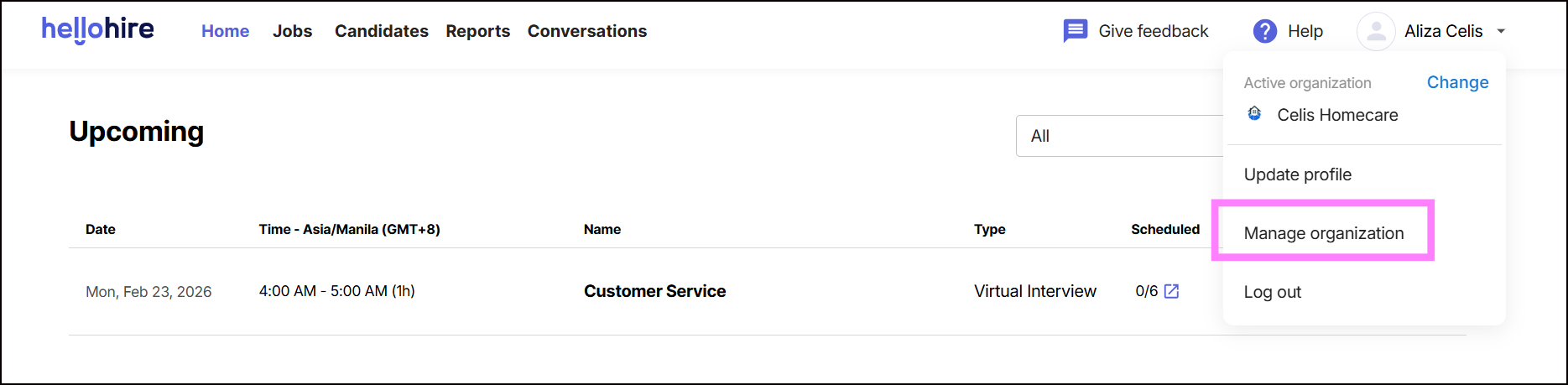
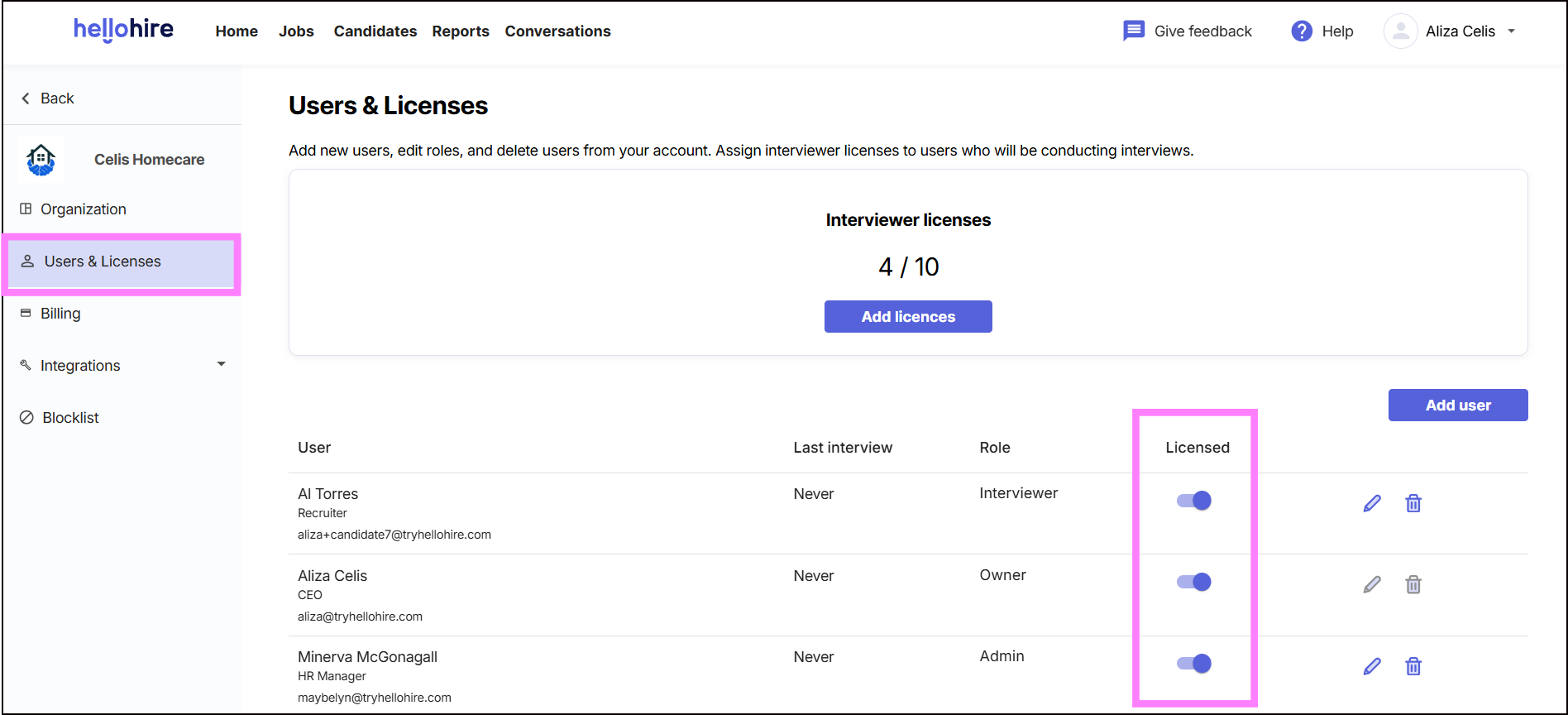
- Go to Manage Organization → Users & Licenses.
- Use the Enable/Disable toggle button to assign or re-assign a license to the interviewer.
Common Error & Resolution
Error message: “You must remove the interviewer from all upcoming interview sessions and disconnect their calendar before you can delete them.”
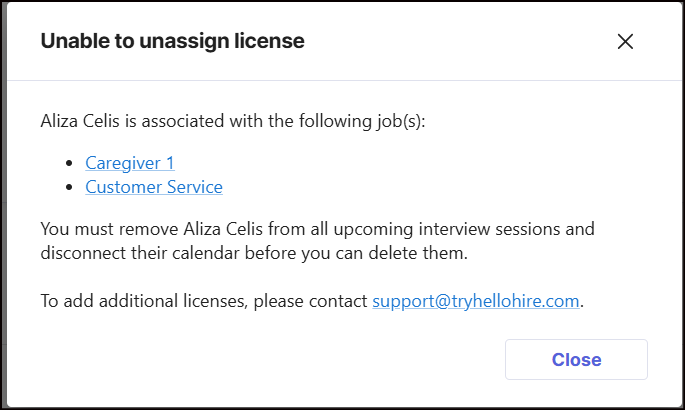
- Reason: The system prevents disabling a license if the interviewer is still linked to active sessions or has a connected calendar.
- Fix:
1. Remove the interviewer from all upcoming interview sessions.
2. Disconnect their calendar.
3. Once disconnected, you can disable the license.
2. How to re-assign an interview to a new interviewer
This explains how to update an interview so a different interviewer takes over.
- Go to Jobs.
- Select the Job name that needs updating.
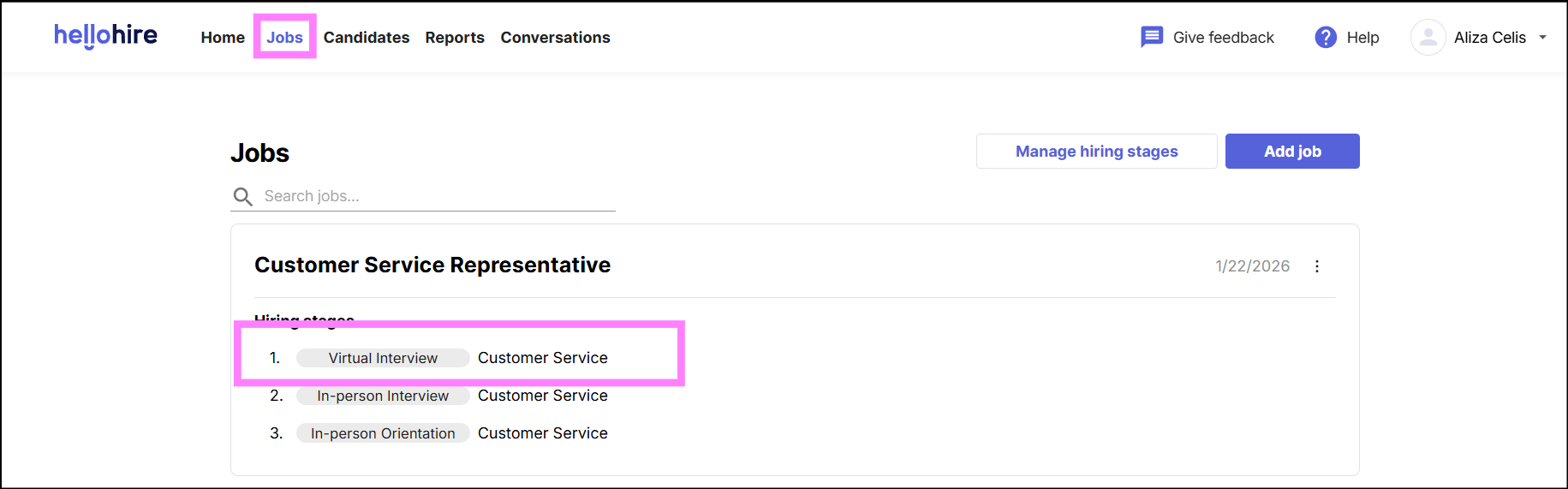
- Check the upcoming sessions.
- Click the pencil icon to edit.
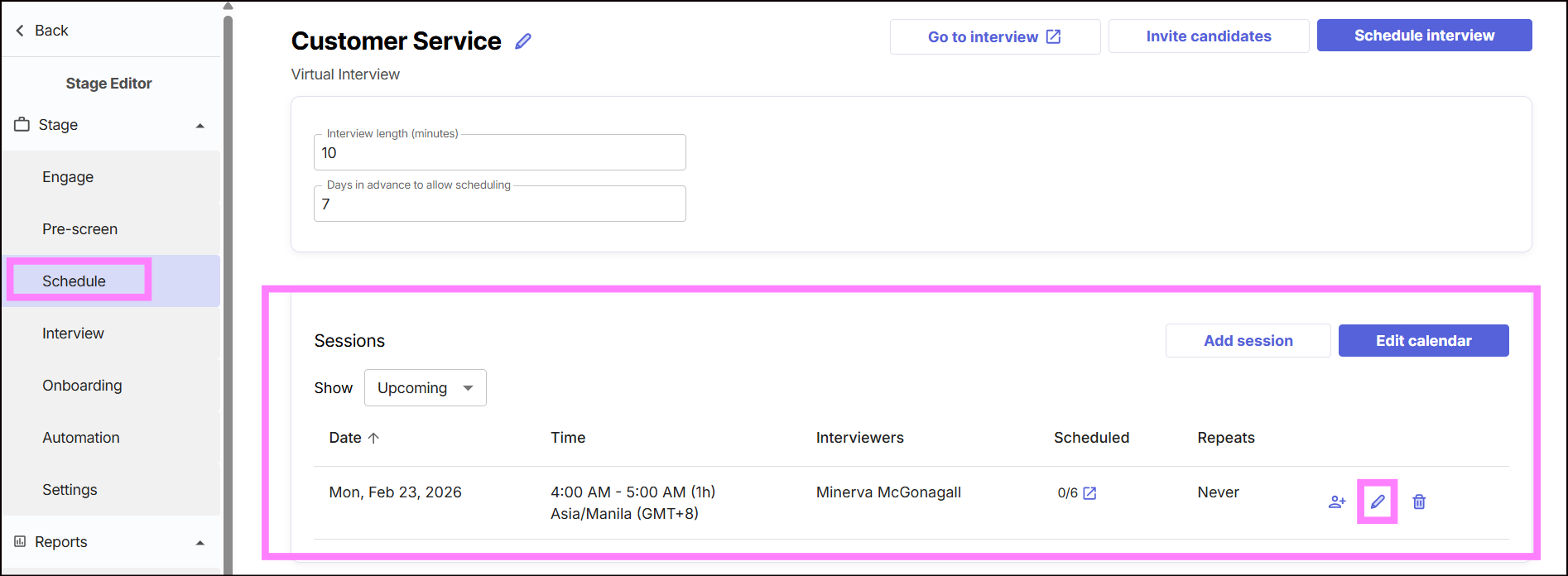
- Assign the interview to a different interviewer.
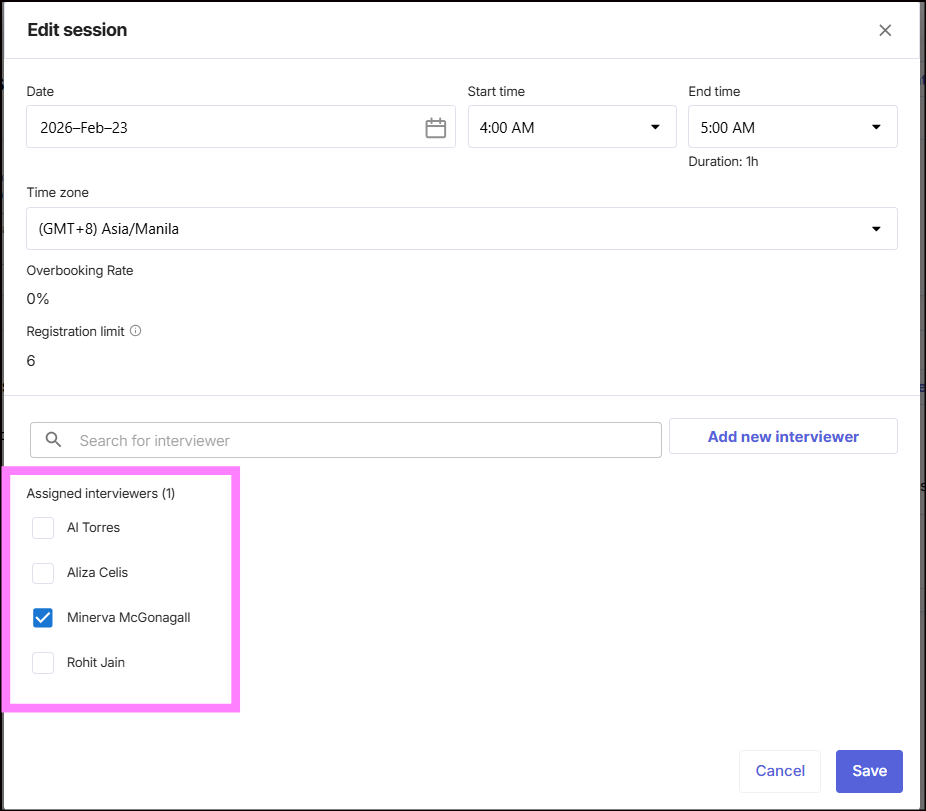
- Save changes. The new interviewer will be notified.
3. How to connect an interviewer’s calendar
This explains how to sync interviews with an interviewer’s calendar.
- Go to Jobs.
- Select the Job name that needs updating.
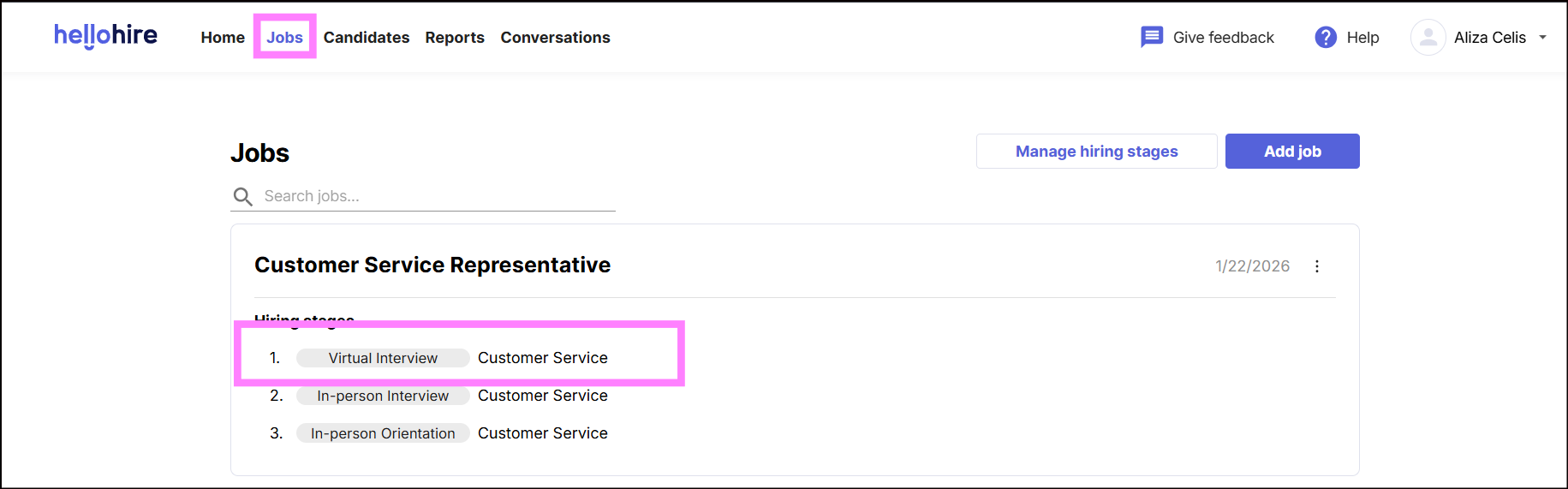
- Click Connect Calendar.
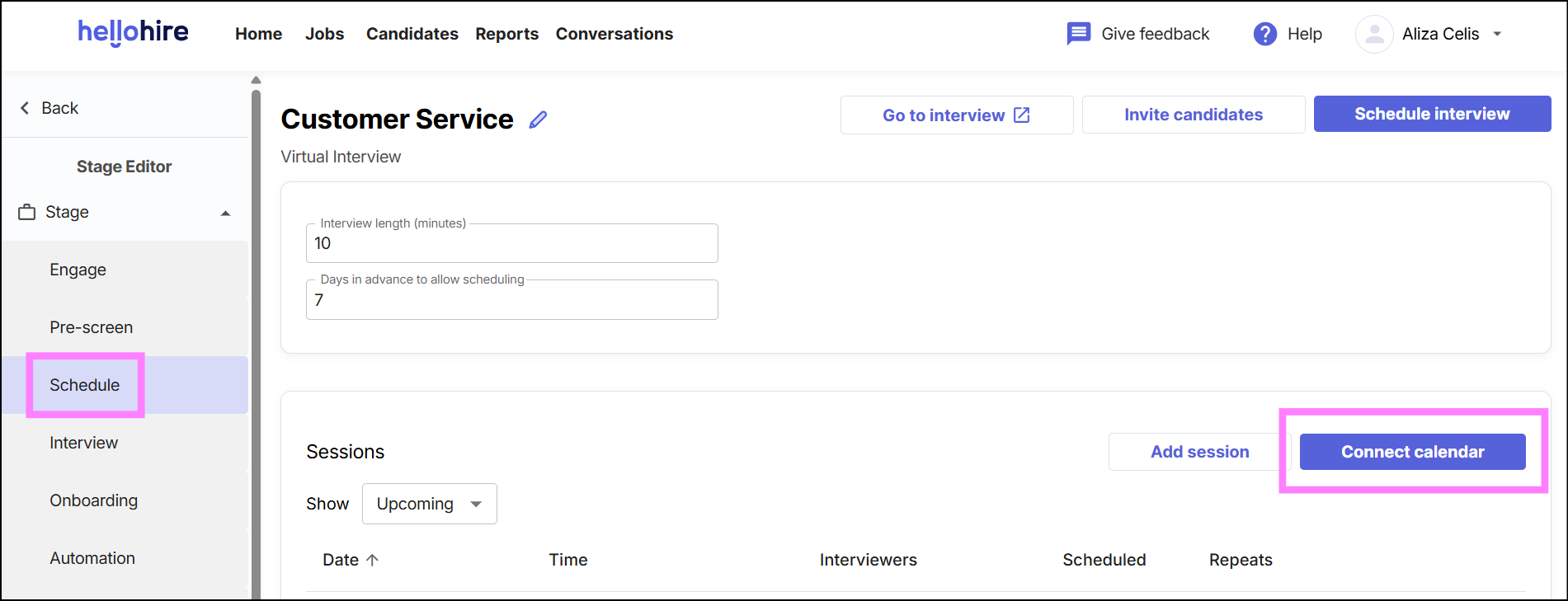
- Follow the on-screen instructions to complete the integration.
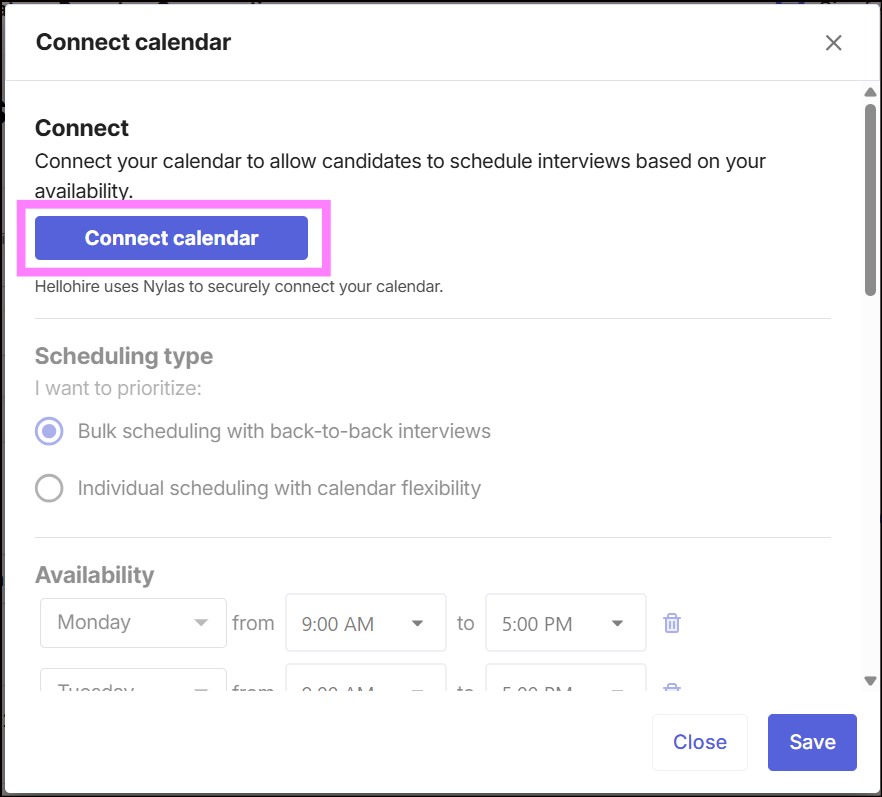
- Once connected, upcoming interviews will sync automatically to the interviewer’s calendar.
✅ Tip: Always disconnect calendars and clear any upcoming sessions before disabling or reassigning licenses. This allows you to successfully reassign the license and ensures a smooth transition.
Hellohire Support
Have questions or need assistance? We’re here to help! Feel free to contact us at support@tryhellohire.com.
Was this article helpful?
That’s Great!
Thank you for your feedback
Sorry! We couldn't be helpful
Thank you for your feedback
Feedback sent
We appreciate your effort and will try to fix the article